
Most small business owners think about cybersecurity in terms of passwords and antivirus software. They lock their front door, train their staff not to click suspicious emails, and perhaps run a basic security tool on their computers. That feels like enough. But there is a threat that many overlook completely — one that is right there in the office, invisible and always on. It is your Wi-Fi network.
Wireless internet is the backbone of almost every modern workplace. Employees connect their laptops, phones, and tablets to it dozens of times a day without a second thought. It is so familiar, so ordinary, that it rarely gets the attention it deserves. And that is exactly the problem.
The truth is that a poorly secured Wi-Fi network is one of the easiest entry points for a cybercriminal. Unlike a phishing attack, which requires someone to make a mistake, or a software exploit, which demands technical effort, a weak wireless network can sometimes be accessed simply by being nearby. No elaborate plan is needed for this.
For small businesses, this risk is particularly significant. Resources are limited, IT expertise is often scarce, and network security is rarely at the top of the priority list. Cybercriminals know this — and they take advantage of it. Understanding how this threat works, and what you can do about it, is an important step in protecting everything you have built.
Why Wi-Fi Is a attractive Target
Hackers do not always need to break through a firewall or trick someone into clicking a bad link. Sometimes, all they need to do is sit in a car outside your office — or settle into a table at a nearby café — and attempt to connect to your network. If your Wi-Fi is poorly configured, they can get in quietly, without triggering any alarms and without anyone noticing.
This kind of attack is sometimes called a passive intrusion. The hacker does not announce themselves. They simply observe. Using widely available tools — some of which can be downloaded for free — an attacker can scan for nearby wireless networks, identify weak ones, and begin probing for access. For a network with poor security settings, this process can take only a few minutes.
Once inside your network, an attacker can monitor the data that travels across it. This is known as a “man-in-the-middle” attack — the hacker positions themselves between your devices and the internet, intercepting information as it passes through. This includes emails, login credentials, financial transactions, client records, and any other data your team sends or receives during the working day.
What makes this particularly dangerous for small businesses is the range of consequences a single breach can trigger. On the operational side, attackers may gain access to internal systems, install malware, or lock you out of your own files through ransomware. On the legal side, if customer data is exposed, you may face obligations under data protection regulations such as the GDPR — including the duty to report the breach and, in some cases, significant fines. And on the reputational side, the damage can be harder to repair than any technical problem. Clients and partners who learn that their data was compromised may simply take their business elsewhere.
The uncomfortable reality is that Wi-Fi attacks are not rare or exotic. They are a routine part of the cybercriminal toolkit, precisely because so many businesses leave their wireless networks inadequately protected.
The Most Common Wi-Fi Mistakes
Many small businesses make the same basic errors when setting up their wireless networks. This is not a question of carelessness — it is usually a matter of priorities. When you are running a business, configuring a router properly rarely feels urgent. But these gaps in security are well known to cybercriminals, who actively look for them. Understanding the most common mistakes is the first step toward fixing them.
Using weak or default passwords. Every router comes with a factory-set username and password, and lists of these default credentials are freely available online. If your router still uses the settings it came with, a hacker does not need any special skills to get in — they simply try the defaults. The same applies to businesses that have changed their password but chosen something short or obvious. A strong Wi-Fi password should be long, random, and not related to your company name, address, or any other information that someone could easily guess. It should also be stored somewhere secure, such as a password manager, rather than written on a sticky note near the router.
Weak passwords are one of the most common entry points for attackers.
👉 Here’s how to manage passwords securely as your business grows
Not separating guest and business networks. It is perfectly reasonable to offer Wi-Fi to visitors, clients, delivery staff, or anyone else who comes through your door. The problem arises when those visitors connect to the same network as your employees. Any device that joins your network — including a personal phone with outdated software or a laptop that is already infected with malware — becomes a potential entry point into your systems. Setting up a separate guest network is a simple fix that keeps your business data isolated from outside devices. Visitors get internet access; your internal systems stay protected.
Using outdated security protocols. Wi-Fi security relies on encryption protocols that scramble data so it cannot be read by outsiders. Older standards, such as WEP and the original WPA, were developed years ago and have well-documented weaknesses that modern hacking tools can exploit in a matter of seconds. If your network still uses these older protocols, it offers very little real protection. Current best practice is to use WPA3, the latest standard, or at minimum WPA2. You can usually check and change this setting in your router’s administration panel. If your router is too old to support WPA2 or WPA3, it may be time to replace it — an outdated router is a liability, not an asset.
Forgetting to update router firmware. Most people think of software updates in relation to computers and phones, but routers also run software — called firmware — that needs to be kept up to date. Manufacturers release firmware updates to fix security vulnerabilities, and when those updates are not applied, the vulnerabilities remain open. Many businesses set up their router when they first move into an office and never revisit the settings again. Checking for firmware updates every few months, or enabling automatic updates if your router supports them, is a small habit that can close significant security gaps.
Not monitoring who is connected. At any given moment, do you know exactly which devices are connected to your network? Most businesses do not. Your router’s admin panel will typically show you a list of connected devices, and reviewing this list occasionally is a worthwhile practice. An unfamiliar device on your network — one that does not belong to any employee or known visitor — could be a sign that someone has gained unauthorised access. Catching this early gives you the chance to act before any serious damage is done. Some routers also allow you to set up alerts for new device connections, which adds an extra layer of awareness without requiring constant manual checks.
The Risk Goes Beyond the Office
Remote work has made Wi-Fi security significantly more complex — and for many small businesses, it has expanded the attack surface in ways that are not immediately obvious. When your team works from a single office, you have at least some control over the network environment. Once employees start working from home, from hotels, or from public spaces, that control largely disappears.
The home network is the first challenge. Most employees set up their home Wi-Fi the same way the average small business does — quickly, with little thought given to security settings. Default router passwords, outdated firmware, and no separation between personal and work devices are all common. When someone accesses company systems from a home network in this state, they are essentially connecting your business to an unsecured environment.
Public Wi-Fi is an even greater concern. Coffee shops, airports, hotels, co-working spaces, and train stations all offer wireless internet as a convenience — but these networks are typically open, unencrypted, and shared with dozens or hundreds of strangers. They are, as a result, a well-known hunting ground for cybercriminals. A technique called a “rogue hotspot” attack illustrates just how easy it can be: a hacker sets up a fake Wi-Fi network with a convincing name — “CaféGuest” or “AirportFreeWifi” — and waits for people to connect. Once connected, all traffic passes through the attacker’s device, giving them full visibility of whatever data is being transmitted.
If a remote employee connects to one of these networks and then logs into your company email, your accounting software, or your customer database, that data can be intercepted without the employee ever knowing. The consequences are the same as any other breach — potentially worse, because the source of the problem may be much harder to trace.
This is why businesses that allow remote work need a clear and enforceable policy around network use. At a minimum, employees should be advised never to access company systems over public Wi-Fi without additional protection. The most effective tool for this is a VPN, or Virtual Private Network. A VPN creates an encrypted tunnel between the employee’s device and the internet, meaning that even if the underlying network is compromised, the data travelling through it cannot be read by an outsider. VPN solutions designed for business use are widely available and relatively affordable — and for a team that works remotely even part of the time, they are a worthwhile investment.
If your team works remotely or uses public Wi-Fi, the risk is even higher.
👉 Read more: Are VPNs Still Safe for Business in 2025?
Beyond the VPN, businesses should also consider whether remote employees are using personal devices for work. A laptop that is also used for gaming, personal browsing, or shared with other family members carries a much higher risk of being infected with malware. A clear policy on device use — ideally combined with basic endpoint security software — can significantly reduce this risk without placing an unreasonable burden on your team.
If you want stronger protection for your business network, you should also consider a proper firewall setup.
👉 Learn more in my guide: Small Business Network Security 2026: The Right Firewall Setup for Offices up to 20 Employees
What You Can Do Right Now
The good news is that most Wi-Fi security improvements are neither expensive nor technically complex. You do not need a dedicated IT department to meaningfully reduce your risk. What you do need is a willingness to spend a little time on the basics — and to treat your network with the same seriousness you would give to any other part of your business infrastructure. Here are the most important steps any small business can take.
Audit your current setup. Before you can fix anything, you need to know where you stand. Log into your router’s administration panel — usually accessible by typing an IP address such as 192.168.1.1 into your browser — and check a few key things: what security protocol is active, when the firmware was last updated, whether a guest network exists, and who is currently connected. If this feels unfamiliar, do not guess. A local IT professional can run through your setup in an hour or two and give you a clear picture of what needs attention. That conversation is far less costly than dealing with a breach.
Change default credentials immediately. If your router still uses the factory username and password, this should be your first action — not tomorrow, today. Look up the default credentials for your router model online (this takes thirty seconds), and if yours match, change them now. Choose a password that is at least fifteen characters long, combines letters, numbers, and symbols, and has no connection to your business name or address. Store it in a password manager rather than anywhere it could be casually seen or accessed.
Create a guest network. Most modern routers allow you to set up a secondary network specifically for guests, completely separate from your main business network. Visitors who need internet access — clients, delivery staff, contractors — connect to the guest network and have no visibility of or access to your internal systems. This is one of the simplest and most effective structural changes you can make. Once it is set up, it requires no ongoing maintenance.
Update your router firmware. Log into your router’s admin panel and check whether a firmware update is available. Many routers now offer the option to enable automatic updates — turn this on if you can. If your router does not support automatic updates, set a recurring reminder every two to three months to check manually. This is a low-effort habit that addresses one of the most commonly exploited vulnerabilities in small business networks. And if your router is more than five years old and no longer receiving manufacturer updates, it is worth replacing. An unsupported router is a permanent security liability.
Upgrade your security protocol. While you are in the router’s settings, check which wireless security protocol is active. If it shows WEP or WPA, change it to WPA2 or WPA3 immediately — both are standard options on routers made in the last several years. If WPA2 is the highest available option, that is acceptable for now, but consider it a reason to plan for a hardware upgrade in the near future. WPA3 offers meaningfully stronger protection, particularly against the kind of brute-force attacks that are increasingly common.
Introduce a remote work policy. If any of your employees work outside the office — even occasionally — put a clear written policy in place. It does not need to be long or complicated. The key points are: do not access company systems on public Wi-Fi without a VPN, do not use personal devices for sensitive work tasks without prior agreement, and report anything unusual immediately. Many employees are simply unaware of the risks involved in connecting to an open network. A short briefing and a one-page policy document can go a long way toward changing behaviour.
Deploy a VPN for remote access. If you have not already done so, invest in a business VPN solution and require its use whenever employees work remotely. A number of reliable business VPN services are available at a modest monthly cost per user. Set it up, make its use non-optional for remote work, and ensure every team member knows how to connect. This single measure dramatically reduces the risk associated with remote and hybrid working.
Consider professional support. Many managed IT service providers offer network security assessments tailored to small businesses, often at a fixed and reasonable price. A professional review will identify vulnerabilities you may not have considered, provide a prioritised list of recommendations, and give you documented evidence that you have taken reasonable steps to protect your data — which can be relevant in the event of a regulatory audit. Even if you only engage an IT professional once a year, that relationship is a worthwhile investment.
Security Is Not Just for Big Companies
There’s a common misconception that hackers only target large corporations with deep pockets. The truth is, small businesses are often the most vulnerable—and the most appealing targets. Why? Because they typically lack the robust cybersecurity measures of bigger enterprises, making them easier to exploit. In fact, nearly half of all cyberattacks are aimed at small and medium-sized businesses. Cybercriminals take advantage of weak passwords, unsecured networks, and untrained employees to gain access, steal data, or deploy ransomware.
One of the most overlooked vulnerabilities is your Wi-Fi network. Many business owners assume their router’s signal is confined to their office or store. But Wi-Fi signals often extend far beyond your walls—sometimes reaching the street or neighboring buildings. Without proper protection, outsiders can intercept these signals, access sensitive information, or even inject malware into your system. An unsecured network is like leaving your front door wide open for anyone to walk in.
Security isn’t about paranoia—it’s about responsibility.
It’s not about living in constant fear of an attack; it’s about taking proactive steps to protect what matters most. A single security breach can lead to financial loss, legal liabilities, and, perhaps most damaging, a loss of trust from your customers and partners. For a small business, the reputational damage from a data breach can be devastating—sometimes even fatal.
The good news? A few smart changes can make a world of difference.
By implementing basic security measures, you can significantly reduce your risk and demonstrate to your employees and clients that their safety is a priority. Here’s how:
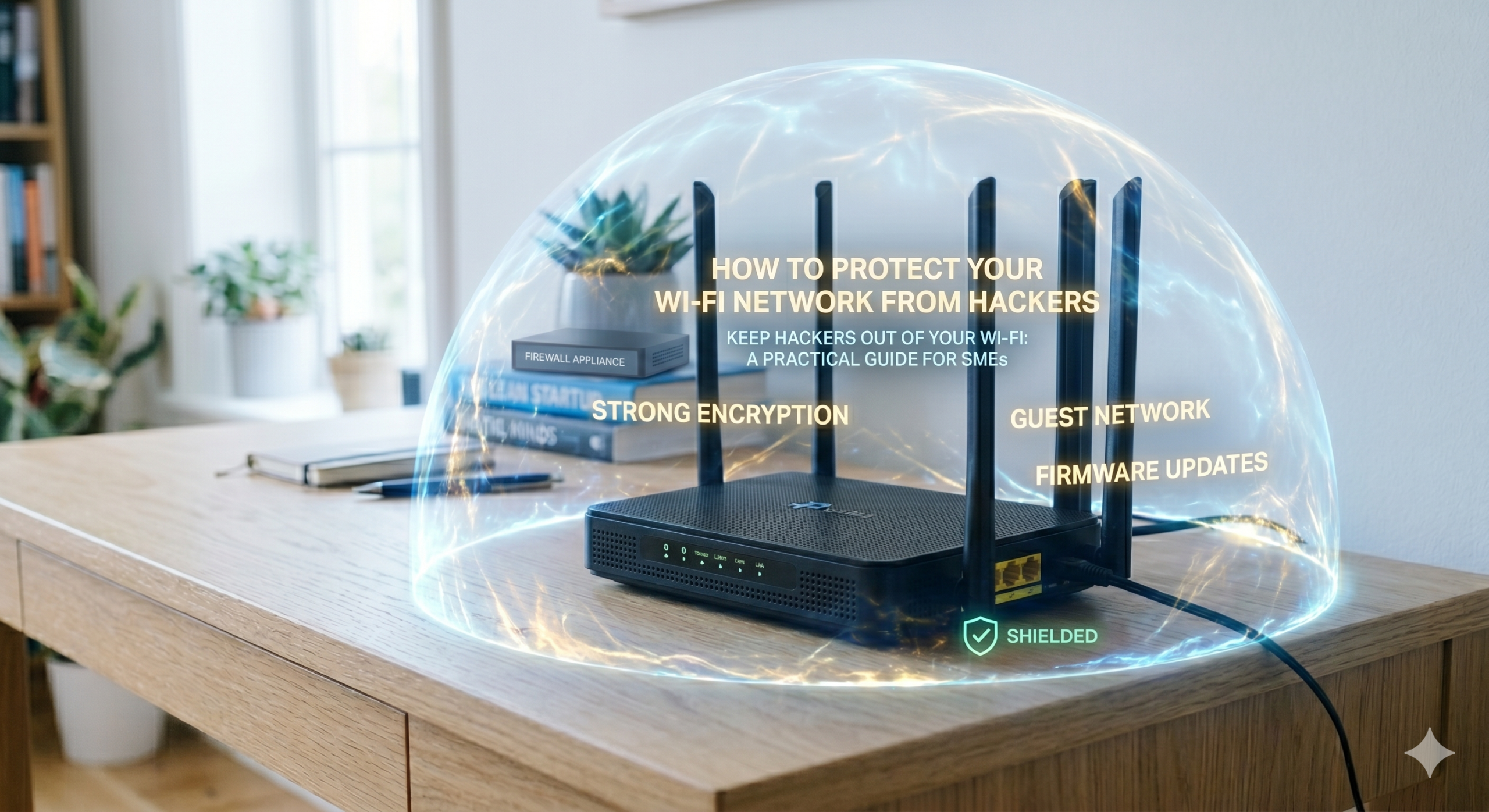
- Use strong encryption (such as WPA3 instead of outdated standards like WEP),
- Update passwords regularly and enforce complex, unique credentials,
- Set up a guest network for visitors to keep your main network secure,
- Install firewalls and antivirus software to monitor and block suspicious activity,
- Train your team to recognize common threats like phishing emails and social engineering scams.
Remember: Your Wi-Fi network is like a highway for your data. The better you secure it, the harder it is for unauthorized users to access. Investing time and resources into protecting your digital infrastructure isn’t just smart—it’s essential. It’s not about being fearful; it’s about being responsible—to your business, your employees, and your customers. At the end of the day, it gives you peace of mind, knowing you’ve done everything possible to mitigate risks.
Conclusion: How to protect your Wi-Fi network from hackers
Wi-Fi security isn’t just a technical concern—it’s a core business priority. It affects your operations, your finances, your legal compliance, and, most critically, the trust your clients place in you. Yet, for many small and medium-sized businesses, it remains an overlooked detail, pushed to the bottom of the to-do list.
The threats outlined here aren’t hypothetical. Cybercriminals are constantly scanning for vulnerable wireless networks, ready to exploit default passwords, outdated firmware, or unsecured remote connections. Small businesses are often their top choice, not despite their size, but because of it: weaker defenses and a lower chance of detection make them ideal targets.
Here’s the good news: You don’t need a massive IT budget or a team of experts to stay safe. What you do need is a commitment to basic best practices. Audit your current setup, address the most obvious vulnerabilities, implement clear security policies, and stick to them. Simple steps—a guest network, strong passwords, up-to-date firmware, and a VPN for remote access—require minimal investment but dramatically reduce your risk. Together, they send a clear signal to attackers: This network isn’t an easy mark.
Think of it like this: A cybercriminal is like a burglar casing a neighborhood. They’ll skip the house with a visible alarm system and reinforced locks, opting instead for the one with an open window. Your goal isn’t to build Fort Knox. It’s to ensure your business isn’t the path of least resistance.
In today’s connected world, taking Wi-Fi security seriously is simply part of running a responsible business. Your clients entrust you with their data. Your employees depend on your systems. Your reputation hinges on both. Protecting your wireless network isn’t just about preventing breaches—it’s about safeguarding everything you’ve built.
Protect your business with confidence. Subscribe to my LinkedIn newsletter for trusted cybersecurity advice made for small business owners.
I also recommend you to read the following articels:
7 Simple Router Changes That Dramatically Improve Your Business WiFi Security
How Hackers Really Think – And Why Many Companies Misunderstand Their Approach