
Find the weak points attackers target first: your browser, passwords and digital identities.
Most cyberattacks on small businesses do not begin with a technical break-in. They begin with something far more ordinary: a login. Think about how your team works every day. Employees open a browser in the morning and sign in to email, Microsoft 365, cloud storage, accounting software, customer portals and other business systems. Over time, small habits build up. Passwords get saved in the browser. The same password is reused across several services. MFA is set up once and never looked at again. Browser extensions are installed because they seem useful, and nobody checks who made them or what permissions they have. Former employees may still have active accounts.
None of this feels risky, because it is simply how modern work gets done. But taken together, these everyday habits form your real attack surface, and in most businesses nobody reviews it regularly.
Attackers know this. They do not need to defeat your firewall if they can get a valid login instead. A convincing phishing page can capture credentials in seconds. A stolen browser session can let an attacker skip the login step entirely, sometimes even when MFA is enabled. A single compromised account can open the door to email, shared files, invoices and internal systems, and from there to fraud, data theft or further attacks on your customers and partners.
The good news is that most of these weak points are fixable. They usually come down to settings, habits and clear responsibilities, not expensive technology.
The Browser & Password Security Report helps you see where these risks exist in your business. It shows you how your browsers, passwords, MFA setup and digital identities are really handled today, which gaps matter most, and what to fix first. You get a realistic picture of your situation, based on how attacks actually work rather than on worst-case scenarios.
No complicated security theory. No technical background required. Just clear explanations, honest priorities and practical steps you can apply right away, whether you run IT yourself or rely on an external provider.
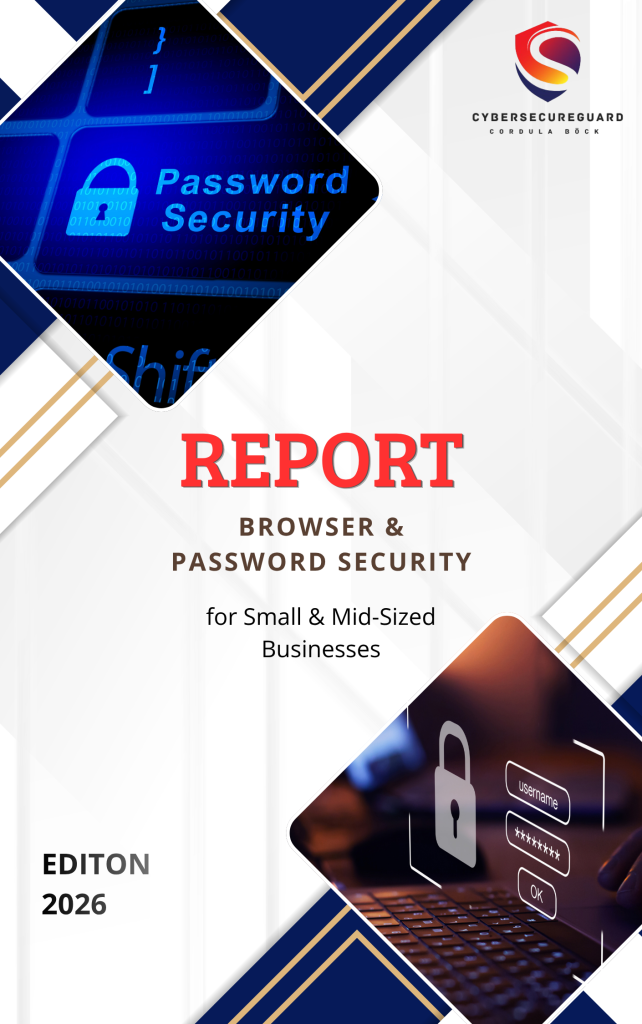
What This Report Helps You Understand
The report focuses on three areas that every small business depends on every day:
1. Browser Security
The browser has become one of the most important access points to a modern business. Employees use it to access email, Microsoft 365, banking, cloud applications, customer portals, social media, and many other business services.
This also makes the browser an attractive target for attackers.
Even without installing traditional malware, an attacker may try to steal login credentials, session information, or other sensitive data through the browser.
This report helps you understand common browser-related risks, including:
-
Unsafe or unnecessary browser extensions
Extensions can have access to websites, browsing activity, or other browser data. Extensions that are outdated, poorly maintained, or no longer needed can create unnecessary security risks. -
Passwords stored in browsers
Browser password managers can be convenient, but businesses should understand how saved credentials are protected and whether they are appropriate for their environment. -
Phishing and fake login pages
Attackers often create websites that look almost identical to legitimate Microsoft 365, banking, or other business login pages. The goal is to trick users into entering their credentials. -
Stolen browser sessions
An attacker may attempt to obtain session information that allows access to an already authenticated account. In some situations, this can be different from simply stealing a password. -
Outdated browsers and insecure settings
Browser updates regularly include security fixes. Using an outdated browser or leaving unnecessary features and permissions enabled can increase the attack surface.
The goal is not to make employees afraid of using their browsers.
The goal is to understand that the browser is now part of the business security perimeter.
For many small businesses, protecting the browser means protecting access to the services and accounts the business relies on every day.
2. Passwords & Multi-Factor Authentication
Understand how to protect the accounts your business depends on.
You will learn:
- how modern password security works
- where password reuse creates unnecessary risk
- which MFA methods provide stronger protection
- why recovery settings matter
- how to separate normal and administrator access
3. Identity & Access
A secure password is only part of the picture.
The report explains common access problems such as:
- shared accounts
- unnecessary administrator privileges
- forgotten or inactive accounts
- weak recovery methods
- excessive access to business systems
Your Practical Security Action Plan
Many security guides explain risks in detail and then leave you alone with a long list of things that could be done. For a small business, that is rarely helpful. Nobody has time to fix everything at once, and without priorities it is hard to know where to start. That is why the report does not end with theory. It ends with a practical action plan that turns what you have learned into clear next steps.
The plan sorts measures by urgency and effort, so you can focus on what makes the biggest difference first:
What needs attention now. These are the gaps that attackers use most easily and that can cause real damage if they stay open. Typical examples are accounts without MFA, shared or reused passwords on important systems, or former employees who still have access. These points come first because fixing them often takes little time but removes a lot of risk.
What can be improved quickly. This group contains measures that are simple to implement and bring a noticeable improvement, usually within days rather than months. Think of reviewing browser extensions, tightening browser settings, switching on automatic updates or agreeing on a short rule for how passwords are stored and shared. They do not require new tools or a large budget, only a decision and a little time.
What should be addressed later. Some improvements matter but need more planning, for example clearer access rules across the whole company, a regular review routine or a more structured identity setup. The plan puts these into a realistic order, so they do not distract you from the urgent points, but they do not get forgotten either.
You do not need to be a security expert to use it. The action plan works as a starting point for reviewing your own browsers, passwords, MFA and access controls, whether you go through it yourself, with your IT provider or together with your team. You can work through it step by step, mark what is already in place and decide who is responsible for what.
The aim is not perfect security. It is steady, sensible progress: fewer easy targets for attackers, clearer responsibilities for you, and a setup you can explain and maintain.
2026 Security Outlook
For years, business security was mostly about protecting the network: a firewall around the office, antivirus on every computer, and a password for every user. Today, most work happens in the cloud, on different devices and often outside the office. As a result, the question “Who is logging in, and can we trust this login?” has become more important than “Is this device inside our network?”
The report includes a short outlook on the developments that are shaping this change. It is not a technology forecast for experts. It helps you understand which trends affect a small business now, and which you can safely watch from a distance.
Why passwords are still important but gradually changing. Passwords are not disappearing overnight. Most business systems still depend on them, and they will remain part of daily work for a long time. What is changing is their role. A password alone is no longer considered enough to protect an important account, and more services are adding or encouraging additional steps, such as MFA or passwordless options. For your business, this means the basics still matter: unique passwords, a sensible way to store them and clear rules for shared accounts. But they should be seen as one layer of protection, not the whole plan.
How passkeys are developing. Passkeys replace the typed password with a cryptographic login that is tied to a device, such as a phone or laptop, and confirmed with a fingerprint, face scan or device PIN. Because there is no password to type, there is nothing to hand over on a fake login page, which makes them resistant to many classic phishing attacks. Support is growing across major platforms and services, but adoption is uneven. Some of your business tools may offer passkeys already, while others do not. The report explains the idea in plain language, where passkeys make sense today, and what practical questions to consider first, such as what happens when an employee loses a device or leaves the company.
How AI is making phishing more convincing. Phishing messages used to be easier to spot because of clumsy wording, spelling mistakes or generic greetings. AI tools make it easier for attackers to write fluent, well-formed messages in any language, adapt them to a specific company or role, and produce them at scale. The old advice to look for bad grammar is therefore becoming less reliable. The report shows which warning signs still help, such as unexpected urgency, unusual payment requests or links that do not match the sender, and why clear internal routines, like confirming payment changes by phone, protect you better than trying to spot every fake by eye.
Why stolen sessions are becoming an important security concern. As more businesses switch on MFA, attackers look for ways around it. One of them is to steal the active session of a logged-in user, for example with malware on the device or through a fake login page that captures the session as well as the password. With a valid session, an attacker may be able to act as the user without being asked for a password or a second factor. This does not make MFA useless, since it still stops many common attacks, but it shows that login security does not end at the moment of sign-in. The report explains what this means in practice and which measures, such as device protection, shorter sessions and monitoring for unusual sign-ins, make stolen sessions harder to misuse.
Why identity is increasingly becoming a central part of business security. When your data sits in cloud services and your team works from different places, the user account is often the real entry point. Whoever controls the account controls the email, the files and the connected systems. This is why identity is moving to the center of security thinking: who has access to what, how access is granted and removed, how logins are protected and how unusual activity is noticed. For a small business, this does not require a large security team. It starts with simple questions you can answer today: Who has an account? Which accounts are critical? Who still has access who should not?
The takeaway is reassuring rather than alarming. The basics of good security are not being replaced, but they are being extended. Businesses that keep their accounts tidy, use MFA sensibly and stay aware of how attacks are changing are in a much better position than those waiting for a perfect solution. The outlook in the report helps you decide what to act on now and what to keep in mind for later.
What you will take away
Security information only helps if you can do something with it. That is why the report is built around clear outcomes. By the end, you will have a practical understanding of how access to your business really works, and where it can go wrong.
Where browser and password risks can appear. You will know which everyday habits create openings, from saved passwords and unchecked extensions to outdated browsers and fake login pages, and you will be able to recognize them in your own business.
How MFA can strengthen account security. You will understand what MFA protects against, where its limits are and how to set it up so it actually helps, instead of just ticking a box.
Which access problems deserve attention. You will learn to spot the quiet issues that often go unnoticed: shared accounts, forgotten logins, former employees with active access and permissions that are broader than anyone needs.
What attackers can do with compromised credentials. You will see, in plain language, what happens after a login is stolen. A single account can open the door to email, files, invoices and connected systems, which is why small gaps can have large consequences.
Which improvements you can make first. Instead of a long list of everything that could be done, you will know where to start, what takes little effort and what can wait.
How to build a more secure approach to everyday business access. You will have a simple, repeatable way to handle accounts, passwords and permissions, one that you can explain to your team and maintain over time.
Browser & Password Security Report $24,99
Practical security guidance for small businesses — without the technical overload.