

In today’s modern professional landscape, the home office has evolved from a flexible perk into a global standard. However, as our geographic flexibility increases, so does the attack surface for cybercriminals. An unsecured Wi-Fi network or the casual use of corporate devices for private tasks can serve as gateways for sophisticated ransomware attacks and data breaches.
The risk is not theoretical. Cybercriminals specifically target remote work environments because they combine valuable access with reduced visibility. The casual use of corporate devices for private tasks, delayed security updates, or a moment of distraction caused by a convincing phishing email can turn a home office into a direct gateway for ransomware attacks, credential theft, and data breaches. In many cases, the initial compromise goes unnoticed until the damage is already done.
This article outlines the critical home office security best practices for businesses that want to protect productivity without sacrificing control. It focuses on practical, realistic measures that reduce risk rather than creating unnecessary complexity. Because effective security is not about restricting work — it is about enabling it safely.
True security no longer ends at the office door. In today’s remote-first world, it begins at your desk at home.
Why Home Offices Are a Prime Target for Cyberattacks
Corporate offices are designed with security in mind. Networks are protected by professional firewalls, activity is monitored, updates are centrally managed, and employees follow established IT policies. When something unusual happens, it is often detected quickly and addressed before serious damage occurs.
Home offices, however, were never meant to function as secure corporate environments. They rely on private internet connections and consumer-grade routers that are often installed once and then forgotten. Security settings remain unchanged, firmware updates are delayed, and there is usually no monitoring at all. Attackers are fully aware of this imbalance and deliberately look for these weaker entry points.
The risk increases further when work devices are used in a private context. In many households, laptops are used not only for business tasks but also for browsing, online shopping, streaming, or are occasionally accessed by other family members. Each additional use widens the attack surface and makes it easier for malicious software or credential theft to go unnoticed.
Delayed updates are another critical factor. In home office environments, security patches are often postponed because they interrupt work or seem unimportant at the moment. Cybercriminals depend on this behavior. They use automated scans to search for known vulnerabilities and exploit them quickly, long before companies realize that a system is exposed.
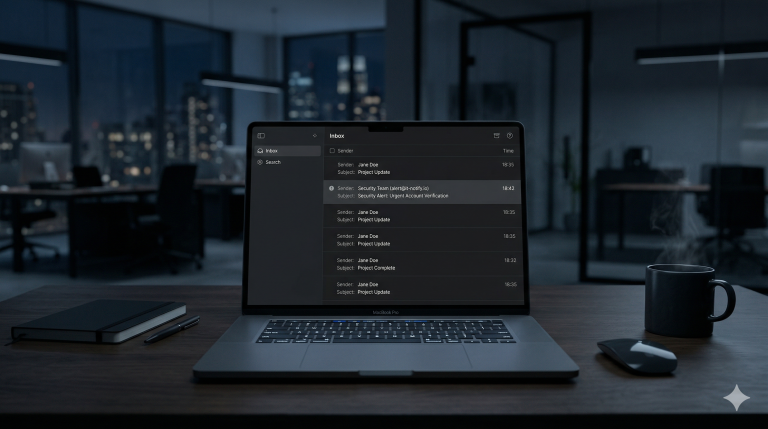
Phishing plays a particularly dangerous role in remote work. Employees working from home cannot easily verify suspicious emails with colleagues or IT support. Attackers exploit isolation, time pressure, and uncertainty to make fraudulent messages appear legitimate. A single convincing email can be enough to compromise an account.
Once a home office device is compromised, the consequences rarely stay local. Stolen credentials or active VPN connections can allow attackers to move directly into the company network, access internal systems, and escalate the attack. What initially looks like a small home office issue can quickly turn into a serious corporate security incident.
This combination of weaker infrastructure, reduced oversight, and increased human vulnerability makes home offices one of the most attractive targets for modern cyberattacks.
Secure Devices: Your First Line of Defense
Every device used for work in a home office should be treated as a business-critical asset. The physical location does not change the level of responsibility. Whether a laptop is used in a corporate office or at a kitchen table, it still processes sensitive data, credentials, and access to internal systems.
One of the most common risks in home office environments is the use of unmanaged or private devices for business purposes. Without clear security controls, these devices often lack proper configuration, consistent updates, and reliable protection mechanisms. Over time, small weaknesses accumulate and create opportunities for attackers to gain a foothold.
Strong authentication is essential. Weak or reused passwords remain one of the easiest ways for attackers to gain access to accounts and devices. A compromised password does not only affect a single service — it can expose email accounts, cloud platforms, VPN access, and internal systems. Devices should therefore be protected with strong, unique credentials and, wherever possible, additional authentication factors.
Device-level protection is just as important. Full disk encryption ensures that data remains protected even if a device is lost or stolen. Automatic screen locking prevents unauthorized access when a device is left unattended, which happens more often in home environments than in traditional offices. These basic measures significantly reduce risk, yet they are still frequently overlooked.
Equally critical is the role of updates. Operating systems and installed applications must be kept up to date, not as an optional task but as a routine security requirement. Many cyberattacks rely on exploiting known vulnerabilities that have already been fixed by vendors. Devices that are not regularly updated remain exposed — sometimes for months or even years.
Ultimately, secure devices form the foundation of home office security. If the device itself is not properly protected, no network control, VPN, or security policy can fully compensate for that weakness. A secure home office always starts with secure endpoints.
Home Network Security Is Not Optional
The security of a home office does not end with the device itself. Every connection to the internet passes through the home network, making it a critical part of the overall security chain. Unfortunately, this is also one of the most neglected areas in remote work environments.
Most home networks are built for convenience, not for security. Routers are often installed quickly, left with default configurations, and rarely revisited. Over time, outdated firmware, weak passwords, and unnecessary services remain active without anyone noticing. For attackers, these networks are easy to scan and even easier to exploit.
A compromised home network allows attackers to observe traffic, redirect connections, or directly target connected devices. Once an attacker gains access at the network level, individual device security becomes significantly less effective. This is particularly dangerous when work devices share the same network with smart TVs, gaming consoles, printers, and other internet-connected devices that receive irregular updates or none at all.
Remote access features present another hidden risk. Many routers offer remote management options that remain enabled by default. If these interfaces are exposed to the internet and not properly secured, they can provide attackers with direct administrative access to the network. In a home office setting, such misconfigurations often go unnoticed for years.
Wireless security is equally important. Weak Wi-Fi passwords or outdated encryption standards make it easier for attackers to gain unauthorized access, especially in densely populated areas. Once inside the network, attackers do not need to break into individual devices — they simply wait for an opportunity.
A secure home office network requires deliberate configuration and regular attention. Security settings should be reviewed, firmware updates applied, and unnecessary features disabled. When work devices are isolated from private and entertainment systems, the risk of cross-contamination is significantly reduced.
Home network security is not a technical luxury. It is a basic requirement for protecting company data, systems, and business continuity in a remote work environment.
VPNs: Useful, But Not a Magic Shield
Virtual Private Networks are often presented as a universal solution for secure remote work. While VPNs are an important component of home office security, they are frequently misunderstood and overestimated. A VPN can protect data in transit, but it cannot compensate for insecure devices, weak authentication, or poor security practices.
The primary function of a VPN is encryption. It ensures that data traveling between a remote device and the company network cannot be easily intercepted or read by third parties. This is particularly important when employees work from home or use public or semi-public networks. However, encryption alone does not equal security.
If a device is already compromised, a VPN does not remove the threat. In fact, it can make the situation worse by providing attackers with a secure and trusted connection directly into the company network. Once connected, malicious activity can blend in with legitimate traffic and remain undetected for longer periods.
VPN security also depends heavily on how access is managed. When employees have broader access rights than necessary, a single compromised account can expose large parts of the internal infrastructure. Without strong authentication and clearly defined access restrictions, VPN connections become high-value targets rather than protective barriers.
Another common issue is inconsistent usage. VPNs only protect traffic while they are active. If employees forget to connect, disable the VPN for convenience, or use work applications outside the secured tunnel, sensitive data can still be exposed. In home office environments, this happens more often than many organizations realize.
A VPN should be seen as one layer in a broader security strategy, not as a standalone solution. Its effectiveness depends on secure endpoints, controlled access, and user awareness. When these elements are missing, a VPN provides comfort — not protection.
Understanding the limits of VPNs is essential. Real security comes from a combination of technology, configuration, and disciplined use, not from a single tool.
Phishing: The Biggest Home Office Threat
Most successful cyberattacks do not begin with sophisticated malware or advanced hacking techniques. They begin with a simple message. An email, a chat notification, or a fake login page is often all it takes to compromise a remote worker.
Phishing has become the most effective attack method in home office environments because it targets human behavior rather than technology. When employees work remotely, they are more isolated, make decisions on their own, and often feel pressure to respond quickly. Attackers exploit exactly these conditions.
In a traditional office setting, suspicious emails are more likely to be questioned. Employees can quickly ask a colleague whether a message looks legitimate or forward it to IT for verification. In a home office, this safety net is often missing. A well-crafted phishing email can appear credible enough to pass unnoticed, especially when it creates urgency or references familiar tools such as cloud services, invoices, or internal requests.
Attackers have also become much more precise. Modern phishing campaigns are tailored to specific roles, companies, or industries. Messages may reference real colleagues, ongoing projects, or commonly used platforms. This level of personalization lowers skepticism and increases the likelihood of interaction.
The consequences of a successful phishing attack are rarely limited to a single account. Stolen credentials can be used to access email systems, cloud platforms, VPNs, and internal applications. From there, attackers can move laterally, gather more information, and escalate the attack without triggering immediate alarms.
What makes phishing particularly dangerous is the delay between compromise and detection. An employee may not realize that credentials were stolen, and attackers often wait before taking visible action. By the time suspicious activity is noticed, the damage may already be significant.
Effective protection against phishing requires more than technical filters. Employees must understand how these attacks work, what warning signs to look for, and how to react if something goes wrong. Just as important is a culture that encourages reporting mistakes early. Fear of blame often leads to silence, and silence gives attackers time.
In home office environments, phishing is not a minor risk. It is the most common entry point into company networks — and one of the easiest to underestimate.
Access Control: Less Is More
Access control plays a critical role in home office security, yet it is often overlooked or treated as a purely technical detail. In reality, access rights define the boundaries of potential damage once an account or device is compromised. The more access a user has, the greater the impact of a security incident.
In remote work environments, access tends to grow over time. Temporary permissions become permanent, administrative rights are granted for convenience, and accounts are rarely reviewed once they are set up. This creates a situation where employees have far more access than they actually need to perform their daily tasks.
From an attacker’s perspective, excessive access rights are extremely valuable. When credentials are stolen through phishing or malware, attackers inherit all associated permissions. If an account has broad or administrative access, attackers can quickly move across systems, disable security controls, and access sensitive data without facing meaningful resistance.
Multi-factor authentication significantly reduces this risk, but it is not effective on its own if access rights are poorly managed. Authentication protects accounts at the entry point, while access control determines what happens after entry. Both must work together to limit exposure.
Clear role-based access models help reduce complexity and prevent unnecessary privilege accumulation. When employees only have access to the systems and data they truly need, attackers are automatically restricted as well. Even if a breach occurs, its scope remains limited.
Regular access reviews are essential in home office environments, where visibility is reduced and informal workarounds are common. Accounts that are no longer needed, unused permissions, and outdated roles should be removed before they become liabilities.
Effective access control is not about distrust. It is about containment. When security incidents happen — and eventually they will — well-designed access restrictions can make the difference between a manageable incident and a full-scale breach.
Backups: Your Last Safety Net
No security strategy is complete without reliable backups. While preventive measures reduce the likelihood of an attack, backups determine how well a company can recover when something goes wrong. In home office environments, this aspect is often underestimated until it is too late.
Ransomware attacks frequently begin with compromised remote workers. Once attackers gain access through a home office device, they can encrypt files, disrupt operations, and demand payment. Without functional backups, organizations are left with limited and costly options.
Effective backups must be automatic and consistent. Manual processes are unreliable, especially in remote setups where routines vary and oversight is limited. Backups that depend on user behavior often fail precisely when they are needed most.
Security also depends on how backups are stored. If backups are connected permanently to the same system or network, attackers may be able to encrypt or delete them as well. Isolated, encrypted backup storage provides a critical layer of protection against this scenario.
Just as important is regular testing. Backups that cannot be restored are no backups at all. In many incidents, organizations only discover problems with their backup strategy during recovery attempts. Testing ensures that data can actually be restored within an acceptable timeframe.
In a home office context, backups are not merely an IT concern. They are a business continuity requirement. When systems are unavailable, productivity stops, deadlines are missed, and customer trust is damaged.
Backups do not prevent attacks, but they determine the outcome. When everything else fails, they are the last safety net that allows a business to regain control.
Conclusion: home office security best practices for businesses
Home office security is no longer a secondary IT topic. It is a core business responsibility. As remote work continues to be part of everyday operations, the security standards that once applied only to corporate offices must now extend to every employee working from home.
The most effective home office security best practices for businesses are not built on complexity, but on consistency. Secure devices, properly configured home networks, realistic access controls, and informed employees form the foundation of a resilient remote work environment. Each of these elements on its own provides limited protection, but together they significantly reduce risk.
Technology alone is not enough. Clear policies, regular reviews, and open communication are just as important as firewalls or VPNs. When employees understand why security measures exist and how to apply them in their daily work, security becomes part of routine operations rather than an obstacle.
What many organizations underestimate is the cumulative effect of small weaknesses. A delayed update, excessive access rights, or an overlooked phishing email can be enough to trigger a serious incident. Addressing these risks early is far more effective than reacting after damage has already occurred.
Strong home office security does not require fear-driven decisions or constant disruption. It requires structure, awareness, and a clear understanding of responsibilities. Businesses that take this approach are not only better protected against cyberattacks, but also better prepared for sustainable remote work.
Download Box Cloud – Home Office Security Checklist
This checklist provides practical guidance to help businesses assess and improve home office security, covering devices, networks, access control, phishing awareness, and backups. Hosted on Proton Drive for secure, privacy-friendly access with no tracking or data collection.
I also recommend the following articles
Cybersecurity 2025: The Biggest Risks for Businesses – and How to Protect Your Company
How to Recognize an AI-Generated Phishing Email in Just a Few Seconds
Social Engineering: How Hackers Trick You in Daily Life
The truth about virus protection on your smartphone
Connect with me on LinkedIn
This is what collaboration looks like
Take a look at my cybersecurity email coaching
And for even more valuable tips, sign up for my newsletter