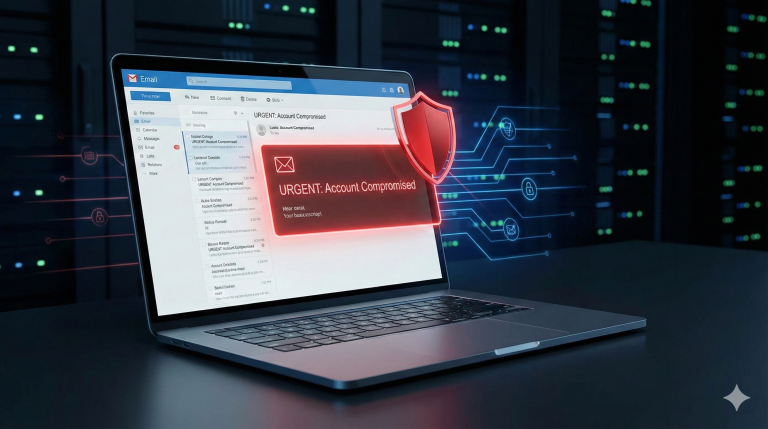

Phishing attacks are one of the oldest tricks in the cybercriminal playbook — but lately, they’ve received a dangerous upgrade. With artificial intelligence, hackers can now generate professional-looking emails within seconds. No more clumsy typos, no broken English, no obvious red flags. Instead, you’re faced with messages that look polished, personalized, and often eerily convincing.
Think about it: you open your inbox on a busy Monday morning, coffee in one hand, scrolling through dozens of new messages. One email claims your account is at risk. Another urges you to update your payment information. Both look perfectly normal at first glance. And here’s the scary part: even experienced professionals can get fooled if they don’t stop for just a moment. In fact, if you know what to look for, you can spot an AI-generated phishing email in just few seconds.
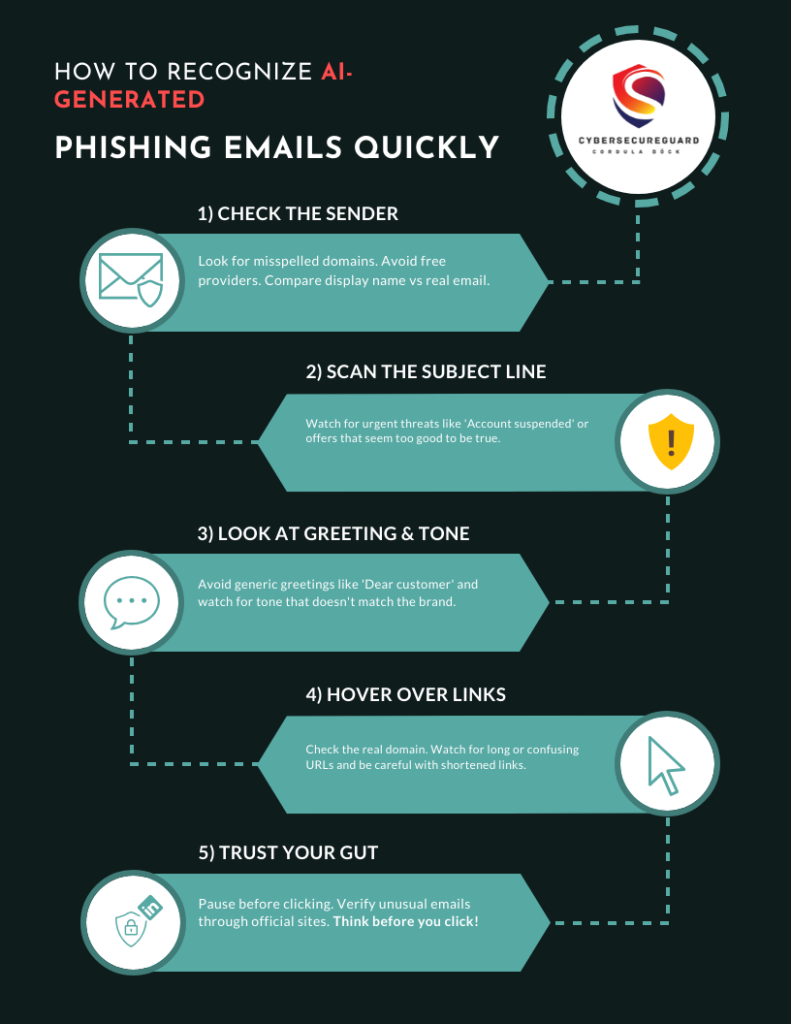
1. Check the sender
2. Scan the subject line
Before you even open an email, the subject line can already provide important clues about whether the message is legitimate or suspicious. Many phishing emails — including those generated with AI — are designed to trigger strong emotions such as urgency, fear, or excitement. Attackers rely on these reactions because people are more likely to click quickly when they feel pressured or curious.
A very common tactic is the use of urgent or threatening language. Subject lines like “Your account will be suspended in 24 hours,” “Final warning: payment overdue,” or “Unusual login detected – act now” are meant to push you into immediate action. In reality, legitimate companies rarely threaten customers through email in such a dramatic way. Most professional services communicate calmly, provide context, and offer different ways to verify the situation.
Another typical strategy is the promise of unexpected rewards. Messages claiming that you have won a prize or received a refund are often used as bait. Subject lines such as “You have won an iPhone 15 Pro!” or “Congratulations, your refund is ready!” should raise suspicion, especially if you never participated in a contest or requested a refund. If something sounds like a reward you did not expect, it is usually a sign that the message is not genuine.
Phishing emails also frequently use generic but urgent wording. Examples include “Important update to your account” or “Verify your information immediately.” These messages sound official but remain vague. Legitimate companies typically reference the specific service involved or provide details about your account, while phishing emails often avoid specifics because they are sent to many recipients at once.
Sometimes attackers attempt basic personalization, for example by inserting your email address into the subject line. While this may look convincing at first, a real company would normally address you by name rather than simply repeating your email address.
A simple rule can help here: if the subject line makes you feel stressed, rushed, or overly excited, pause for a moment before opening the email. That emotional pressure is often exactly what scammers want to create. Taking a few seconds to question the subject line can help you recognize many phishing attempts before you even read the message itself.
3. Look at the greeting & tone
Once you open an email, the greeting and overall tone can often reveal whether the message is genuine or part of a phishing attempt. Even though modern phishing emails are frequently generated with AI and may look grammatically correct, the way the sender addresses you and the style of the writing can still expose inconsistencies.
Attackers often rely on messages that sound official but feel slightly “off” when you read them carefully. The greeting, wording, and tone may not match what you normally receive from the company the email claims to represent.
Check the greeting
Too generic:
Many phishing emails start with greetings such as:
“Dear customer”
“Dear user”
“Hello Sir/Madam”
These phrases are often used because scammers send the same email to thousands of recipients and do not know the actual name of the person receiving it.
👉 Legitimate companies usually know who you are and will address you by your first and last name.
Awkward personalization:
Some AI-driven scams try to personalize the message by inserting your email address directly into the greeting.
Example:
“Dear cordula.boeck@example.com”
At first glance this might look specific, but it actually feels unnatural.
👉 A trusted service would normally greet you by your name, not by repeating your email address.
Mismatch of tone:
Another warning sign is when the tone does not match the type of organization.
For example, an email claiming to come from a bank might say something like:
“Hey there, we noticed something unusual on your account”
👉 Large organizations usually communicate in a clear and professional tone.
Casual language, emojis, or overly friendly wording are uncommon in official security notifications.
Scan the writing style
Even when the grammar looks correct, phishing emails often share a few typical patterns.
Overly formal wording:
Sometimes the language sounds unnecessarily stiff or unnatural.
Example:
“We kindly request you to immediately verify your account.”
Real companies often use simpler and clearer wording.
Pushy and repetitive language:
Phishing emails frequently repeat urgent phrases such as:
“You must act immediately.”
“Immediate action is required.”
“Failure to respond will result in account suspension.”
👉 This psychological pressure is designed to make readers react quickly without thinking.
Cultural or linguistic oddities
AI tools do not always understand regional language details.
For example:
A supposed German bank email written entirely in English.
A UK government email using American spelling like “color” instead of “colour.”
Small inconsistencies like these can reveal that the message was generated without real knowledge of the organization.
tip:
Ask yourself a simple question:
👉 “Would this sender normally write to me this way?”
If the greeting, tone, or writing style feels unusual compared to previous emails from that company, it is worth pausing and verifying the message.
Even sophisticated AI-generated phishing emails struggle to perfectly imitate the natural and consistent communication style of real organizations. Spotting those small mismatches can help you identify suspicious emails very quickly.
4. Hover over links
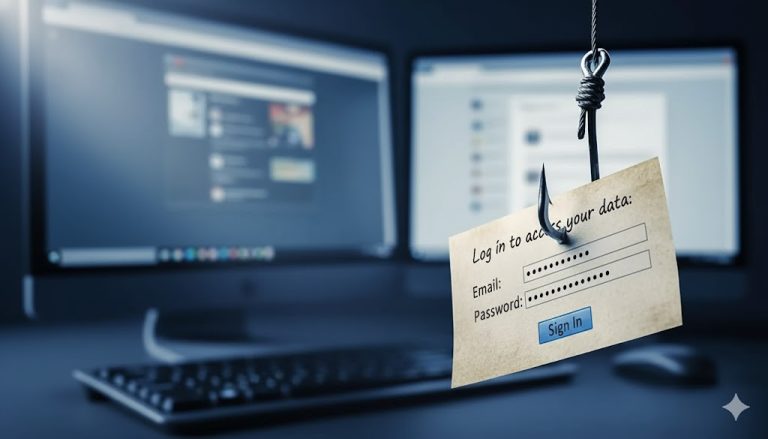
Links are the core element of most phishing emails. Even when the message looks professional and convincing, the real goal is usually simple: to get you to click a link. That link may lead to a fake login page, a malicious download, or a website designed to steal your credentials.
Because of this, attackers often hide the trap behind well-designed buttons or harmless-looking URLs. The text of the link may appear legitimate — but the real destination can be something completely different.
One of the most effective habits in email security is therefore very simple: always check where a link actually leads before clicking it.
Check where the link really leads
Mismatch between text and destination:
The visible text may look legitimate, but the real link points somewhere else.
The button might say:www.paypal.com
But when you hover over it, the preview shows something like:http://security-login.paypai-support.cn
👉 The key rule: everything after the last dot is the real domain.
In this example the domain is support.cn, not PayPal.
Small tricks like replacing letters (for example paypai instead of paypal) are very common in phishing attacks.
Suspicious subdomains:
Attackers often hide a trusted brand name somewhere inside a long URL to make it look convincing.
Example:https://paypal.secure-update.login-check.com
At first glance you may only notice the word PayPal and assume the link is legitimate.
👉 But the real domain is always the last main part before the first slash — here it is login-check.com, not PayPal.
Everything before that is just decoration meant to mislead you.
URL shorteners:
Be cautious when you see shortened links such as:
bit.ly/xyz123tinyurl.com/abc456
These services hide the real destination behind a shortened address. While they are sometimes used legitimately, scammers frequently rely on them because they prevent you from immediately seeing where the link leads.
If a shortened link appears in an unexpected email — especially one asking you to log in or verify information — it is safer not to click it.
5. Trust your gut
Even with all the technical checks you can perform — examining the sender address, scanning the subject line, or hovering over links — one of the most powerful defenses you have is your own intuition. Cybercriminals, even when they use sophisticated AI tools, rely heavily on one key factor: they want you to react quickly. Their goal is to create a moment where you click before you think. When you slow down for even a few seconds, you interrupt that strategy and give yourself the opportunity to notice details that might otherwise go unnoticed.
Phishing emails are often designed to trigger strong emotions. Some messages create pressure by suggesting that your account is at risk or that immediate action is required. Others try to generate excitement by offering unexpected rewards or opportunities. Both approaches serve the same purpose: to push you into making a quick decision. When an email suddenly makes you feel stressed, rushed, or unusually excited, it is worth pausing for a moment. Those emotional reactions are rarely accidental. In fact, modern phishing campaigns — including those assisted by AI — are specifically crafted to trigger emotional responses because people tend to act faster when emotions are involved.
In many situations, people also notice a vague feeling that something is not quite right, even if they cannot immediately explain why. Perhaps the logo looks slightly different from what you remember, the tone of the message feels unusually cold or mechanical, or the timing seems strange. For example, receiving an urgent security notification from your bank in the middle of the night might feel unusual. These small inconsistencies are often enough for your brain to recognize that the situation does not match your previous experience with that company.
Another common pattern in phishing emails is the use of extremes. The message may promise something unusually positive — such as a prize, a refund, or a reward you never expected. At the other extreme, it may threaten serious consequences if you do not act immediately, such as account suspension or loss of access. Both approaches are designed to override careful thinking. When something feels either too good to be true or unnecessarily alarming, it is often a signal that the email deserves closer scrutiny.
One of the most effective ways to use your intuition is simply to pause before reacting. If a message makes you feel pressured, take a moment to step back and look at it again with a calm perspective. Asking yourself a simple question can also help: Would this company normally contact me in this way? If the tone, timing, or style of communication feels different from what you have experienced before, it may be worth verifying the message through another source.
Instead of replying directly to the email or clicking a link, a safer approach is to open the official website of the company yourself or contact their customer support through a trusted channel. This simple step can prevent you from interacting with a fraudulent message while still allowing you to confirm whether the notification is legitimate.
A useful rule to remember is that if you are unsure, there is rarely any need to act immediately. Waiting a few minutes, double-checking the message, or verifying it through an official website is always safer than reacting quickly to a potentially malicious email. Cybercriminals depend on speed and distraction, while good security habits rely on calm attention.
Your instinct is therefore not something to ignore. It acts like a built-in alarm system shaped by your previous experiences and expectations. When something about an email feels unusual, even in a subtle way, it is often worth taking that feeling seriously and investigating further before trusting the message
Conclusion: how to recognize AI generated phishing emails quickly
Phishing emails are becoming more sophisticated, especially with the help of artificial intelligence. AI allows cybercriminals to generate messages that look professional, grammatically correct, and sometimes even personalized. Because of this, modern phishing emails can appear far more convincing than the poorly written scams people were used to in the past.
However, even AI-generated phishing emails still rely on the same basic tactics: deception, urgency, and emotional pressure. Attackers want recipients to react quickly — to click a link, open an attachment, or enter login details without taking a moment to think. That is why a short pause and a careful look at the email can already make a big difference.
The most effective protection often comes from a few simple habits. Checking the sender address, scanning the subject line, evaluating the greeting and tone, and hovering over links can quickly reveal suspicious details. In many cases, these small checks are enough to expose a phishing attempt before any damage is done.
The key takeaway is that learning how to recognize AI generated phishing emails quickly does not require advanced technical skills or specialized tools. What matters most is awareness. By slowing down for a moment and questioning unexpected emails, you make it much harder for attackers to succeed.
Staying alert, sharing this knowledge with colleagues or friends, and making “think before you click” part of your daily routine are simple but powerful ways to stay one step ahead of AI-driven phishing attacks.
I recommended to read the follow Articels
AI-Phishing Emails: Why They’re Harder to Detect Than Ever
Exposing phishing emails: How to recognize fraud attempts – safely and systematically
How to recognize phishing and Trojans – 7 warning signs you need to know
Connect with me on LinkedIn
If you’re interested in cybersecurity, phishing protection, or practical security strategies for businesses, feel free to connect with me on LinkedIn. I regularly share insights, tips, and discussions about modern cyber threats and how to stay protected.
➡️ Let’s connect on LinkedIn and stay one step ahead of cyber threats.