
Passwords remain one of the most common ways to protect digital systems and business accounts. At the same time, they are still one of the weakest points in cybersecurity. Weak passwords, reused credentials, and insecure storage methods continue to cause serious security incidents in companies of all sizes. Password managers were created to address these issues — and in many situations, they do.
Today, password managers are widely recommended as a security best practice. They help users generate strong, unique passwords and store them in encrypted vaults. For many organizations, introducing a password manager is a logical and necessary step toward better security hygiene and improved access management.
However, security does not improve automatically just because a tool is installed. Many businesses assume that a password manager alone is enough to stay secure. This assumption creates risk. If a password manager is poorly configured, used without clear policies, or misunderstood by users, it can become a single point of failure instead of a protective layer.
This article explains why password managers are valuable, highlights the biggest password manager security weaknesses for businesses, and shows why real cybersecurity does not end with the tool itself.
Why Password Managers Are High-Value Targets
Password managers store some of the most sensitive information a user or organization owns. A single vault can contain hundreds of login credentials, email accounts, cloud services, banking access, recovery codes, certificates, and confidential notes. This makes password managers extremely valuable from an attacker’s point of view.
Instead of attacking many systems one by one, an attacker only needs to compromise one central place. Gaining access to a password manager can open the door to an entire digital environment. In business contexts, this may include internal systems, customer data, administrative accounts, and third-party services. The impact of such a breach is often immediate and widespread.
Because of this high concentration of sensitive data, password managers have become attractive targets for more advanced attacks. Browser extensions, for example, can be abused if they contain vulnerabilities or if users are tricked into approving malicious actions. Cloud synchronization features can also increase risk if encryption, authentication, or session handling is weak or poorly understood.
Account recovery processes are another critical area. If an attacker manages to exploit weaknesses in recovery emails, backup codes, or support procedures, even strong encryption may not be enough to prevent access. In these cases, the problem is not the idea of a password manager itself, but the surrounding systems and workflows.
The simple rule is this: the more sensitive data is stored in one place, the more attractive that place becomes for attackers. Password managers can greatly reduce risk — but if they are compromised, the consequences are often severe. Understanding this risk is essential for making informed security decisions.
What Makes a Good Password Manager?
Choosing a password manager is an important security decision, especially for entrepreneurs and small businesses. Not all tools offer the same level of protection, transparency, and control. A good password manager must meet both technical and organizational requirements.
Strong encryption is the foundation.
AES-256 encryption is the current industry standard and should be expected from any serious provider. Equally important is the zero-knowledge principle. This means the provider cannot access the master password or the stored data. Even in the event of a breach at the provider level, encrypted vault data remains protected because only the user holds the decryption keys.
Transparency and independent verification matter.
Open-source solutions offer transparency because their code can be reviewed by independent security experts. This allows vulnerabilities to be discovered and fixed early. While not every business tool must be open source, providers should clearly document their security architecture, audits, and compliance efforts. Trust should be based on verifiable information, not marketing claims.
Multi-factor authentication is not optional.
A strong master password alone is not enough. A good password manager must support multi-factor authentication by default. This may include authenticator apps, hardware security keys, or biometric verification. MFA significantly reduces the risk of unauthorized access, even if login credentials are exposed through phishing or malware.
Why I Recommend Keeper to Entrepreneurs
For entrepreneurs and small businesses, security must be strong, but also practical and manageable. This is why I often recommend Keeper Security.
Keeper offers enterprise-grade security while remaining accessible for non-technical users. It uses zero-knowledge encryption, strong cryptography, and supports multiple forms of multi-factor authentication. From a business perspective, this creates a solid technical foundation without unnecessary complexity.
What makes Keeper especially suitable for entrepreneurs is its focus on control and governance. It allows clear role-based access, secure sharing of credentials, audit logs, and structured permission management. This is essential when teams grow or when external partners need limited access without exposing critical accounts.
Keeper also integrates well into modern business environments. It supports secure cloud usage, protects against common attack vectors, and offers additional features such as breach monitoring and secure file storage. These capabilities help business owners reduce risk without relying on multiple disconnected tools.
Most importantly, Keeper supports a realistic security mindset. It does not promise “automatic safety,” but provides the structure needed to build good security habits. For entrepreneurs who take responsibility for their digital assets, this balance between security, usability, and governance is critical.
A good password manager is not just about storing passwords. It is about protecting access, supporting accountability, and enabling secure growth — and that is exactly why Keeper is a strong choice for many businesses.
Case Study: The LastPass Breach and Its Aftermath
One of the most significant recent incidents highlighting the limits of password managers is the LastPass data breach. Originally disclosed in 2022, this breach has continued to make headlines well into 2025 due to its long-lasting impact and regulatory consequences. Wikipedia
The breach began when attackers gained access to internal systems through a compromised developer environment and later exploited a DevOps engineer’s personal device. As a result, attackers were able to extract encrypted vault backups and other sensitive customer data from cloud storage. In addition, some metadata, such as website URLs and email addresses, was exposed in unencrypted form.
Although the encrypted vaults were not immediately readable, the stolen backups could be used for offline cracking attempts. The success of such attacks depended largely on the strength of users’ master passwords and the encryption settings applied at the time. This meant that security outcomes varied significantly from one user to another.
In the following years, the incident also led to regulatory consequences. Authorities criticized insufficient technical and organizational safeguards and imposed financial penalties, highlighting weaknesses in access control, infrastructure protection, and risk management at the provider level.
The breach also had real-world financial impact. Investigations later linked substantial cryptocurrency thefts to compromised vault data, showing how stolen credentials can be exploited long after the original incident. This underlines the long-term risk of centralized credential storage when attackers gain access to encrypted data at scale.
The LastPass case is a clear reminder that even password managers built on strong encryption and zero-knowledge principles are not immune to failure. When surrounding systems, human practices, or default configurations are weak, password managers can become a focal point of risk. This case reinforces a central lesson: security does not end with the tool itself — it depends on the entire security ecosystem around it.
The Illusion of “Automatic Security”
One of the most common misconceptions in cybersecurity is the belief that security improves automatically once a well-known password manager is installed. While choosing a reputable tool is important, it is only the first step. Without proper configuration, even the strongest encryption cannot provide real protection.
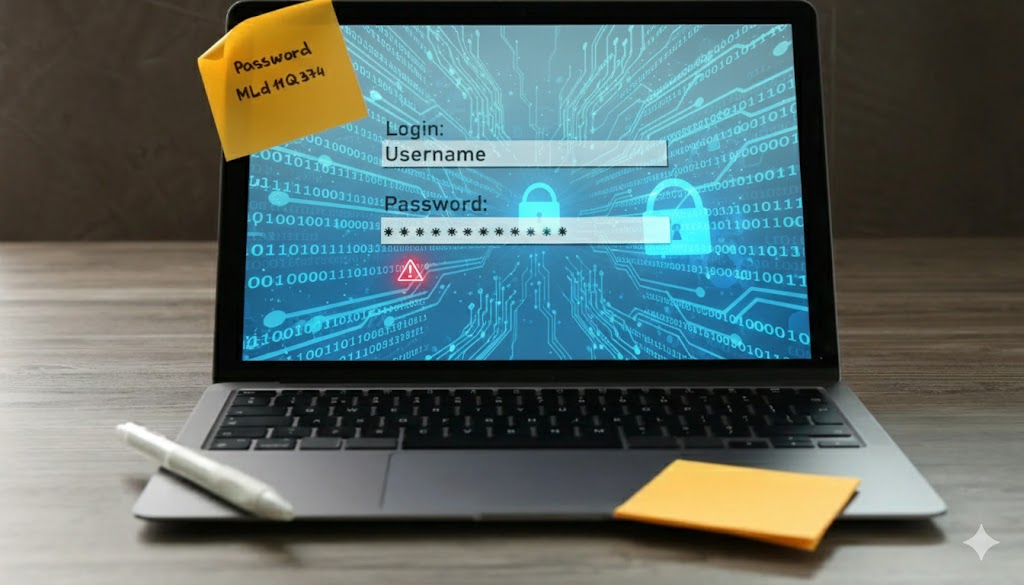
Weak master passwords are a frequent problem. If the main password is easy to guess or reused elsewhere, the entire vault becomes vulnerable. Missing or optional multi-factor authentication further increases this risk. In some cases, default settings are left unchanged, shared vaults are created without clear limits, or access rights are granted too broadly. These decisions often happen for convenience, not security — and they can turn a helpful tool into a single point of failure.
Another issue is the assumption that technology alone can solve security problems. Security tools do not work in isolation. They depend on people, processes, and clear rules. Without proper onboarding and guidance, employees tend to use tools in ways that feel comfortable to them, even if those practices are insecure. For example, credentials may be shared informally, stored in the wrong places, or accessed from unsecured devices.
This gap between how a tool is meant to be used and how it is actually used is where many security incidents begin. Password managers can significantly reduce risk, but only when they are supported by clear policies, training, and accountability. Security is not automatic — it is the result of conscious decisions and consistent behavior.
The Human Factor Still Matters
Even the most secure password manager cannot protect against human error. Technology can reduce risk, but it cannot replace judgment. Attackers know this, which is why many modern attacks focus less on breaking encryption and more on manipulating people.
Phishing attacks have become more sophisticated and increasingly target password manager workflows. Fake unlock prompts, copied login pages, or browser extension notifications can look almost identical to legitimate requests. If a user approves the wrong action or enters the master password on a malicious page, technical protections may be bypassed without obvious warning signs. In many cases, users only notice something is wrong after accounts have already been compromised.
Another challenge is routine and trust. When users interact with password managers many times a day, they can become less attentive. Automatic behavior replaces careful verification. This creates opportunities for attackers to exploit moments of distraction, stress, or time pressure — especially in business environments.
This is why training and awareness are just as important as the tool itself. Users must understand not only how to use a password manager, but also how attacks work and what warning signs to watch for. Knowing when to pause, verify, or deny a request is a critical skill.
Security awareness is not an optional extra. It is a core security control that directly supports every technical measure. Without informed users, even the best tools cannot provide reliable protection.
Cloud Sync, Trust, and Shared Responsibility
Many modern password managers rely on cloud synchronization to offer convenience and access across multiple devices. This allows users to work efficiently from different locations, laptops, and mobile devices. In today’s work environments, this feature is often necessary. However, cloud sync also increases the attack surface and introduces additional dependencies.
When credentials are stored and synchronized through the cloud, organizations must clearly understand where their data is located and how it is protected. This includes questions about data storage locations, encryption methods, key management, and backup processes. It is not enough to assume that the provider handles everything securely. Transparency and documentation are essential.
Another important aspect is responsibility. Security in cloud-based systems is always shared. While the provider may be responsible for infrastructure security and encryption, the customer remains responsible for configuration, access control, and user behavior. Misunderstandings in this area often lead to gaps in protection, especially in business environments.
“Zero-knowledge” architectures are often presented as a strong security guarantee. While they do reduce certain risks, they do not eliminate them. They cannot protect against phishing, compromised endpoints, weak master passwords, or abused recovery processes. In addition, availability, account lockouts, and operational risks still exist.
Understanding these limitations is critical. Cloud-based password managers can be secure and effective, but only when their strengths and weaknesses are clearly understood. Informed decisions are based on realistic risk assessment, not on trust alone.
Cloud vs. Local: A Fundamental Decision
Password managers can generally be divided into two categories: cloud-based services such as 1Password or Dashlane, and local solutions such as KeePass. Both approaches have advantages and disadvantages, and the right choice depends on security requirements, resources, and daily workflows.
Cloud-based password managers focus on convenience. They automatically synchronize data across devices, making it easy to access credentials from laptops, smartphones, and tablets. This is especially useful for teams and mobile work environments. The main risk lies in the dependency on the provider. Even though data is encrypted, it is still stored on external servers. This requires trust in the provider’s security architecture, availability, and incident response capabilities.
Local password managers offer a different model. Here, users have full control over where and how their password database is stored. The data can be kept entirely offline or synchronized through self-managed storage. This reduces dependency on third parties and gives maximum control over sensitive information. However, this approach also requires more effort. Users are responsible for backups, synchronization, and recovery. Without proper processes, data loss can become a real risk. There is no universal “right” choice. Cloud solutions prioritize ease of use and collaboration, while local solutions prioritize control and independence. Understanding these trade-offs is essential for making a conscious security decision.
Best Practices for Maximum Security
Regardless of which password manager you choose, certain security principles always apply. Keep your software up to date.
Security vulnerabilities are discovered regularly, and updates often close critical gaps. Automatic updates should be enabled whenever possible to reduce exposure. Create regular backups of your password database. Hardware can fail, devices can be lost, and accounts can be locked. Without a backup, access to all stored credentials may be lost permanently. Secure, encrypted backups are essential.
Use unique passwords for every service. This is the core purpose of a password manager. If one service is compromised, attackers should not be able to access other accounts using the same credentials. Review your stored passwords regularly. Many password managers provide tools to identify weak, reused, or compromised passwords. These features should be used actively, not ignored. Regular reviews help maintain long-term security. Strong tools matter — but consistent habits matter even more. Security is not a one-time setup, but an ongoing process that requires attention and responsibilit
Password Managers as Part of a Security Strategy
Password managers should not be seen as a standalone solution. They work best when they are part of a layered security approach. This means using them together with strong access management, multi-factor authentication, secure devices, and regular security checks. Each layer supports the others and helps reduce damage caused by mistakes or technical problems.
Access control is a key part of this setup. Users should only have access to the passwords they actually need for their job. If access is too broad, the risk of misuse or accidental exposure increases. Clear processes for employees leaving the company are also important. When someone leaves, access to shared vaults and accounts must be removed quickly and reliably.
Clear rules for daily use are just as important as the technology itself. Companies need simple guidelines that explain how password managers should be used. This includes rules for sharing passwords, defining access levels, and deciding how passwords are created, changed, and removed. Without clear rules, even good tools are often used in unsafe or inconsistent ways.
Another critical area is incident response. Teams need to know what to do if a password manager account might be compromised. This includes blocking access, changing affected passwords, and recording what happened. Without a clear response plan, valuable time is lost during security incidents. A password manager without clear rules and processes is not a real security measure — it is only a convenience tool. Real security comes from combining tools, people, and clear responsibilities into one consistent strategy.
Password managers are powerful and valuable, but they are not enough on their own. They reduce risk when used correctly and increase risk when treated as a shortcut. Security does not come from installing a tool. It comes from understanding how that tool fits into real-world threats and everyday business behavior.
Ge my professional cybersecurity checklist designed for businesses that want a fast, reliable way to assess whether passwords, user logins, and email accounts represent a real security risk. The checklist follows a structured, audit-style approach and guides organizations through the most critical identity and access security areas.
It enables business owners, managers, and freelancers to identify weaknesses, understand their exposure, and take immediate, practical steps to improve security — without requiring technical expertise or complex tools
Conclusion: The biggest password manager security weaknesses for businesses
Password managers are an important part of modern cybersecurity. They help reduce weak passwords, prevent credential reuse, and bring structure to access management. When used correctly, they significantly lower everyday risk and improve basic security hygiene for both individuals and businesses.
However, many of the biggest password manager security weaknesses for businesses appear when these tools are treated as a complete solution. Password managers do not stop phishing attacks, they cannot correct insecure user behavior, and they do not replace clear security processes. Misconfiguration, lack of training, weak access controls, or blind trust in the tool can quickly reduce their protective value.
Effective cybersecurity is built on layers. Technology, people, and processes must work together. Password managers are one important layer, but they are not the foundation and they are not the final answer. Without awareness and regular review, even strong tools lose their effectiveness in real business environments.
Recognizing these limitations is not a weakness. It is a sign of security maturity. Businesses that understand the role — and the limits — of password managers within a broader cybersecurity strategy are far better prepared to face real-world threats.
Security does not end with choosing the right tool. It begins with using it responsibly.
I also recoomend you this articel to read:
How to create secure passwords that are extremely difficult to crack
That’s Why Password Managers Are Not as Secure as You Think
Top 5 Password Managers Compared: Which One Keeps You Safest in 2025?
Connect with me on LinkedIn
This is what collaboration looks like
Take a look at my cybersecurity email coaching
And for even more valuable tips, sign up for my newsletter