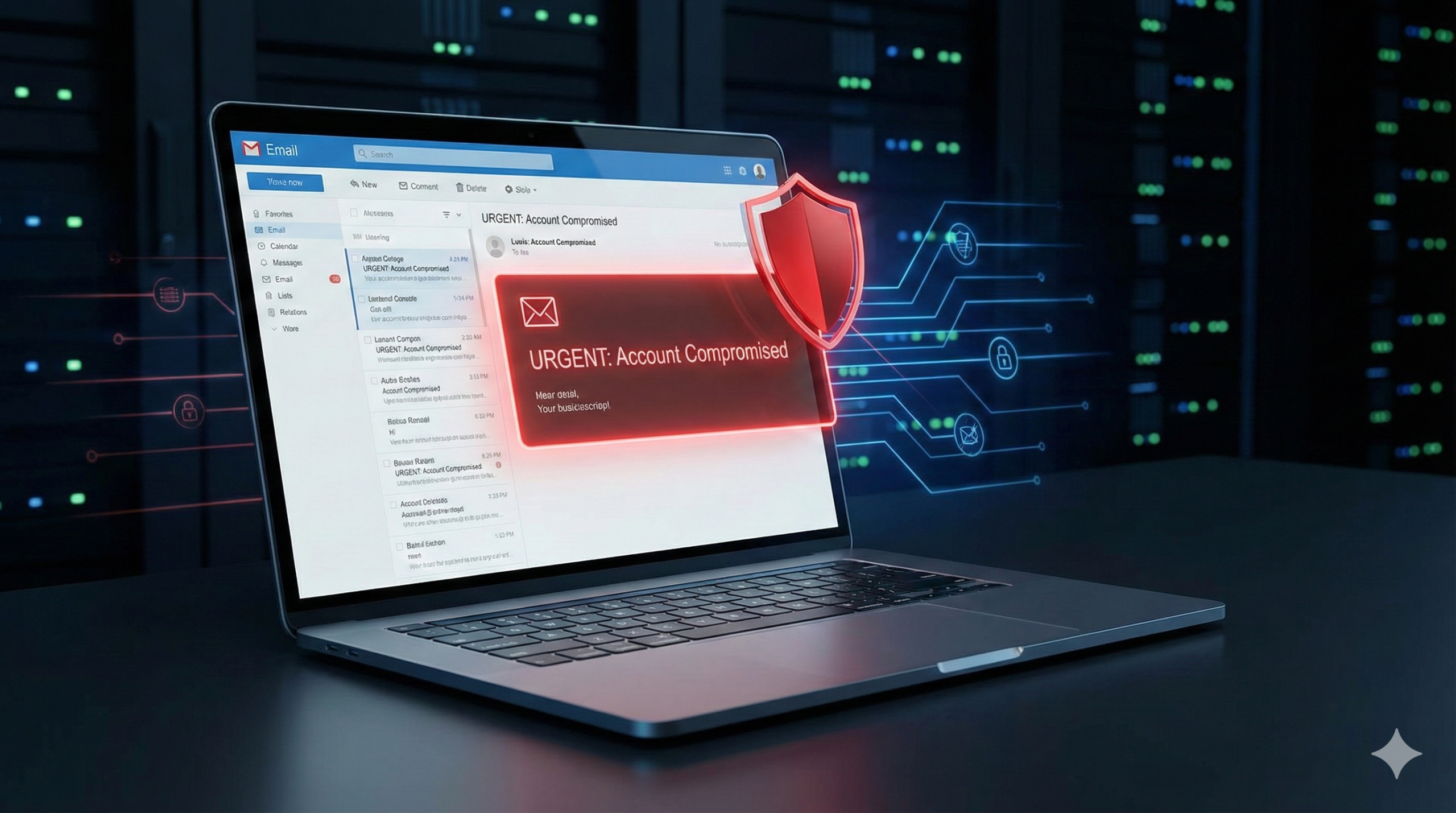

You start your workday, open your business inbox, and see a message that demands immediate attention. It appears to come from your bank, a logistics provider, a software vendor, or even a trusted client. The subject line signals urgency: “Account Suspended,” “Invoice Overdue,” “Unusual Login Activity Detected.” Everything looks professional — logo, formatting, tone. But something feels slightly off.
In 2026, phishing emails are no longer obvious scams. They are targeted, well-crafted, and often supported by artificial intelligence. Attackers carefully imitate suppliers, partners, and internal communication patterns. They manipulate email headers, spoof domains, and exploit psychological triggers such as urgency, authority, and financial pressure. Their objective is not just to steal personal data — it is to compromise company accounts, access sensitive information, disrupt operations, or initiate fraudulent payments.
For small and mid-sized businesses in particular, a single successful phishing attempt can lead to data breaches, ransomware incidents, financial loss, and reputational damage. The risk is no longer theoretical — it is operational.
The good news is that identifying phishing emails does not require advanced technical expertise. What it requires is a structured evaluation process — a practical system your team can apply consistently. When employees know what to check and how to respond, the likelihood of a successful attack drops significantly.
In the following sections, you will learn how to identify phishing patterns quickly, understand the modern tactics used against businesses today, apply simple verification techniques, and respond effectively if an employee clicks on a suspicious link. Effective email security is not about fear — it is about process, awareness, and control.
In 2026, phishing emails are no longer filled with obvious spelling mistakes. Many are generated or refined using artificial intelligence, making them more personalized and harder to detect. If you want to understand how AI is changing email scams, read my in-depth analysis on AI-Phishing Emails: Why They’re Harder to Detect Than Ever.
1. The 5-Second Check: Spot the First Warning Signs
Before you click on anything in an email — whether it is a link, an attachment, or a reply button — pause for a few seconds. Those few seconds are often the difference between staying safe and walking straight into a scam. A short, structured check is far more powerful than reacting emotionally. The key is to slow down and scan for inconsistencies.
Start with the sender. Ask yourself whether you were expecting this message. If you recently ordered something or contacted your bank, an email might make sense. If the message appears out of nowhere, caution is justified. Do not rely on the display name alone. Click on it and examine the full email address. Cybercriminals frequently register domains that look almost identical to legitimate ones — for example, replacing a letter with a number or adding subtle variations. At first glance, “amaz0n.de” may look like “amazon.de,” but that small difference is intentional. If you do not recognize the sender or the domain feels unfamiliar, do not interact with the email. Instead, verify the issue independently by visiting the company’s official website directly through your browser.
Next, look at the greeting. Professional companies usually address you by your registered first or last name. Generic phrases such as “Dear Customer,” “Hello User,” or “Dear Account Holder” are common in phishing campaigns because attackers often do not know who you are. In some cases, there is no greeting at all. That lack of personalization is another warning sign. While not every legitimate email is perfectly formatted, a combination of generic wording and other red flags should raise your awareness.
Then evaluate the emotional tone. Phishing emails are designed to create pressure. They often threaten consequences like account suspension, legal action, or permanent data loss. Others create artificial urgency with phrases such as “Act now,” “Immediate action required,” or “Today only.” Some rely on temptation instead — promising refunds, prizes, or exclusive rewards. The goal is always the same: to override rational thinking with fear or excitement. When an email tries to rush you, that is precisely the moment to slow down.
Language quality is another revealing factor. Established companies invest in professional communication. Obvious spelling mistakes, grammatical errors, or awkward sentence structures can indicate that a message was automatically translated or quickly assembled. Phrases that sound unnatural, overly formal, or strangely constructed are worth questioning. While small typos can occur anywhere, multiple inconsistencies combined with other warning signs are rarely accidental.
Finally, examine links and attachments carefully. Without clicking, hover your mouse over any link to preview the actual destination URL. If the visible text says one thing but the previewed link shows a completely different domain, do not click. This mismatch is a classic phishing technique. Be especially cautious with unsolicited attachments, particularly files labeled as invoices, security checks, account statements, or compressed ZIP files. Malicious software is often distributed this way.
All of this takes less than five seconds once you build the habit. You do not need advanced technical skills — only awareness and discipline. If even one of these elements feels suspicious, do not engage with the email. Instead, contact the organization through its official website or customer service channel. A brief pause and a systematic check can prevent serious damage.
In 2026, many phishing emails are generated or refined using artificial intelligence, which makes them look unusually polished and grammatically correct. If you want to understand how to spot AI-generated scam emails within seconds, read our guide on How to Recognize an AI-Generated Phishing Email in Just a Few Seconds.
2. System over Stress: The 4-Step Analysis
Phishing emails are no longer easy to spot at first glance. Many of them look polished, professionally branded, and technically convincing. That is exactly why reacting emotionally is dangerous. Instead of letting alarming subject lines or bold warnings push you into quick action, follow a structured four-step analysis. A calm system will always beat stress.
Begin with the sender address, because this is often the most revealing element. Do not rely on the display name alone. Attackers can make a message appear as if it comes from a trusted brand, but the real clue lies in the full email address. Check the domain carefully. Legitimate companies use their official domain names and rarely send important messages from free email services.
An address such as service@paypal.com is fundamentally different from something like paypal.kundencenter@gmail.com or support@paypal-security.org. Small deviations matter. Look for subtle typos, such as paypai.com instead of paypal.com, where a lowercase “L” is replaced with an “I.” Be cautious with complex-looking subdomains. In an address like paypal.service.secure.com, the actual domain is secure.com — everything before it is simply a subdomain and can be misleading. Also pay attention to unusual domain endings such as .biz, .xyz, or .online when they do not match the company’s official brand presence. Even then, keep in mind that email addresses can technically be spoofed. If something feels off, do not reply directly. Instead, open your browser and access the company’s official website independently to verify the issue.
The second step is to examine every link before interacting with it. A button that says “View Account” or “Confirm Now” can easily lead to a fraudulent website designed to capture your login details. The safest method is simple: hover your mouse over the link without clicking. Your email client or browser will show the real destination URL. Compare that URL with the official domain you know. A legitimate link might look like https://www.amazon.de/mein-konto, clearly belonging to the correct company domain. A malicious one may look similar at first glance but redirect to something entirely different, such as amzn-login.security.xyz or amazon.de.secure-update.com. In the latter example, the true domain is secure-update.com, not amazon.de. Be particularly cautious with shortened links such as bit.ly or other URL shorteners, as they can hide the final destination completely. If you are uncertain, do not click at all. Instead, manually type the official web address into your browser or use a saved bookmark.
The third step focuses on language and tone. Phishing emails are psychological tools. They are designed to manipulate emotions — especially fear, urgency, and excitement. Messages that threaten account suspension within 24 hours, claim unauthorized access, or demand immediate billing verification are intentionally crafted to create panic. Others promise rewards, gift cards, refunds, or exclusive offers to trigger curiosity and greed. Beyond emotional manipulation, look for structural clues. Generic greetings such as “Dear User” suggest the sender does not know who you are. Poor translations, strange phrasing, or overly formal and unnatural language can indicate that the message was mass-produced or automatically translated. Legitimate companies typically use a clear, factual tone and often include specific references such as invoice numbers, transaction dates, or customer IDs that match your real activity.
The fourth step concerns attachments, which are one of the most common ways malware spreads. Unexpected files labeled as invoices, contracts, or security reports should immediately raise suspicion. Certain file types are particularly risky, especially executable files such as .exe, .scr, or .js. Compressed files like .zip or .rar can hide malicious content, and Office documents containing macros, such as .docm or .xlsm files, can execute harmful code when opened. As a rule, never open an attachment you were not explicitly expecting. If the message appears to come from someone you know, verify the file through a separate communication channel before opening it. When in doubt, online analysis tools such as VirusTotal can help check suspicious files safely before they are executed.
When you apply these four steps consistently — verifying the sender, hovering over links, analyzing tone, and treating attachments with caution — you disrupt the psychological pressure scammers rely on. Instead of reacting impulsively, you respond methodically. That shift alone dramatically reduces your risk.
3. What to Do in an Emergency
If you have clicked on a suspicious link or opened a questionable attachment, the most important thing is not to panic. Mistakes happen quickly, often in a moment of distraction. What determines the outcome is not the click itself, but how you react afterward. Acting calmly and methodically can significantly reduce potential damage.
Your first step should be to disconnect the affected device from the internet. Many malicious programs attempt to transmit data or download additional malware immediately after activation. By turning off Wi-Fi, disabling mobile data, activating flight mode, or unplugging the network cable, you interrupt that communication and limit further exposure. Isolation buys you time and control.
Next, perform a full system scan using reliable security software. If you already have antivirus protection installed, run a complete scan rather than a quick one. If possible, use safe mode to prevent certain threats from actively running in the background. If no antivirus program is installed, reputable free tools such as Malwarebytes Free or ESET Online Scanner can help you check the system thoroughly. Allow the scan to finish completely and follow any recommended actions carefully.
If you entered login credentials, payment details, or personal information, change your passwords immediately. Start with critical accounts such as your email, online banking, and payment providers, because these often serve as gateways to other services. Continue with online shops and social media accounts. Use strong, unique passwords for each account and consider enabling two-factor authentication wherever available. If managing multiple passwords feels overwhelming, a trusted password manager can support you in creating and storing secure credentials.
If financial data may have been exposed, contact your bank or payment provider without delay. In Germany, you can block your card 24/7 via 116 116. Many banking apps also allow instant card blocking directly within the app. Informing your bank early increases the chances of preventing unauthorized transactions and limiting financial loss.
It is also advisable to report the incident. Even if no visible damage has occurred, cybercrime should be documented. In Germany, reports can be filed online through the official police website by selecting your federal state and the category “Internet crime,” or you can visit your local police station. Keep the suspicious email, including sender address, links, date and time of the incident, and screenshots if available. This information can support investigations and help identify larger attack patterns.
Finally, review other devices connected to the same accounts. If your laptop, smartphone, or tablet synchronizes emails, files, or passwords, check them for unusual activity and update credentials there as well.
An accidental click does not mean you have failed. What matters is structured action. When you respond calmly and follow clear steps, you regain control and significantly reduce the attacker’s advantage.
If malware was downloaded, it may not always be immediately visible. Trojans often operate silently in the background. We explain the typical red flags in detail in How to Recognize Phishing and Trojans – 7 Warning Signs You Need to Know.
Conclusion: How to Identify Phishing Emails in 2026
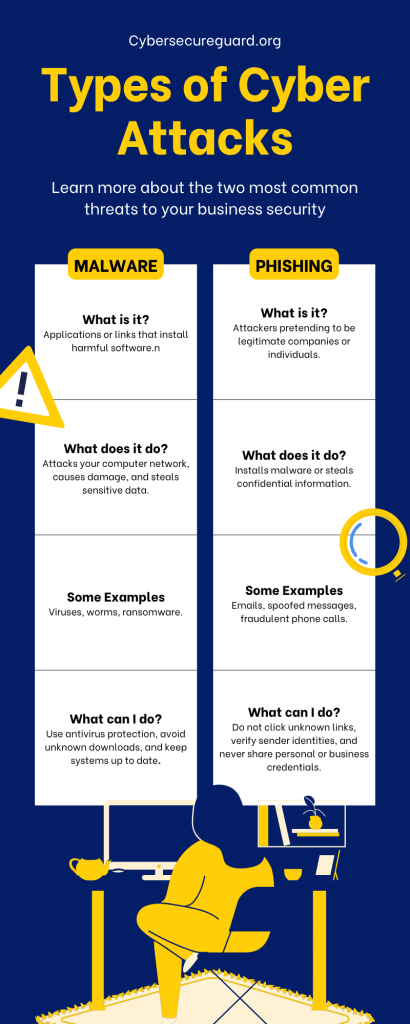
Phishing emails in 2026 are more polished, more targeted, and more psychologically refined than ever before. Attackers no longer rely only on obvious spelling mistakes or poorly designed messages. They imitate trusted brands, create convincing urgency, and exploit everyday routines. That is exactly why awareness and structure matter more than technical complexity.
Identifying a phishing email is not about instinct alone — it is about method. A brief five-second check of the sender, a closer look at the real link destination, an analysis of tone and language, and caution with unexpected attachments already eliminate the vast majority of threats. When you consistently apply this system, suspicious emails become easier to recognize, no matter how professional they appear.
Equally important is knowing what to do if something goes wrong. A calm, structured response — disconnecting the device, scanning it, securing accounts, and informing relevant institutions — can drastically reduce potential damage. Panic helps attackers. Clear thinking protects you.
Digital security in 2026 does not begin with advanced software or technical expertise. It begins with attention, consistency, and the confidence to pause before reacting. When you understand the patterns behind phishing attempts and respond methodically, you turn a common online risk into a manageable situation — and you stay one step ahead of those trying to deceive you.
If you’d like regular cybersecurity updates, real-world scam alerts, and practical security tips, follow our official Facebook page for ongoing insights and threat awareness.