
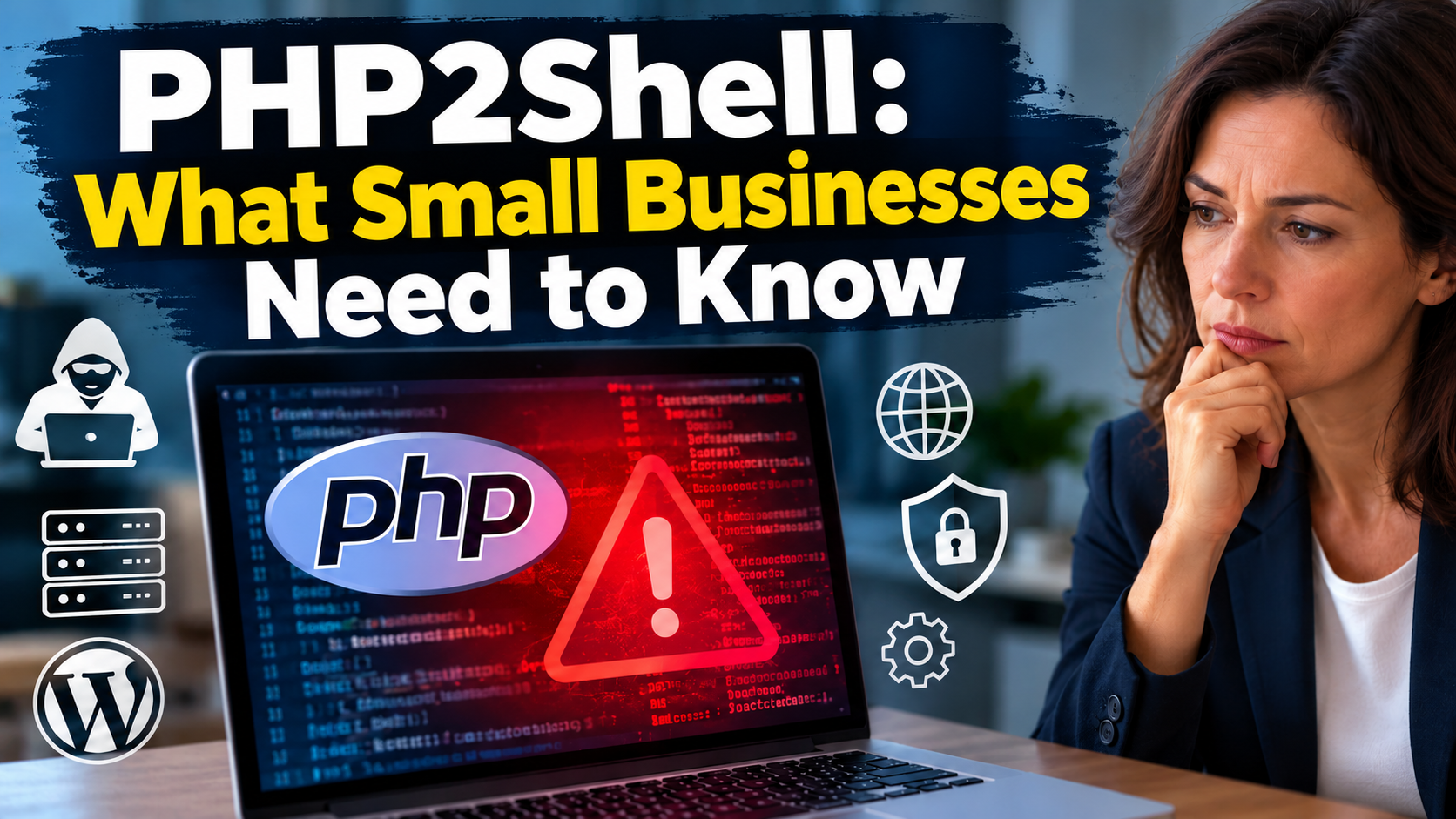
Your business website may be at risk without you even knowing it. A security vulnerability in PHP called PHP2Shell can allow attackers to run malicious code on vulnerable servers. For small businesses, this could mean more than a technical problem. It could put customer data at risk, disrupt business operations, and damage the trust you have built with your customers.
The challenge is that your website may look completely normal while the software behind it contains a serious security weakness. Even if you use WordPress and keep your website up to date, your server may still need a separate PHP security update.
So, how can you tell whether your business is affected, and what should you do to protect your website? In this article, I explain the risks from a cybersecurity consultant’s perspective and show you the practical steps you can take to reduce your risk and protect your business.
What Is PHP and Why Is It Important?
PHP is a programming language that runs on a web server. It helps websites do more than simply display text and pictures. When visitors open a website, fill in a contact form, log in to an account, or place an order, PHP can process the information and decide what the website should do next. It can also connect a website to a database, where information such as customer details, product descriptions, and user accounts may be stored. In simple terms, PHP helps many websites work in the background while visitors use them in their web browsers.
PHP is widely used across the internet and plays an important role in many business websites. WordPress is one of the best-known examples. Many small and medium-sized businesses use WordPress because it allows them to manage website content without having to build everything from the beginning. However, WordPress is not the only system that depends on PHP. Other website platforms, online shops, customer portals, and business applications may also use it. Even if you never work with PHP yourself, your website may depend on it every day.
To understand why this matters for cybersecurity, it helps to know the difference between a website and the server that runs it. When you visit a website, you normally see pages, images, menus, and forms. These are the visible parts of the website. Behind the scenes, a web server runs the software that processes requests and delivers information to visitors. PHP is one of the technologies that can be used on this server. If PHP contains a security weakness, an attacker may be able to exploit that weakness through a vulnerable server or application. Depending on the vulnerability and the server configuration, this could allow the attacker to carry out actions without permission.
PHP security is not always visible to website owners. Your website may look normal, contact forms may work, and customers may be able to place orders without any problems. However, the server could still run an outdated PHP version with known security weaknesses. Attackers do not always make visible changes to a website. They may exploit a vulnerability without attracting attention, access sensitive information, or use the compromised server for further attacks. A website that appears to work correctly is not necessarily secure.
Website security depends on both the visible parts of a website and the software running in the background. Regular security updates, secure server settings, reliable backups, and clear responsibilities for website maintenance help reduce the risk. If you use an external hosting provider or website agency, ask who manages PHP updates and how quickly critical security fixes are installed. You do not need to understand every technical detail, but you should know who is responsible for keeping your website secure.
What Happened in the Latest PHP Security Incident?
On 21 October 2026, the PHP development team released security updates to fix two critical security vulnerabilities. The weaknesses were given the identifiers CVE-2026-109618 and CVE-2026-109619. Both received a severity score of 9.2 out of 10 under the CVSS version 4.0 system. This score shows that the vulnerabilities are considered very serious and require urgent attention. The European Union Agency for Cybersecurity (ENISA), the European Commission, CERT-EU, Europol EC3, and other European security organisations also issued a joint warning. They advised organisations to identify affected systems and install the available security updates without delay.
The main concern is that these vulnerabilities could allow attackers to run malicious code on affected servers without logging in. Normally, a server may require a user to provide valid login details before allowing access to protected areas. However, these PHP vulnerabilities could give an attacker a way to execute code without having a valid account. This type of attack is known as remote code execution. In simple terms, it means that an attacker can send a specially prepared request over a network and cause a vulnerable computer to carry out unwanted actions. If the attack succeeds, the attacker may gain the ability to interfere with the server or access information that should remain protected. The exact consequences depend on the server setup and the permissions available to the attacker.
To understand why these weaknesses are serious, it helps to look at how PHP works behind the scenes. When a website receives a request, PHP processes the information and uses computer memory to manage the data needed for that request. Memory is a temporary working space that allows software to store and process information while it runs. PHP must manage this memory correctly to make sure that requests are processed safely. If something goes wrong, the software may handle information in an unexpected way. In certain situations, this can create a security weakness that an attacker may be able to exploit.
The first vulnerability, CVE-2026-109618, is related to a problem that can occur when PHP runs out of available memory. This situation is known as an out-of-memory condition. When a program uses more memory than is available, it must handle the situation safely. According to the official PHP security advisory, the weakness can cause PHP to stop processing a request while some internal information is only partly prepared. During the cleanup process, PHP may then treat this incomplete information as if it were valid. An attacker who knows how to trigger this condition may be able to use the resulting error to execute malicious code. The second vulnerability, CVE-2026-109619, involves internal information that remains in use after the memory holding it has been released. If software continues to use information after the memory has been freed, it may work with invalid or unexpected data. Under the right conditions, this can also create a way for an attacker to execute code. Although the two weaknesses involve different problems, both affect the way PHP manages information inside the server.
You do not need to understand these technical details to understand the business risk. The important point is that the vulnerabilities affect PHP itself and may allow an attacker to run code without permission. This is different from a problem that only changes how a website looks or causes a page to display an error. If an attacker successfully exploits one of these weaknesses, the consequences may affect the server that runs the website. Depending on the environment, this could put website files, business information, or connected services at risk. A compromised server may also be used as a starting point for further attacks. However, the vulnerabilities do not automatically mean that every affected website has been attacked. The actual impact depends on the systems involved and whether an attacker has successfully exploited the weakness.
PHP is used by many different website systems and online applications. The official PHP security advisory identifies PHP installations that process web requests as being at risk, including setups using PHP-FPM, Apache with mod_php, php-cgi, FrankenPHP, and LiteSpeed. The PHP team also highlighted mod_php as a particularly high-risk configuration because an exploit was demonstrated that could trigger the attack before the application code runs. This means that the security issue may affect different server environments, even when they use different website systems. In addition, some commercial and open-source products include PHP in the background, so a company may use affected software without knowing that PHP is part of the system.
For small and medium-sized businesses, the most important action is to find out whether their websites and applications use an affected PHP version. If your website is hosted by an external provider, ask the provider to confirm which PHP version is running and whether the security update has been installed. If your company manages its own servers, your IT team should review the relevant systems and plan the update as a priority. You should also consider whether other business applications depend on PHP, rather than checking only the main company website. Once the updates have been installed, the responsible technical team should confirm that the applications work correctly and investigate any signs of suspicious activity if there is reason to believe that a server may already have been compromised. Businesses cannot always prevent new vulnerabilities from being discovered, but they can reduce the risk by monitoring security warnings, keeping software up to date, and making sure that responsibility for website security is clearly defined.
How Dangerous Is the PHP Vulnerability for Your Business?
The PHP vulnerabilities can allow attackers to run malicious code on affected servers without logging in. If your website uses a vulnerable PHP version and the server is accessible over the internet, attackers may be able to exploit this weakness without a valid user account. The actual risk depends on the PHP version, the server configuration, and the permissions available to the affected software.
For small businesses, a successful attack can have direct consequences. If an attacker gains control over part of your web server, they may be able to change website files, install malicious software, or access information available to the server. The damage depends on the system and the level of access gained.
Customer information may also be at risk. Depending on your website setup, the server may process contact form submissions, customer accounts, order details, or other business data. Unauthorised access to this information can lead to data loss, privacy problems, and additional costs. If personal data is exposed, your business may also need to assess its legal reporting obligations.
An attack can interrupt your daily operations. Your website may become unavailable, display unauthorised content, or stop processing customer requests. If you rely on your website to generate sales or receive enquiries, downtime can mean lost business. You may also need to pay for technical support and spend time restoring the system. A compromised website could even be used to distribute harmful files or direct visitors to fake login pages, damaging your company’s reputation.
The risk also depends on how your IT services are managed. Your hosting provider may maintain the server, while a website agency manages WordPress, plugins, and themes. If neither provider takes responsibility for PHP updates, a critical security fix may be delayed. Make sure you know who maintains each part of your website and who handles urgent security problems.
A vulnerable PHP version does not mean that an attack has already happened. However, a website that appears to work normally is not necessarily secure. Attackers may exploit a weakness without making visible changes. Other security measures can reduce the possible damage, but they do not replace the required PHP update.
Your business should check whether its systems use an affected PHP version and whether the necessary security updates have been installed. Ask your hosting provider to confirm the server status, and make sure that reliable backups are available. If you notice unfamiliar files, unexpected administrator accounts, or other suspicious activity, seek professional help to investigate the system. An update fixes the known vulnerability, but it may not remove changes an attacker has already made.
A vulnerable PHP server can put business data, website availability, and customer trust at risk. Check your PHP version, install the appropriate security updates, and make sure someone is responsible for ongoing website maintenance.
Is Your WordPress Website Affected?
WordPress is widely used by small and medium-sized businesses to present their services, publish articles, receive customer enquiries, and run online shops. However, keeping WordPress, plugins, and themes up to date does not automatically mean that the PHP software running on the server is secure.
WordPress and PHP are separate components. WordPress manages your website content, while PHP processes information on the server. If PHP contains a security vulnerability, your website may be at risk even when WordPress itself is fully updated. Updating WordPress, plugins, or themes alone will not fix a vulnerability in PHP.
The first step is to check which PHP version your website uses. In your WordPress dashboard, go to Tools → Site Health → Info and look for the server details. You can also check your hosting provider’s control panel or contact the provider directly. If you use an external website agency, ask who is responsible for PHP security updates.
Compare your PHP version with the affected and corrected versions listed in the official PHP security announcements. For the vulnerabilities discussed in this article, the published fixes include PHP 8.5.12, 8.4.27, 8.3.36, and 8.2.35. Older versions may be affected. PHP 8.1 and earlier versions also require attention because they no longer receive regular security updates from the PHP project. Confirm with your hosting provider whether your system is affected and whether any extended security support applies.
If your website uses an affected version, contact your hosting provider or website administrator and arrange the appropriate update as soon as possible. Before upgrading, check that your WordPress installation, plugins, themes, and custom code support the corrected PHP version. Older components may cause errors after an upgrade, so the update should be tested carefully without unnecessary delays. After the update, check that your website works correctly. Test contact forms, customer logins, online payments, and other important functions. Ask your provider to confirm that the corrected PHP version is active in the relevant environment. Updating PHP fixes the known vulnerability, but it does not prove that your website has never been attacked. If you notice unfamiliar administrator accounts, unexpected files, or other suspicious activity, ask a security professional to investigate. An attacker may have made changes before the update was installed, and these changes may need to be removed separately.
If your business uses WordPress, check the PHP version and confirm that the necessary security updates have been installed. This simple step can help protect your website, customer information, and business operations.
What Should Your Business Do Now?
If your business uses a website or an online application that depends on PHP, you should take the latest security warning seriously. The good news is that you do not need to be a technical expert to take the first steps. What matters most is knowing which systems your business uses, finding out whether they are affected, and making sure that the necessary security updates are installed. Acting early can reduce the risk of an attack and help you avoid unnecessary costs, downtime, and problems with customer trust.
The first step is to identify the PHP versions running on your business systems. Start with your company website, especially if it uses WordPress or another PHP-based website system. If you have an online shop, customer portal, booking system, or another web application, check those systems as well. Do not assume that all your applications use the same PHP version. Different websites may run on different servers or hosting plans, and one system may be updated while another remains vulnerable. If you are not sure which applications use PHP, ask your hosting provider or IT service provider to help you identify them.
If your system is affected, arrange for the appropriate security update as soon as possible. The PHP development team has released corrected versions for the affected release branches. Your hosting provider or server administrator should identify the correct update for your environment and make sure it is installed. If your website uses an older PHP version that no longer receives regular security updates, discuss moving to a supported version or another suitable solution. Continuing to use outdated software can expose your business to security problems for which no normal update is available.
Before changing the PHP version, however, make sure that the update is compatible with your website and business applications. Older plugins, themes, or custom software may not work correctly with a newer PHP release. This does not mean that you should ignore a critical security warning or delay an update without a clear reason. Instead, your technical service provider should plan the update carefully, test the important functions, and resolve any compatibility problems. Where possible, testing should take place in a separate environment before the changes are applied to the live website. This can help reduce the risk of unexpected problems during business hours.
You should also make sure that your website has reliable backups. A backup is a separate copy of your website files, database, and other important information that can be used to restore the system if something goes wrong. Backups are especially important when installing updates or recovering from a security incident. However, a backup does not prevent an attack, and restoring an old backup without checking it may bring back the same security weakness or malicious files. Your business should therefore have a clear recovery process and test from time to time whether important data can actually be restored. If you rely on a hosting provider for backups, confirm how often they are created, how long they are kept, and whether they can be restored when needed.
After installing the security update, check that your website and applications still work correctly. Test the main pages, contact forms, customer login areas, booking functions, and online payment services if your business uses them. Make sure that employees can still access the tools they need for their daily work. If you notice errors or unexpected behaviour, contact the responsible technical team rather than trying random changes that could make the problem worse. The goal is to reduce the security risk without creating unnecessary interruptions to your business.
If your business cannot install the update immediately, speak to your hosting provider or IT service provider about temporary risk-reduction measures. Depending on the system, this may include restricting access to the affected application or temporarily isolating it from the internet until it can be secured. Such measures need to be planned carefully because they may affect customers and normal business operations. Simply hiding the website, changing a password, or installing an additional security plugin should not be treated as a replacement for the PHP security update. The aim is to reduce exposure while the correct fix is being prepared.
The most important action is to confirm whether your systems are affected and make sure the appropriate security updates are installed. By combining timely updates with reliable backups, clear responsibilities, and a plan for responding to incidents, your business can reduce avoidable risks and protect its website, data, and daily operations.
Why Website Security Is a Business Responsibility
A company website often plays an important role in daily business operations. Customers use it to learn about services, make bookings, place orders, or contact the company. If the website becomes unavailable or is compromised, the consequences can include lost sales, disrupted work, and damage to customer trust.
Small and medium-sized businesses often rely on external hosting providers, website agencies, or IT service providers to manage their websites. This is a practical solution, especially for companies without their own IT department. However, business owners still need to know who is responsible for security updates, how problems are reported, and how quickly urgent issues are handled. Without clear responsibilities, critical updates may be delayed because each provider assumes that someone else will take care of them.
The PHP security vulnerabilities show why regular checks are necessary. A website may continue to work normally even when its server runs vulnerable software. Customers can still open pages and submit forms, while attackers may attempt to exploit the weakness in the background. Business owners therefore need a reliable maintenance process rather than relying on the appearance of their website to judge whether it is secure.
A security incident can also affect customer relationships. Websites often collect personal information through contact forms, customer accounts, or online orders. If this information is exposed, customers may lose confidence in the company. Depending on the incident, the business may also need to assess its data protection obligations and inform affected people or authorities. Preventing unauthorised access helps protect both customer information and the company’s reputation.
Clear agreements with service providers can reduce these risks. Businesses should know who monitors security warnings, installs updates, checks that fixes have been applied, and investigates suspicious activity. These responsibilities should be agreed in advance, including how urgent vulnerabilities are handled. A short written agreement can help prevent misunderstandings and ensure that important tasks are not overlooked.
Website maintenance must cover all relevant components, not just WordPress or another content management system. PHP, plugins, themes, the web server, and other connected software may require separate updates. Businesses should also remove software they no longer use and check that important website functions continue to work after updates. Reliable backups are equally important. They should be stored safely, tested regularly, and available if the website needs to be restored after an attack or technical failure.
Small businesses cannot prevent every security problem, but they can prepare for it. Business owners should understand which systems support their daily operations, what information those systems handle, and who is responsible for keeping them secure. This makes it easier to set priorities, respond to warnings, and decide when professional support is needed.
Website security is a business responsibility, not just a technical task. You do not need to manage every technical detail yourself, but you do need clear responsibilities, reliable support, and a process for dealing with security risks. Taking these steps helps protect your business operations, customer data, and reputation.
My Assessment as a Cybersecurity Consultant
As a cybersecurity consultant, I consider PHP2Shell a serious security risk, especially for small businesses that depend on their websites but do not have a dedicated IT security team. The ability to run malicious code on a vulnerable server can have serious consequences, including data theft, website downtime, and financial losses.
My recommendation is to act quickly but stay focused. Businesses should check whether their systems are affected, install the required security updates, and confirm that their hosting provider takes responsibility for ongoing maintenance. You do not need a large IT department to improve your security. You need clear responsibilities, regular updates, and a practical plan to reduce risks before they become business problems.
Conclusion: PHP2Shell – What Small Businesses Need to Know
PHP2Shell is a serious security risk that small businesses should not ignore. The vulnerability can allow attackers to run malicious code on affected servers, potentially putting websites, business data, and daily operations at risk. A successful attack may lead to data loss, website downtime, unexpected costs, and damage to customer trust.
The first step is to check whether your website or business applications use an affected PHP version. Contact your hosting provider or IT service provider to confirm whether the necessary security updates have been installed. If your systems are affected, make sure they are updated as soon as possible. Regular backups, secure server settings, and ongoing software maintenance can also help reduce the impact of cyberattacks.
The key takeaway: PHP2Shell shows why website security is a business responsibility. By acting quickly, keeping your software up to date, and working with trusted IT service providers, you can reduce security risks and better protect your business, your customers, and your reputation.
I also recommend to read the following articels
How a Single Email Attachment Took Down a WordPress Website
How My Cybersecurity Mentoring Differs From Penetration Testing
The 10 Biggest Cybersecurity Mistakes Small Businesses Are Making in 2026
The IT Security Basics Your Small Business Can’t Afford to Skip