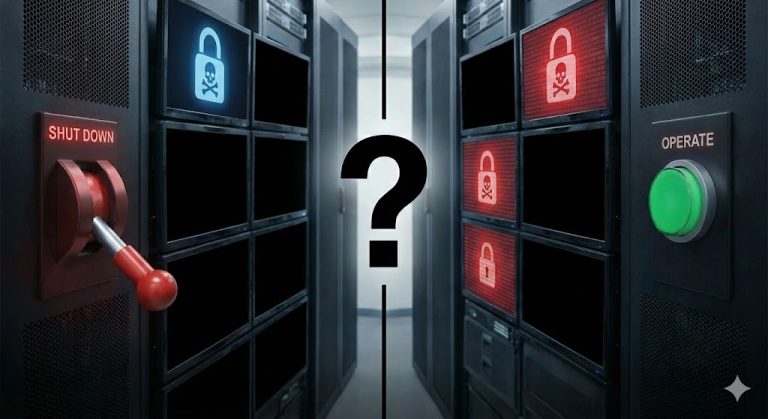


For many business owners, the idea of a virus in the company network feels abstract. It sounds like something that happens to banks, global corporations, or technology giants. But in reality, small and mid-sized businesses are attacked every single day. Cyber criminals do not ask how big your company is. They ask one simple question: Is this company easy to attack?
A single infected computer can be enough to stop your daily operations. Employees may lose access to files. Emails may stop working. Customer data may be at risk. In some cases, production systems are interrupted, and the company cannot deliver products or services. The financial damage can grow quickly. Even worse, trust from customers and partners can be lost within hours.
Many virus infections start with something small. An employee clicks on a fake invoice. A system update is ignored for too long. A weak password is guessed. What looks like a small mistake can lead to a serious business crisis.
This is why every company needs to know what to do in the first minutes of a virus incident. Fast and structured action can reduce damage. Panic and chaos will make things worse. In this article, you will learn clear and practical steps to follow if you discover a virus in your company network.
Step 1: Disconnect the Infected Device
The first goal is simple: stop the virus from spreading. In many cases, the biggest damage happens because the malware moves from one device to the next. If you act fast, you can protect the rest of your network. As soon as you suspect a virus, treat the device as infected. Do not “wait and see”. Typical warning signs are sudden slow performance, strange pop-ups, unknown programs starting, security tools being disabled, files becoming unreadable, or employees reporting that shared folders look “different” or “missing”.
Now disconnect the device from the network immediately. If it is a desktop PC, remove the network cable. If it is a laptop, turn off Wi-Fi. If the device is connected through a docking station, disconnect the dock as well. If the device is using a mobile hotspot or another network connection, disable that too. The important point is that the device must not be able to communicate with other systems.
If you manage your network with switches, you can also disable the port. In a larger office, it can be faster to shut down the network access for that single device from the IT admin panel. Do not disconnect the whole company network unless IT tells you to. A full shutdown can cause unnecessary downtime and make recovery harder.
Many people ask: should I power off the computer? In most cases, the safer first action is network isolation, not an immediate shutdown. Turning off the device can remove useful information that your IT team needs later, such as active connections or running processes. If you see clear signs of active encryption, high disk activity, or a ransomware screen, IT may decide to shut it down. If you are not sure, isolate first and then call IT.
Also, do not plug in USB drives “to copy important files quickly”. This can spread the infection. Do not open unknown files “to check what happened”. And do not click on pop-ups that claim they can fix your PC. Your job in this first step is not to investigate. Your job is to contain. Finally, write down the basics while the situation is fresh. Note the device name, the user who was logged in, and the time you noticed the problem. This small information can save a lot of time later.
If you do only one thing in the first minutes, do this: disconnect the infected device from the network. This single action often decides whether the incident stays small or becomes a company-wide crisis.
Typical warning signs include strange pop-ups, unknown programs starting automatically, locked files, or a security alert from your antivirus software. However, not every alert means that your company is already in serious danger.
If your antivirus sounds the alarm and you are unsure how to assess the situation, read our detailed guide:
Your Antivirus Sounds the Alarm? Here’s How to Check if It’s Really Dangerous
Understanding the difference between a minor warning and a real threat can help you act calmly and avoid unnecessary panic.
Step 2: Inform the Responsible Person
Once you have isolated the infected device, immediate and structured communication becomes critical. A virus incident is not merely a technical problem—it is a business continuity issue that demands coordinated action. Contact your internal IT team or external IT service provider without delay. Do not rely on email alone. Make a phone call. If your organization has designated emergency contact protocols, activate them now. In the early stages of an incident, every minute counts.
When reporting the incident, provide precise information:
- Which device is affected
- Who was using it at the time
- What specific symptoms were observed
- When the issue first appeared
- What immediate actions you have already taken
Stick to observable facts. Avoid speculation. Accurate information enables your technical team to respond quickly and appropriately. If your organization maintains an incident response plan, this is the moment to execute it. The plan should clearly designate who leads the technical response, who communicates with senior management, and who coordinates with staff. Without established procedures, well-intentioned but uncoordinated actions can amplify the damage.
Senior management must be notified early, even before the full scope is understood. Leadership needs to prepare for potential business disruption and may need to communicate with clients, partners, or regulatory authorities. Early awareness enables proactive decision-making. Internal communication requires careful handling. Inform employees in a clear, professional manner. Instruct them to avoid opening suspicious emails, refrain from connecting unauthorized USB devices, and report any unusual system behavior immediately. Structured guidance prevents both panic and the spread of misinformation.
Depending on the nature of the incident, external notification may be necessary. This could include your cybersecurity insurance carrier, legal counsel, or data protection officer. If personal data may be compromised, you may face mandatory reporting obligations under applicable regulations. A common and costly mistake is attempting to conceal the incident out of embarrassment or fear. This approach invariably worsens the outcome. Transparent, timely reporting enables faster containment and minimizes overall impact. The principle is straightforward: while malware spreads quickly, organized communication spreads faster. Effective coordination during the first hour often determines whether you face a contained incident or a network-wide crisis.
Step 3: Analyze the Scope of the Infection
After the infected device is isolated and the responsible people are informed, the next step is to understand the size of the problem. At this stage, the main question is simple: How far has the virus spread?
Your IT team should begin a structured analysis. This is not guesswork. It is a careful review of system activity and security data. They should check server logs, firewall alerts, endpoint protection reports, and recent login activity. The goal is to see whether the attack was limited to one device or if other systems are also affected.
It is important to identify:
-
Which devices show unusual behavior
-
Whether shared folders or servers were accessed
-
If administrator accounts were used
-
Whether large amounts of data were moved or changed
If the virus entered through email, IT should review the mail system and check whether other employees received the same message. If it entered through remote access, login records must be examined carefully. Time is critical in this phase. Many types of malware try to move silently in the background. They search for shared drives, saved passwords, and weak systems. Even if only one computer shows visible symptoms, the infection may already have reached other parts of the network.
During this analysis, it is important not to reconnect the infected device too early. Keep it isolated until the investigation is complete. Reconnecting too soon can restart the spread. In some cases, professional external support may be necessary, especially if sensitive data is involved or if the company does not have advanced monitoring tools. External experts can help identify hidden threats and confirm that the network is clean.
This step may feel technical, but it is essential. You cannot solve a problem if you do not understand its size. A clear overview allows you to decide on the right recovery strategy and prevents further surprises. A careful analysis now can save your company from much bigger damage later.
Step 4: Check Your Backups
Once you understand the scope of the infection, the next priority is recovery. In many virus incidents, especially ransomware attacks, business data becomes unavailable. Files may be encrypted, deleted, or corrupted. This is the moment when your backup strategy becomes critical. First, verify that your backups are safe. Do not connect backup systems to the infected network immediately. Your IT team should check whether the backups were stored offline or in a protected environment. If the virus had access to the backup storage, the backups may also be compromised.
Next, identify the most recent clean backup. This means a backup that was created before the infection started. The earlier analysis in Step 3 helps determine the correct time frame. Restoring from an infected backup would only repeat the problem. Before starting the restoration process, make sure that the affected systems are fully cleaned or rebuilt. In many cases, it is safer to reinstall the operating system and applications instead of trying to remove the malware manually. A fresh system installation reduces the risk that hidden malicious files remain active.
If the incident involves ransomware, avoid rushing into payment decisions. Paying attackers does not guarantee that you will receive a working decryption key. In addition, payment may encourage further attacks. A strong and tested backup system gives you independence from such pressure. During the recovery process, prioritize critical systems. Focus first on systems that are essential for daily business operations, such as accounting, customer management, or production tools. Less critical systems can be restored later.
After restoration, monitor the network carefully. Watch for unusual behavior or repeated alerts. Recovery is not complete until you are confident that the threat is fully removed. This step often decides how quickly your company can return to normal operations. A reliable backup strategy is not just a technical feature. It is a business survival tool.
If the virus is ransomware, your files may be locked or encrypted. This is the moment when your backup strategy becomes critical. A clean and recent backup can mean the difference between fast recovery and long downtime.
Many companies rely on cloud storage solutions such as OneDrive, but not everyone fully understands how deletion and recovery really work. If you use Microsoft cloud storage, you should also read our article:
Backup Strategies with OneDrive: What Happens If Something Is Deleted?
Understanding how version history, recycle bins, and recovery limits function is essential. A cloud service alone is not automatically a full backup strategy.
Step 5: Document the Incident
Once systems are restored and the immediate threat is neutralized, the natural impulse is to return to normal operations as quickly as possible. While understandable, this overlooks a critical final step: thorough documentation and systematic review.
Every virus incident warrants structured recording. Begin with the foundational facts. Capture when the first symptoms appeared, which device was compromised, and how the infection came to light. Record each action taken with corresponding timestamps. This includes isolation procedures, communication protocols, technical analysis, and recovery measures. Comprehensive documentation serves multiple essential functions.
From a legal and regulatory standpoint, detailed records may be mandatory. If customer or employee data was potentially compromised, reporting obligations vary by jurisdiction. Precise documentation demonstrates that your organization responded responsibly and without undue delay.
Insurance considerations also demand thorough records. Cybersecurity insurance policies typically require detailed incident reports, including complete timelines and evidence of response measures taken. Most importantly, documentation transforms experience into institutional knowledge. Following the incident, convene a brief internal review session. Examine what functioned effectively and where bottlenecks or confusion emerged. Consider whether the infection was detected promptly, whether employees understood reporting procedures, whether the response plan proved practical and clear, and whether backup systems were accessible and functional.
The purpose of this review is process improvement, not individual attribution. Security incidents typically expose systemic vulnerabilities rather than personal failures. The focus should remain on strengthening organizational resilience. Use insights from your review to refine existing protocols. Update your incident response plan where gaps appeared. Enhance internal communication channels. Reinforce technical safeguards. Provide targeted training to address knowledge gaps revealed during the incident.
While virus incidents create stress and disruption, they also offer invaluable feedback. Organizations that methodically analyze and adapt following an attack emerge more robust and better prepared. Proper documentation transforms a crisis into a catalyst for meaningful improvement.
Step 6: Find the Root Cause
After recovery and documentation, one essential task remains: understanding precisely how the virus infiltrated your network. Without this analysis, you leave the door open for the same attack to succeed again. Your IT team should conduct a thorough root cause analysis, tracing the attack pathway back to its origin. The fundamental question to answer is straightforward: where did the breach begin?
Typical entry points include phishing emails containing malicious attachments, weak or recycled passwords, absent security updates, or inadequately secured remote access channels. Some attacks exploit credential data stolen from unrelated breaches. Others simply take advantage of outdated systems that lack current protections.
If the infection originated from a suspicious email, examine message logs carefully. Review authentication records for anomalous access attempts from unfamiliar locations. Verify whether the compromised device was missing critical security patches. Analyze firewall configurations and remote access settings to identify vulnerabilities.
User behavior warrants examination as well. Consider whether affected employees received adequate training to identify phishing attempts and whether security warnings were dismissed or overlooked. This inquiry aims to reveal gaps in awareness and procedure, not to assign blame.
Once you identify the entry point, address it without delay. This might involve changing passwords for compromised accounts, activating multi-factor authentication, applying overdue security updates, deactivating unused remote access services, or blocking malicious domains and IP addresses at the network level.
When administrator credentials are involved, conduct a comprehensive review of all privileged access rights. Reduce permissions to essential functions only, applying the principle of least privilege. Users should possess exactly the access their role requires and nothing more. Share the findings internally with appropriate context. If a phishing email initiated the breach, incorporate it as a concrete example in future security awareness training. Employees absorb lessons more effectively from real incidents than from abstract scenarios.
This step focuses squarely on prevention. While recovery restores normal operations, root cause analysis ensures the vulnerability that enabled the attack no longer exists. Organizations that learn systematically from security incidents build progressively stronger defenses rather than simply returning to their previous state of vulnerability.
Technical protection is important, but software alone cannot protect your business. Many companies believe that installing antivirus software is enough. This is a dangerous assumption. Modern attacks are more complex and often bypass basic protection tools.
If you want to understand why technical tools alone are not sufficient and why employee awareness plays such a critical role, read our article:
Why Virus Protection Alone Is Rarely Enough – and Why Knowledge Is the Key.#
Cybersecurity is not only about software. It is about processes, training, and informed decision-making at every level of the company.
Step 7: Strengthen Your Security and Build Long-Term Protection
After the crisis is over and the root cause is fixed, the final step is long-term improvement. A virus incident should not only be solved. It should lead to stronger protection for the future. Start with a full security review. Look at your technical systems, your processes, and your employee awareness. Ask yourself: If a similar attack happened tomorrow, would we be better prepared?
Make sure all systems are regularly updated. Many attacks succeed because of missing updates. Create a clear update schedule and assign responsibility. Updates should not depend on chance. Review your password policy. Weak or reused passwords are still a common problem. Enforce strong passwords and enable multi-factor authentication wherever possible. This simple step can block many attacks.
Check your access rights. Employees should only have access to the data and systems they really need. Too many admin accounts increase risk. Reduce privileges where possible. Improve network segmentation if needed. Important systems such as servers and backups should not be directly accessible from every device in the company. A separated network structure limits the spread of future infections.
Training is equally important. Technical tools alone are not enough. Employees should understand how phishing works, why updates matter, and how to report suspicious activity. Regular short training sessions are often more effective than one long seminar per year. Finally, test your incident response plan. Do not wait for the next real attack. Run internal exercises. Simulate a virus incident and observe how your team reacts. This builds confidence and reduces panic in real situations.
Cybersecurity is not a one-time investment. It is an ongoing process. Each incident is a reminder that protection must grow with your business. Companies that learn, adapt, and improve after an attack become more resilient. And resilience is one of the strongest competitive advantages in today’s digital world. Your goal is not only to survive the next attack. Your goal is to be prepared for it.
Strengthening your security after an incident is not only about better tools. It is about structure and clarity. Every company should have a simple and practical cybersecurity plan that defines responsibilities, communication paths, and emergency procedures.
If you do not yet have a clear structure in place, read our guide:
How to Build a Simple and Effective Cybersecurity Plan for Your Team
A well-defined plan ensures that employees know exactly what to do in case of an incident. It reduces confusion, limits downtime, and protects your business from unnecessary damage.
Conclusion – What to do if your company network is infected with a virus?
A virus in your company network is not the end of your business. But it is a serious warning sign. The most important actions are clear and structured: isolate the infected device, inform the responsible people, analyze the scope, recover from clean backups, document the incident, identify the root cause, and strengthen your defenses. Speed matters. Structure matters even more.
Companies that react in panic often increase the damage. Companies that follow a defined response plan reduce downtime, protect their data, and maintain trust with clients and partners. Cyber criminals look for weak and unprepared targets. They do not focus on company size. They focus on opportunity. If your business has strong processes, tested backups, and trained employees, you are already ahead of many others. If your company network is infected with a virus, act fast, act calmly, and act professionally. And if you do not yet have a clear incident response plan, now is the time to create one — before the next attack forces you to learn under pressure.
If your company wants to reduce cyber risk and improve incident response readiness, connect with me on LinkedIn or reach out directly. A short conversation today can prevent serious damage tomorrow.