

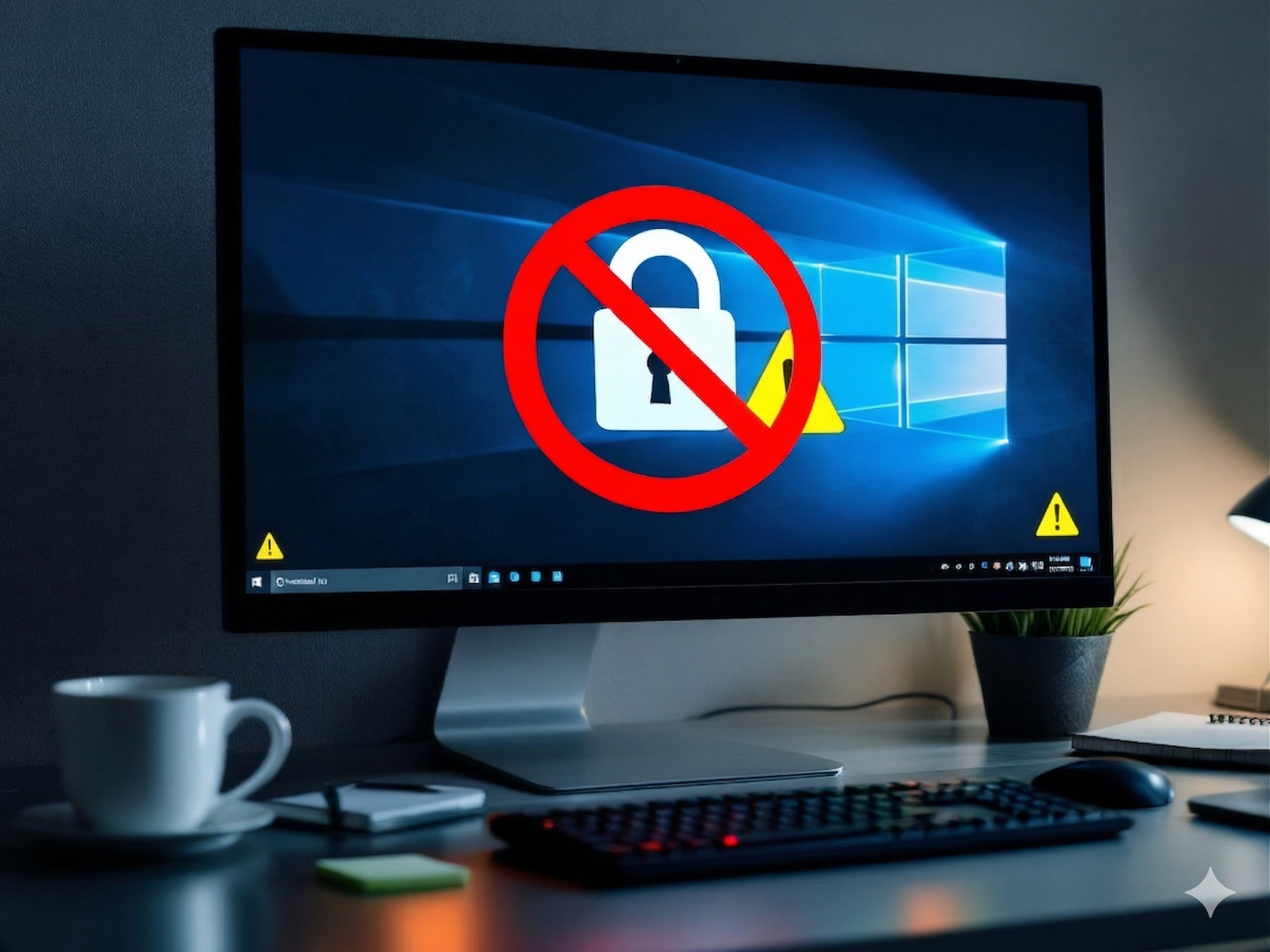
Many businesses have delayed the move away from Windows 10 for as long as possible. Cost, time, hardware compatibility, and the fear of disrupting daily operations have all contributed to the slow transition. However, recent reports show that Windows 10 is still running on a significant number of business computers, despite the end of Microsoft’s regular support. For many small and medium-sized businesses, this is no longer just an IT issue—it has become a growing cybersecurity risk.
The challenge is not simply upgrading to Windows 11. It is understanding what running an unsupported operating system means for the security of a business. Once security updates stop, newly discovered vulnerabilities remain unpatched, giving cybercriminals more opportunities to exploit outdated systems. As cyberattacks become increasingly automated and AI-powered, unsupported devices represent an attractive target.
For owner-managed SMEs, the situation is particularly challenging. Many businesses do not have an in-house IT security team or dedicated cybersecurity specialists. Instead, they must balance limited budgets, day-to-day operations, and growing security risks. Delaying the migration may seem like the easier option today, but it can significantly increase the likelihood of ransomware attacks, data breaches, compliance issues, and costly downtime.
Windows 10 has served businesses well for many years, but the conversation has changed. The question is no longer whether Windows 11 offers new features. The real question is whether businesses can afford to continue relying on an operating system that is reaching the end of its secure lifecycle.
Why SMEs are particularly vulnerable
Large enterprises usually have well-funded IT departments, dedicated security staff, and established incident response plans. They can invest in migration projects early and absorb the costs of replacing outdated hardware. SMEs, however, face a very different reality.
1. Limited IT resources
Most small and medium-sized businesses operate with lean IT structures. In many cases, the “IT department” is a single person managing everything — from daily support to infrastructure and security. In other cases, IT is fully outsourced to a managed service provider who supports multiple clients at once. This setup works efficiently in day-to-day operations. But it becomes a serious limitation when larger transitions are required — such as migrating from Windows 10 to Windows 11.
A migration is not just a technical upgrade. It requires planning, coordination, testing, user support, and often hardware evaluation. For lean teams, this quickly turns into a capacity problem. As a result, upgrades are delayed, postponed, or only partially implemented. This is exactly where the risk begins.
Cybersecurity is not only about having tools in place — it’s about maintaining them over time. When resources are limited, security updates, system reviews, and strategic improvements are often pushed aside in favor of urgent daily tasks. Cybercriminals are well aware of this dynamic. Smaller organizations are not targeted despite their size — but because of it. They are seen as easier entry points, with fewer layers of defense and slower response times. In practice, this means that a delayed migration is not just a postponed IT project. It is a growing exposure window — one that expands over time and increases the likelihood of successful attacks.
2. Delayed investments
Budgets in small and medium-sized businesses are often tightly managed. Leadership teams naturally prioritize initiatives that directly generate revenue — sales, operations, and growth projects. Infrastructure upgrades, on the other hand, are frequently seen as cost centers with no immediate return. As a result, decisions like upgrading from Windows 10 to Windows 11 are postponed. Not because they are unimportant, but because they don’t feel urgent in the moment. This creates a dangerous gap between perceived risk and actual exposure.
From a business perspective, delaying an upgrade can seem rational: systems are still running, employees are productive, and no incident has occurred — yet. But cybersecurity does not operate on visible problems. It operates on probabilities, timing, and opportunity. The longer outdated systems remain in place, the more attractive they become to attackers. Known vulnerabilities accumulate, security gaps widen, and the cost of fixing issues increases over time. What starts as a cost-saving decision often turns into a risk multiplier.
In practice, this means that delaying investment is not neutral — it actively shifts the balance in favor of potential attackers. And when an incident finally occurs, the cost is no longer measured in upgrade budgets, but in downtime, data loss, regulatory impact, and reputational damage.
3. Real-world impact of ransomware
The numbers are sobering: studies consistently show that nearly 60% of small businesses shut down within six months of a serious cyberattack. But statistics rarely convey what that actually looks like on the ground.
Imagine a small manufacturing company — 25 employees, a tight production schedule, and contracts with half a dozen regional clients. One Monday morning, machines stop. Screens show a ransom demand. The entire production management system is encrypted. IT support is called in, but the backups haven’t been tested in months and turn out to be corrupted. Three days pass before operations can partially resume. A full week before they’re back to normal. During that time, delivery deadlines are missed, two clients pull their orders, and the company is paying recovery specialists around the clock.
The financial damage comes in layers — and each one compounds the last. There’s the immediate ransom demand, which many businesses feel pressured to pay. There are the forensic and recovery costs, which often exceed the ransom itself. Then comes the operational downtime: revenue that simply wasn’t earned while the business stood still. After that, the longer-term fallout — damaged client relationships, lost contracts, and the quiet but devastating erosion of reputation that’s nearly impossible to quantify.
For a large enterprise, a week-long disruption is painful but survivable. There’s a crisis communications team, cyber insurance, and reserves to absorb the blow. For a small business operating on thin margins, the same incident can be terminal. Many never fully recover — not because the attack was uniquely devastating, but because there was no safety net to catch them.
What makes this especially troubling is that the consequences aren’t distributed fairly. It’s rarely the business owner’s strategic missteps that leave companies exposed. It’s a missed software update. An unpatched operating system. A single employee who clicked on the wrong link — on a computer that hadn’t received a security patch in months. Running Windows 10 after its end of support date doesn’t just increase the risk of an attack. It turns every unpatched vulnerability into an open invitation, with no manufacturer standing behind the system to close it. The question for any SME isn’t whether this could happen to them. The question is whether they’d survive it if it did.
4. Compliance blind spots
Compliance is often misunderstood in small and medium-sized businesses. Many assume that regulations such as the General Data Protection Regulation or standards like ISO/IEC 27001 primarily apply to large enterprises. In reality, this is not the case. Any business that processes customer data — whether it’s a small service provider, an online shop, or a local firm — is expected to take reasonable measures to protect that data. Security is not optional. It is part of the legal and operational responsibility of running a business. This is where unsupported systems become a problem.
Operating on an outdated environment such as Windows 10 after the end of support can be interpreted as a failure to maintain appropriate security standards. In the event of a data breach, this is no longer just a technical issue — it becomes a question of accountability. Regulators and legal frameworks do not ask whether a company intended to be secure. They assess whether reasonable steps were taken.
An unsupported operating system makes that argument difficult. For SMEs, the consequences can be severe. Fines, legal disputes, and contractual liabilities can quickly exceed the cost of any planned upgrade. At the same time, reputational damage may affect customer trust far beyond the initial incident. The real risk is not only the breach itself — but the inability to demonstrate that security was taken seriously.
5. “Security by obscurity” is a myth
Some SMEs believe they are “too small to be attacked.” This is a dangerous misconception. Hackers don’t manually pick targets one by one — they use automated tools to scan the internet for vulnerable systems. If your company is running unsupported Windows 10 devices, chances are high you’ll be found, regardless of your size or industry.
In short: SMEs are often the easiest and most profitable targets for cybercriminals. Outdated operating systems like Windows 10 only make the job easier for attackers, while the consequences for small businesses can be catastrophic. What businesses should do now: A step-by-step checklist Migrating away from Windows 10 may sound daunting, but with the right plan, it doesn’t have to be disruptive. Here’s how SMEs can prepare and protect themselves:
Take inventory of your systems
A practical first step is to take a structured inventory of your current systems. This means identifying all devices that are still running Windows 10 and creating a clear overview of your existing environment.
In addition, businesses should review their critical applications and verify whether they are fully compatible with Windows 11 or if alternative solutions need to be considered. This is especially important for industry-specific software that may not support newer operating systems without adjustments. At the same time, hardware should be evaluated. Devices that no longer meet the requirements for Windows 11 should be clearly flagged, as they may need to be replaced or phased out as part of the transition.
To keep this process manageable, even a simple spreadsheet can be highly effective. Tracking devices, operating system versions, and upgrade requirements in one place provides clarity and helps prioritize the next steps in a structured way.
Evaluate hardware readiness
The next step is to evaluate the readiness of your existing hardware for an upgrade to Windows 11. Not all systems that currently run Windows 10 will meet the requirements for the newer operating system, so a careful assessment is essential. Businesses should review Microsoft’s official system requirements and compare them with their current devices. This helps determine which systems can be upgraded and which ones will need to be replaced. In many cases, older hardware may lack key security features required by Windows 11, making an upgrade technically possible but not advisable from a security perspective.
Where replacements are necessary, companies do not need to approach this as a one-time investment. Options such as leasing or phased purchasing can help spread costs over time and reduce the financial burden on the business. It is also important to view this step beyond pure cost. Investing in modern hardware not only strengthens security but also improves system performance, reliability, and overall employee productivity. In the long run, this can offset initial expenses and contribute to a more stable and efficient working environment.
Think Beyond the Windows 11 Upgrade
Migrating to Windows 11 doesn’t always mean replacing every computer overnight. Many SMEs still rely on older devices that no longer meet Microsoft’s hardware requirements, making a complete upgrade both expensive and impractical.
Instead of viewing unsupported hardware as an immediate problem, businesses should evaluate which systems genuinely need replacing and where alternative solutions may be more appropriate. In some cases, Linux-based operating systems, thin clients, or virtual desktop solutions can extend the life of existing hardware while maintaining an acceptable level of security.
Cloud services also provide additional flexibility. Virtual desktops or cloud-based workspaces can reduce hardware costs, simplify remote work, and make it easier to scale IT resources as business needs change.
Rather than searching for a single solution, many organisations benefit from a hybrid approach that combines modern Windows 11 devices with cloud services and existing infrastructure. The goal is not simply to replace computers—it’s to build an IT environment that remains secure, flexible, and sustainable for years to come.
Use the Migration to Strengthen Your Cybersecurity
Upgrading to Windows 11 is about much more than installing a new operating system. It provides an excellent opportunity to review your company’s overall cybersecurity strategy and address weaknesses that may have accumulated over time. Start by protecting user accounts with multi-factor authentication, particularly for email, remote access, and administrator accounts. Combined with strong password management, this remains one of the most effective ways to prevent unauthorised access.
The migration is also the right time to review backup procedures. Reliable backups should not only exist—they should be tested regularly to ensure they can actually be restored after a ransomware attack or hardware failure. Businesses should also evaluate whether their endpoint protection, firewalls, and monitoring capabilities are still appropriate for today’s threat landscape. Modern security tools can detect suspicious activity much earlier than traditional antivirus software alone.
Still on Windows 10? Practical steps you can take right now
If your company is still running Windows 10, you’re not alone. Many small and medium-sized businesses have not yet completed the transition — often due to resource constraints, operational priorities, or uncertainty about the best approach. The good news is that there are still short-term options available to reduce immediate risk.
One of these options is Microsoft’s Extended Security Updates (ESU) program. This program allows businesses to continue receiving critical and important security updates for a limited period after the official end of support in October 2025. However, it is important to understand what ESU is — and what it is not.
ESU is not a continuation of full support. It is a temporary measure designed to bridge the gap between legacy systems and a planned migration. It helps reduce exposure to known vulnerabilities, but it does not eliminate the underlying risk of running an outdated operating system.
1. Sign up for Extended Security Updates
Microsoft will offer paid ESU packages for Windows 10, extending security updates until October 2026. This provides businesses with an additional 12 months of coverage for critical and important vulnerabilities. For organizations that are not yet ready to complete a full migration, this can be a valuable buffer. It allows time to assess systems, plan upgrades, and execute a structured transition without rushing critical decisions.
That said, ESU should be treated as a temporary safety net — not a long-term strategy. Relying on extended updates without a clear migration plan only postpones the problem. Over time, the environment becomes harder to maintain, dependencies increase, and the cost of delayed action grows. The most effective approach is to use ESU as a controlled transition phase: maintain basic protection while actively preparing the move to Windows 11 or alternative environments.
2. Isolate Windows 10 devices where possible
Where immediate upgrades are not feasible, isolating systems that still run Windows 10 is a practical way to reduce risk in the short term. The goal is to limit exposure. Older devices should not have unrestricted access to sensitive parts of the network, such as financial systems, customer databases, or internal administrative environments. Network segmentation or simple access restrictions can significantly reduce the potential impact if one of these systems is compromised. In addition, these devices should only be used for clearly defined, low-risk tasks. Wherever possible, avoid using them for handling sensitive data, accessing critical systems, or interacting with external-facing services.
Access control also plays a key role. User privileges should be restricted to the minimum required, and administrative access should be tightly controlled. This reduces the likelihood that a compromised account can be used to move laterally within the network. Isolation does not eliminate risk — but it contains it. As a temporary measure, this approach helps protect the broader environment while giving businesses time to plan and execute a full migration strategy.
3. Harden your existing Windows 10 environment
If systems are still running Windows 10, it is essential to strengthen their security configuration as much as possible during the remaining support period. A first step is to ensure that all available updates are consistently applied before the official end of support in October 2025. Unpatched systems are among the most common entry points for attackers, and even small delays in updates can increase exposure.
Beyond updates, reducing the attack surface is critical. Unused services, applications, and unnecessary system components should be disabled or removed wherever possible. The fewer active elements a system has, the fewer opportunities exist for exploitation.
Access control must also be tightened. Strong password policies should be enforced across all accounts, and multi-factor authentication (MFA) should be implemented wherever possible — particularly for remote access, administrative roles, and business-critical systems.
In addition, regular system monitoring is essential. Devices should be scanned with up-to-date antivirus solutions and, where available, Endpoint Detection and Response (EDR) tools. These solutions help detect suspicious activity early and provide visibility into potential threats that traditional security measures might miss. Hardening an existing environment does not eliminate the risks associated with an aging operating system — but it significantly reduces the likelihood of successful attacks during the transition period.
4. Start preparing for migration now
Even if your business is temporarily relying on Extended Security Updates (ESU), preparation for migration should begin immediately. ESU should be treated as a short-term safety net — not as a long-term solution for maintaining a secure environment on Windows 10.
The additional time gained through ESU should be used strategically. This includes planning budgets, aligning internal priorities, training employees, and gradually phasing out unsupported hardware. A structured approach helps avoid rushed decisions later and reduces the risk of operational disruption during the transition.
Early preparation also allows businesses to identify dependencies, test compatibility, and build a realistic migration timeline. This is particularly important for SMEs, where limited resources make unplanned changes more disruptive. It is important to understand that delay does not reduce risk — it increases it.
With every month that passes, vulnerabilities accumulate, systems become harder to maintain, and the potential cost of inaction grows. What may seem like a postponement today can quickly turn into a more complex and expensive problem tomorrow. Starting now does not mean completing everything at once. It means taking control of the process — before it is forced upon you.
Conclusion: Why should businesses upgrade from windows 10 to windows 11
The end of support for Windows 10 is more than an IT milestone—it marks a significant shift in business cybersecurity. Continuing to rely on an unsupported operating system means accepting unnecessary risks, including cyberattacks, operational disruption, compliance challenges, and potentially costly downtime. While Microsoft’s Extended Security Updates may provide temporary protection, they are only a short-term solution and should not replace a long-term migration strategy.
For owner-managed SMEs, upgrading to Windows 11 should be viewed as an opportunity rather than an inconvenience. A well-planned migration not only improves endpoint security but also provides the perfect time to review your broader cybersecurity strategy. From access management and backup procedures to employee awareness and device security, every upgrade is a chance to strengthen your business against today’s evolving threats.
Cybersecurity is not about eliminating every possible risk. It’s about reducing unnecessary risk before it turns into a costly incident. Businesses that prepare early are generally better positioned to protect their operations, their customers, and their reputation. Ultimately, upgrading to Windows 11 isn’t simply about installing a new operating system—it’s about making a proactive decision to strengthen the resilience of your business.
Need a Second Opinion?
If you’re planning your Windows 11 migration or would like an independent perspective on your current cybersecurity posture, feel free to connect with me on LinkedIn. Tell me a little about your business and your IT environment, and I’ll provide a short, honest assessment of your current risk—no sales pitch, just practical guidance. If you’re currently dealing with similar challenges or planning your migration, feel free to connect with me on LinkedIn.
I also recommend to read the following articels:
Antivirus software should only be one part of your cybersecurity strategy
Backup Strategies with OneDrive: What Happens If Something Is Deleted?
When Outdated IT Becomes a Security Risk – What Your Company Needs to Know
Why Virus Protection Alone Is Rarely Enough – and Why Knowledge Is the Key