

My client opened his emails as usual, clicked on what looked like a routine attachment — and by that afternoon, his entire website was gone. Cyberattacks often feel like something that only happens to large corporations. We read headlines about banks being breached, global companies held hostage by ransomware, or hospitals forced to shut down their IT systems. But the reality is very different: cybercriminals don’t just go after large corporations anymore. Small businesses, freelancers, and even private individuals are increasingly in their crosshairs.
Sometimes, all it takes is a few seconds of inattention to trigger a digital nightmare. What started as an ordinary workday ended with my client’s entire online presence wiped out. A single click on what appeared to be a harmless email attachment was enough — and within hours, his WordPress website was offline, his FTP credentials were compromised, and the entire web environment had to be rebuilt from scratch.
What Happened? The Incident Step by Step
It all started with an email that seemed completely ordinary. The sender’s name looked familiar — it matched a real business contact my client had communicated with before. The subject line was phrased professionally, and the message itself didn’t raise any immediate red flags. The attachment appeared to be part of their ongoing business communication. There was no obvious reason to doubt its authenticity.
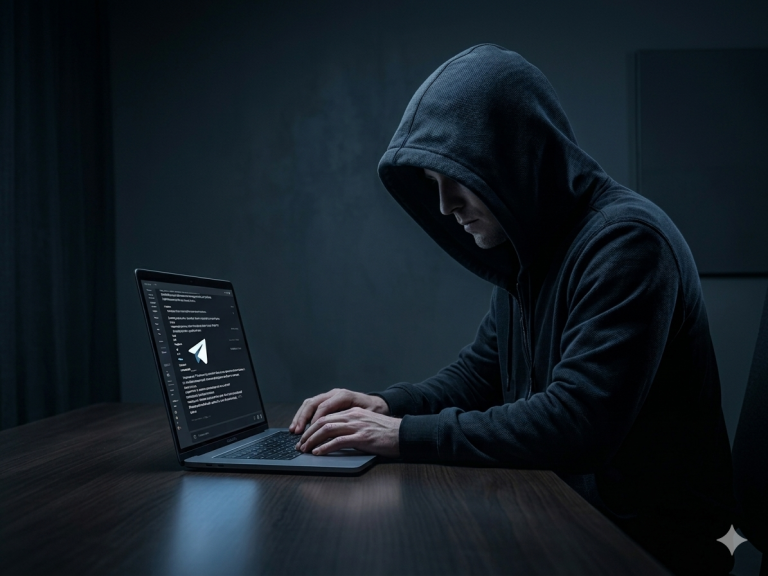
But that’s exactly how modern phishing campaigns work: they exploit trust and routine. Hidden inside that attachment was an infostealer — a type of malware specifically designed to harvest stored credentials from browsers and applications. Carefully obfuscated to bypass basic antivirus scans, it launched silently in the background the moment the file was opened.
The malware immediately began scanning the system for saved login data. Like many users, my client had stored credentials for his hosting provider (all-inkl) and FTP access directly in his browser — a common convenience that proved catastrophic. Within minutes, the infostealer extracted the credentials and transmitted them to the attacker’s command-and-control server.
From there, the compromise escalated quickly:
-
The hosting account and FTP access at all-inkl were taken over within the same hour.
-
Malicious PHP scripts were injected into core WordPress files — including index.php and wp-login.php — effectively weaponizing the website to spread malware to visitors.
-
The site crashed and went offline within hours, cutting off all customer access and damaging trust.
-
Backups were either corrupted or stored on the same compromised server — leaving no clean version to restore from.
The attack was discovered only when a customer reported that the website was showing a security warning in their browser. By then, the environment was so deeply infected that patching individual files was no longer an option.
Why Could This Happen? The Root Causes
At first glance, it might seem shocking that an entire website can be brought down by something as simple as opening an email attachment. But in reality, this type of incident is far more common than most business owners realize. The key reason: cyberattacks rarely begin with technology — they begin with people.
1. Phishing is Designed to Look Real
Modern phishing emails are not the obvious scams of ten years ago. In this specific case, the email used the spoofed name of a real business contact. The sender address looked nearly identical to the legitimate one — differing by a single character that’s easy to miss. Attackers study their targets carefully, mimic familiar communication styles, and create just enough context to seem plausible. For a busy professional, there was simply no visible red flag.
2. Antivirus Alone Isn’t Enough
Many people still assume that antivirus software provides complete protection. Unfortunately, that assumption is outdated. The malware in this case used obfuscation techniques that slipped past standard detection. Infostealer variants are regularly updated specifically to evade current antivirus signatures. By the time a detection update was available, the damage was already done.
3. Saved Credentials Are a Golden Ticket
Storing login details in a browser feels harmless — and it’s what millions of people do every day. But it’s exactly what infostealers target first. Browser credential stores, session cookies, and autofill data are harvested in seconds. In this case, the stored FTP and hosting credentials gave the attacker the same level of access as the account owner. They didn’t need to “hack” anything — they simply logged in.
4. WordPress Is a Prime Target
WordPress powers over 40% of all websites globally, which makes it an extremely attractive target for cybercriminals. Many installations rely on outdated plugins, weak passwords, or poorly configured servers. Even if the core system is secure, these common vulnerabilities create a massive attack surface. Once attackers have FTP access, injecting malicious code into WordPress files is trivial.
5. The Human Factor
Finally, the most important reason: humans remain the weakest link in any security chain. Technology can provide layers of defense, but a single click on the wrong attachment can bypass them all. That’s why security awareness is just as critical as technical safeguards — and why training your team to recognize threats is not optional.
Lessons Learned – Key Takeaways
This case demonstrates just how quickly one careless click can escalate into a full-scale security incident. The good news: most of these risks are entirely preventable with the right mindset and safeguards. Here are the most important lessons:
1. Be Suspicious of Every Attachment — Especially Familiar Ones
No matter how legitimate an email looks, always verify before opening attachments or clicking links. Train yourself and your employees to check the full sender address (not just the display name), hover over links before clicking, and question anything unexpected. In this case, a quick phone call to the apparent sender would have prevented the entire incident.
Rule of thumb: If you weren’t expecting an attachment, call the sender before opening it.
2. Enable Multi-Factor Authentication (MFA) Everywhere
Even if credentials are stolen, MFA can stop attackers from logging in. Always activate MFA on your email accounts, hosting provider, and WordPress admin dashboard. It adds only a few seconds to the login process but creates a powerful additional barrier. In this incident, MFA on the hosting account would have blocked the attacker even after the credentials were harvested.
3. Backups Must Be Reliable, Tested, and Isolated
Backups are your insurance policy — but only if they actually work. Store them in multiple locations (both locally and in the cloud), keep them on a separate server from your live site, and test regularly that they can actually be restored. A backup stored on the same compromised server, or one that has never been tested, is not a real safety net. My client discovered this the hard way.
4. Use Security Plugins and Monitoring Tools for WordPress
For WordPress, tools like Wordfence or iThemes Security can block suspicious login attempts, scan for malware, and alert you to unusual behavior in real time. Combine them with server-level monitoring to detect anomalies early. Had a monitoring tool been in place, the injected scripts might have been flagged within minutes instead of discovered by a customer complaint hours later.
Further reading: The Ultimate WordPress Security Guide
5. Use a Password Manager — Never Save Credentials in Your Browser
Browser-saved credentials are the number one target of infostealers. Instead, use a dedicated password manager (such as Bitwarden, 1Password, or Dashlane) to generate and store complex, unique passwords for every account. This not only removes credentials from the browser — it also prevents reuse across services, so a single compromised password can’t cascade into a wider breach.
6. Update Regularly — Core, Themes, and Plugins
Attackers constantly exploit outdated WordPress components. Make it a routine to update your CMS core, plugins, and themes — and do it promptly when security patches are released. Where possible, test updates in a staging environment before applying them to your live site. Many of the world’s most successful WordPress attacks exploit vulnerabilities that have already been patched.
7. Invest in Security Awareness Training
Technology alone will never be enough. Your employees — and you — need to be able to recognize threats before they cause damage. Regular, practical awareness training can turn every staff member into a “human firewall,” dramatically reducing the risk of a successful phishing attack. This is not a one-time exercise; threats evolve constantly, and so should your team’s knowledge.
8. Plan for the Worst-Case Scenario — Before It Happens
Every organization should have a documented incident response plan. Know in advance: who do you call, what steps do you take, how do you communicate with customers if your website is suddenly compromised? In my client’s case, the lack of any plan meant precious hours were lost to confusion. Preparation makes the difference between a manageable incident and a full-scale crisis.
Real Cost of the Incident at a Glance
|
Impact Area |
Consequence |
|
Website downtime |
Several days of complete unavailability |
|
Recovery cost |
Five-figure range (rebuild + emergency IT support) |
|
Data at risk |
FTP access, hosting credentials, customer-facing site |
|
Reputation damage |
Security warnings shown to visitors in browser |
|
Backups |
Corrupted or stored on same compromised server |
|
Root cause |
Infostealer delivered via phishing email attachment |
Conclusion – WordPress Website Hacked? Real Case Study
This real-world case underlines one crucial truth: cybersecurity is no longer optional — it’s a business essential. A hacked WordPress website is not just an inconvenience; it disrupts operations, damages customer trust, and almost always costs far more to repair than it would have cost to protect.
In my client’s case, a single click on a malicious email attachment — delivered via a spoofed but convincing sender address — led to a complete compromise of his WordPress environment. Once the credentials were stolen, the attacker had full access. The malware injected scripts into core WordPress files and weaponized the site against its own visitors. The end result: a complete server rebuild, days of downtime, and significant financial and reputational damage.
But here’s the key takeaway: this incident could have been prevented.
With stronger awareness, proper security hygiene, and proactive measures — MFA, isolated backups, a password manager, and basic monitoring — the damage would have been limited or avoided entirely. Cybercriminals are constantly refining their methods. The only effective defense is a combination of:
-
Technology — secure hosting, firewalls, security plugins, MFA
-
Processes — regular updates, tested backups, documented incident response plans
-
People — security awareness training, cautious behavior, a culture of verification
Investing in cybersecurity today will save you stress, money, and downtime tomorrow. Whether you run a small business, a personal blog, or a full-scale e-commerce platform — protecting your WordPress site means protecting your brand, your customers, and your future.
Turn Your Website Into a Secure Business Asset — Not an Easy Target
Most business websites are not hacked because attackers are brilliant.
They’re compromised because no one fixed the basics.
If your WordPress site still runs on outdated plugins, weak configurations, or unclear access controls, you’re leaving the door open — without realizing it.
The Secure Website Hardening Package closes these gaps.
✔ We identify and fix real-world vulnerabilities
✔ We reduce your attack surface immediately
✔ We transform your site into a controlled, hardened system
No subscriptions. No unnecessary tools. No fluff.
Just a clear, practical security baseline your business can rely on.
👉 Secure your website now — before someone else tests its weaknesses
I regularly share practical insights, real-world risks, and clear strategies for small and medium-sized businesses — without technical noise or unnecessary complexity. If you want to make better, more informed security decisions for your business:
👉 Let’s connect on LinkedIn and stay one step ahead
I also recommend you to read the follows articels
AI-Phishing Emails: Why They’re Harder to Detect Than Ever
Top 5 Password Managers Compared: Which One Keeps You Safest in 2025?
The Ultimate WordPress Security Guide: Protect Your Website from Threats and Attacks