
In many small and mid-sized companies, cybersecurity is considered important in theory but not critical in practice. Companies with ten or fifteen employees rarely see themselves as primary targets. As a result, security decisions are often postponed — not out of negligence, but out of perceived proportionality.
However, modern cyberattacks are rarely personal or selective. They are automated. Attackers use scanning tools that continuously search the internet for exposed systems, weak configurations, and outdated software. They do not evaluate company size. They look for vulnerabilities. If your office network is connected to the internet, it can be detected, scanned, and tested within minutes.
For offices with fewer than 20 employees, the real challenge is usually not awareness of risk. It is limited budget, limited time, and limited technical resources. Small businesses do not need complex enterprise infrastructure. But they do need a structured and professionally configured firewall setup that protects internal systems, customer data, and business operations. In this article, I will explain how to design an affordable and reliable firewall setup for small businesses that reduces real-world risk.
What Does a Good Firewall Do?
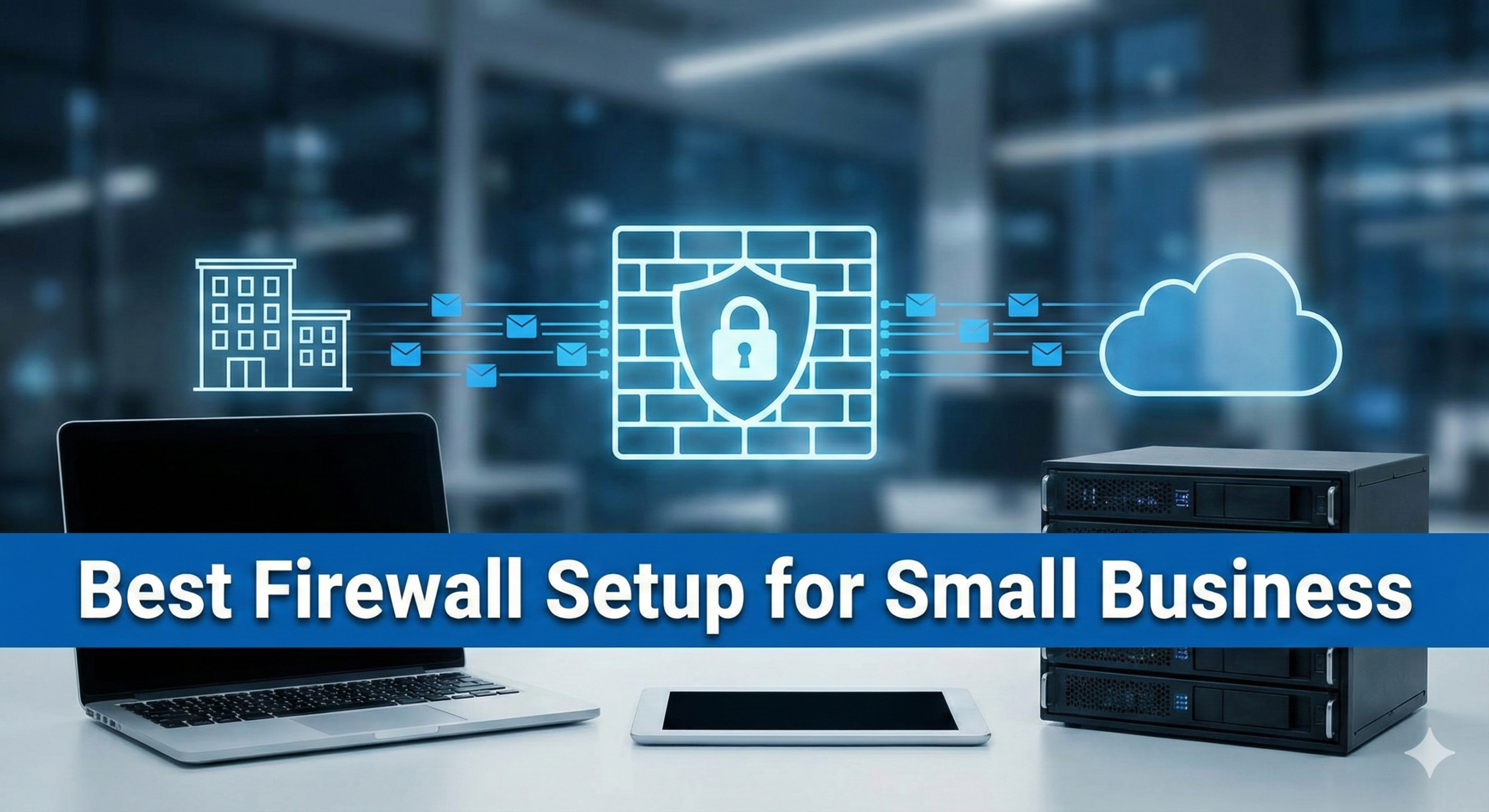
A good firewall is much more than a simple internet router. It acts as a security gate between your internal office network and the public internet. Every piece of data that enters or leaves your company passes through this gate. If the firewall is configured correctly, it reduces risk significantly without interrupting daily work. A proper firewall for your office should provide the following core protections:
Traffic filtering:
The firewall inspects incoming and outgoing data packets. It checks where the traffic comes from, where it is going, and which service is being used. Suspicious or unauthorized connections are blocked before they can reach your computers or servers. This prevents many common attacks, such as port scans, brute-force login attempts, or unauthorized remote access.
Network monitoring:
A business firewall gives you visibility. You can see which devices are connected to your network and what kind of traffic they generate. This does not mean spying on employees, but understanding normal network behavior. If a device suddenly starts sending large amounts of data to unknown servers, this can be detected early. Monitoring creates awareness and helps identify unusual activity before it becomes a serious incident.
VPN support:
Remote work is normal today, even in small offices. A firewall with VPN functionality allows employees to connect securely to the office network from home or while traveling. The connection is encrypted, which means sensitive business data cannot easily be intercepted on public or home networks. Without a proper VPN, remote access can create serious security gaps.
Malware and intrusion protection:
Many modern firewalls include basic intrusion prevention and malware filtering features. They can block known malicious websites, prevent communication with command-and-control servers, and detect suspicious traffic patterns. While a firewall does not replace endpoint protection, it adds an important additional security layer.
Regular security updates:
Cyber threats evolve constantly. A good firewall receives regular firmware and security updates from the vendor. These updates close newly discovered vulnerabilities and improve detection capabilities. Automatic or centrally managed updates ensure that your protection stays current without requiring daily manual intervention.
In short, a professional firewall creates control, visibility, and structure. It does not make your network invulnerable, but it significantly reduces exposure to common and preventable risks. For small offices, this level of structured protection is already a major step forward.
Hardware vs Software Firewalls
When planning a firewall setup for a small office, you basically have two main options: hardware firewalls and software firewalls. Both have their place, but they serve different purposes and offer different levels of protection.
Hardware Firewalls
A hardware firewall is a physical device that sits between your internet modem or router and your internal office network. All network traffic passes through this device before it reaches your computers, printers, servers, or Wi-Fi access points. For small offices, entry-level business devices usually cost between 100 and 500 euros. Well-known vendors include Ubiquiti, TP-Link, and Netgate (often used with pfSense).
The main advantage of a hardware firewall is centralized protection. It protects the entire network at once. This means:
-
All devices are filtered through one security layer
-
Rules are managed in one place
-
VPN access can be configured centrally
-
Network segmentation (VLANs) is possible
Once properly configured, a hardware firewall works automatically in the background. Employees do not need to interact with it. It does not slow down individual computers because the filtering happens on the dedicated device itself. For small offices without a full IT department, this centralized and structured approach is usually the most practical and professional solution.
Software Firewalls
Software firewalls run directly on individual computers or servers. Both Windows and macOS include built-in firewall functionality at no extra cost. These solutions can block unauthorized incoming connections to that specific device.
However, software firewalls have limitations:
-
They only protect the single device they are installed on
-
They do not provide full network visibility
-
They do not control traffic between devices in the same network
-
They are often not centrally managed in small offices
In a very small environment with only two or three computers, software firewalls offer a basic level of protection. But they do not replace a network-level security solution. A software firewall is a local defense mechanism. A hardware firewall is a network defense strategy.
1. Choosing the right firewall solution
For offices with fewer than 20 employees, choosing the right firewall solution does not have to be complicated. In most cases, a business-grade hardware firewall is the most realistic and practical option. These devices are specifically designed for professional environments, even if the company is small.
Vendors such as Ubiquiti, Netgate (often used together with pfSense), or Sophos offer entry-level models that are affordable and suitable for small teams. The typical price range for such a device is between 300 and 800 USD as a one-time hardware investment. Compared to the financial impact of a cyber incident, this is a reasonable and manageable cost for most businesses.
A business-grade firewall differs from a standard home router in several important ways. It is built for reliability and continuous operation in an office environment. It offers advanced configuration options, detailed logging, and better visibility into network activity. This means you can see which devices are connected, what type of traffic is flowing through the network, and whether any unusual behavior is occurring.
Modern solutions increasingly integrate artificial intelligence to detect unusual traffic patterns. In “Smarter Security: Are AI-Powered Firewalls the Future of Cyber Defense?”, I explore whether AI-driven protection truly improves small business security or simply adds complexity.
Another key advantage is VPN support. If employees work remotely, a professional firewall allows secure, encrypted connections to the office network. This ensures that sensitive data is protected even when accessed from home or while traveling. In addition, many business firewalls support VLAN configuration. This makes it possible to separate internal office devices, guest Wi-Fi, and other systems into different network segments, which significantly reduces risk.
For a small office, an entry-level device is usually more than sufficient. You do not need high-end performance designed for hundreds of users. If only a few employees are working at the same time, the required throughput is moderate. The focus should not be on maximum speed, but on stability, security features, and clear configuration options.
In short, a business-grade hardware firewall offers structured protection, centralized management, and professional features at a price point that fits small offices. It creates a solid security foundation without unnecessary complexity.
2. Open-source firewall (cost-efficient option)
An open-source firewall solution can be a very attractive option for small offices that want professional functionality without ongoing license costs. Well-known platforms such as pfSense or OPNsense provide advanced firewall and routing features that are comparable to many commercial products. These systems can run on dedicated firewall appliances or on a small, energy-efficient mini-PC with two network interfaces. This makes the hardware investment flexible. You can either buy a ready-made device from a vendor or build your own solution using compatible hardware. For small offices with limited budgets, this approach can significantly reduce upfront costs.
One of the biggest advantages of open-source firewalls is flexibility. You have full control over configuration options, firewall rules, VPN settings, intrusion detection, traffic shaping, and network segmentation. You are not limited to predefined settings or locked features. This allows you to adapt the firewall exactly to your business needs.
Another important benefit is the absence of license fees. Most open-source firewall platforms do not require annual subscriptions for core functionality. This makes long-term costs predictable and manageable. In addition, both pfSense and OPNsense have strong and active communities. Documentation, forums, and tutorials are widely available, which helps when troubleshooting or planning new configurations.
However, this flexibility also comes with responsibility. Open-source firewalls require technical knowledge. The initial installation, rule configuration, VPN setup, and security hardening must be done carefully. A misconfigured firewall can create serious security gaps, such as open ports, weak encryption settings, or overly permissive access rules.
Unlike many commercial devices, open-source solutions do not always guide you step by step with simplified setup wizards. They assume a certain level of understanding of networking concepts like NAT, VLANs, routing, and firewall policies. Without this knowledge, it is easy to make configuration mistakes that reduce the overall security level.
For small offices without internal IT expertise, it is usually advisable to involve a qualified consultant for the initial setup. A one-time professional configuration ensures that the firewall rules are clean, secure, and aligned with your business requirements. In many cases, the cost of this initial service is far lower than the financial and reputational damage caused by a security incident.
An open-source firewall can be a powerful and cost-efficient solution. But it should be implemented with clear structure and proper technical understanding. When configured correctly, it offers enterprise-level functionality at a small-business budget.
3. Unified Threat Management (UTM) for small teams
A third option for small offices is a Unified Threat Management. UTM devices combine several security functions into one single platform. Instead of only acting as a firewall, they provide multiple protection layers in one integrated system. Many vendors, including Sophos and similar security providers, offer compact UTM appliances specifically designed for small and medium-sized businesses.
A typical UTM solution includes:
-
Firewall functionality
-
Intrusion prevention system (IPS)
-
Web filtering
-
Basic endpoint integration
This means the device does not only block unauthorized connections, but also analyzes traffic for suspicious patterns. An intrusion prevention system can detect known attack signatures and block malicious behavior in real time. Web filtering allows you to restrict access to dangerous or inappropriate websites. Basic endpoint integration can connect the firewall with antivirus or endpoint protection software to improve visibility across devices.
For small offices that handle sensitive or regulated data, such as healthcare providers, financial consultants, or law firms, a UTM solution can be a strong investment. These environments often require higher security standards and better reporting capabilities. A UTM device can help meet compliance requirements and provide more detailed logging and alerting. However, it is important to stay realistic. More features do not automatically mean better security.
Each additional function must be configured, maintained, and monitored. If advanced features are activated but not properly managed, they can create complexity without real benefit. Small teams should avoid buying features they do not understand or actively use. Complexity increases operational risk. If security settings are too complicated, they are more likely to be misconfigured or ignored. A UTM solution can offer powerful, centralized protection for small offices. But it should be selected carefully, configured professionally, and aligned with the real needs of the business. In security, clarity and control are often more valuable than unnecessary complexity
Many vendors now promote AI-based detection systems as the next evolution. In “Smarter Security: Are AI-Powered Firewalls the Future of Cyber Defense?”, I analyze what this actually means for small and medium-sized businesses.
Recommended basic setup for small offices
For offices with up to 20 employees, the security requirements increase slightly compared to very small teams. More users mean more devices, more traffic, more remote connections, and a higher probability of misconfiguration or human error. The goal is still simplicity – but with stronger structure and clearer segmentation.
The foundation remains a dedicated business-grade firewall appliance. At this size, the device should support higher throughput, multiple VLANs, and stable VPN performance for several simultaneous remote users. Performance planning becomes more important, especially if your team uses cloud applications, video conferencing, or large file transfers daily.
A structured setup for this company size should include the following elements: A dedicated business firewall as the central security gateway. All internet traffic must pass through this device. It should handle traffic filtering, intrusion prevention (if enabled), VPN access, and detailed logging. Clear network segmentation using VLANs. At minimum, you should separate internal workstations, servers or NAS systems, guest Wi-Fi, and IoT devices such as printers or cameras. Segmentation limits lateral movement if one device becomes compromised.
A strictly isolated guest Wi-Fi network. Guests must never share the same network space as internal systems. Even employees’ private smartphones should not operate inside the core business network. Secure VPN access for remote employees. With up to 20 employees, remote work is common. A properly configured VPN with strong encryption and multi-factor authentication should be standard. Direct exposure of internal services to the internet should be avoided completely.
Automatic firmware updates for firewall and network components. With more devices in use, the attack surface grows. Regular patching reduces the risk of known exploits. Centralized logging with at least monthly review. Ideally, logs should not only be activated but also exported or backed up. Even small organizations benefit from having traceability in case of an incident.
In addition, basic hardening steps remain essential. Disable unnecessary services such as UPnP. Close all ports that are not explicitly required. Restrict administrative access to internal IP addresses whenever possible. Use strong, unique passwords for all network devices and enable multi-factor authentication for admin accounts.
For offices up to 20 employees, it also becomes advisable to document the firewall configuration. Even a simple internal document describing network structure, VLAN layout, and VPN settings increases operational stability. If your IT support changes or you involve an external consultant later, proper documentation prevents costly confusion.
This setup is still affordable. It does not require enterprise-level infrastructure. But it introduces structure, segmentation, and controlled access – which are critical at this company size. Security at this stage is no longer optional protection. It becomes part of operational resilience.
However, not all assumptions about VPNs are correct. In “VPN Myths in 2025 – What’s True and What’s Not?”, I explain common misunderstandings that can create a false sense of security.
Network segmentation: small but powerful improvement
Even in a small office with 10 or 20 employees, network segmentation makes a significant difference. Many small businesses operate with a single flat network. All devices are connected to the same internal network and can communicate freely with each other. While this setup is simple, it creates unnecessary risk.
Segmentation means dividing your network into separate logical zones. These zones are usually created using VLANs (Virtual Local Area Networks). VLANs allow you to separate traffic inside the same physical infrastructure without buying completely separate hardware for each network. In a small office environment, a practical segmentation model could look like this:
Office devices such as PCs and laptops are placed in one internal network. This is the primary working environment where employees access email, cloud services, and internal resources. Servers or NAS systems should be placed in a separate network segment. These systems often store sensitive data such as customer information, financial records, or backups. By isolating them, you reduce direct exposure from user devices.
Guest Wi-Fi must always be isolated. Visitors should only have internet access, not access to internal systems. Even if a guest device is infected, the malware cannot spread into your core network. IoT devices such as printers, IP cameras, smart TVs, or other connected hardware should also be placed in their own segment. These devices often receive fewer security updates and may have weaker built-in protection. Isolating them reduces the risk they pose to the rest of the network.
The main security advantage of segmentation is limiting lateral movement. If one device becomes infected through phishing, malicious downloads, or a compromised USB drive, the attacker’s ability to move inside the network is restricted. Instead of gaining access to all systems immediately, they are confined to a single segment.
Without segmentation, one compromised laptop can potentially reach file servers, backup systems, or other workstations directly. With segmentation in place, additional firewall rules control which segments are allowed to communicate with each other. Access is granted only where it is truly necessary. This approach does not require enterprise infrastructure. Most modern business firewalls support VLAN configuration out of the box. The implementation requires planning and proper rule configuration, but the cost is relatively low compared to the security benefit.
Network segmentation is not a complex luxury feature. It is a structured way to reduce risk and increase control. Yet many small businesses ignore it because their network “seems to work.” From a security perspective, however, segmentation is one of the most effective improvements you can introduce without dramatically increasing complexity.
Common mistakes small offices make
Conclusion: Best Firewall Setup for Small Business
The best firewall setup for small business is not about complexity or expensive enterprise tools. It is about structure, control, and consistent configuration. A business firewall, proper network segmentation, secure VPN access, regular updates, and basic log monitoring already create strong protection against common threats. These measures reduce exposure to automated attacks and limit damage if an incident occurs.
What truly defines the best setup is clarity. You should know how your network is structured, which services are accessible, and who has remote access. Simplicity combined with disciplined management is often more effective than overloaded systems that are poorly maintained. For small businesses, cybersecurity means reducing avoidable risk and protecting operations. A well-configured firewall is not just a technical tool — it is a foundation for stability, trust, and long-term resilience.
As discussed in Cybersecurity 2026: The Biggest Risks for Businesses – and How to Protect Your Company, most successful attacks exploit preventable weaknesses. A structured firewall setup directly addresses many of these risks at the network level.
If you have questions about your current firewall setup or small business network security, feel free to connect with me and send your question directly on LinkedIn.
Read the Slides of my Presention here for Free: The-Human-Firewall-Building-Your-Cyber-Defense