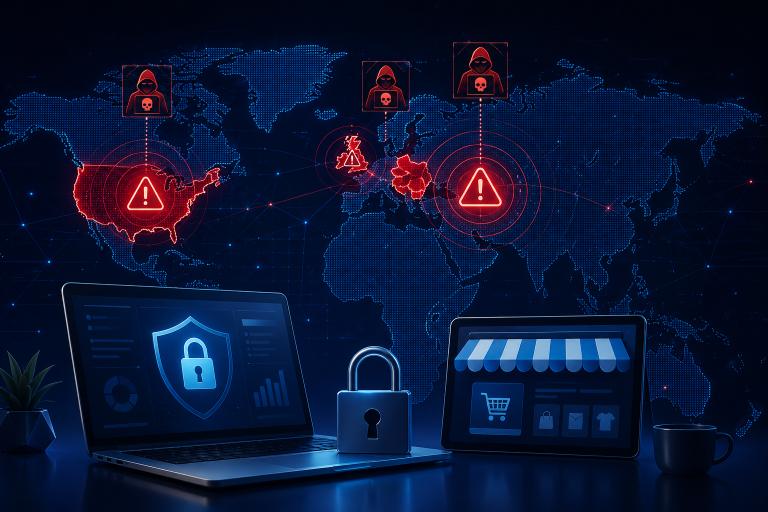


Most companies invest in cybersecurity tools — but still overlook one fundamental question: where can someone actually access your business? The honest answer is usually: in more places than anyone realizes. Cybersecurity is not only about firewalls, antivirus software, or the latest threat detection platform. It starts with something more basic — understanding every point where your systems, data, and accounts can be reached. Many successful attacks never exploit sophisticated vulnerabilities. They do not need to. They enter through access points that were left open, forgotten, or never properly secured in the first place, and they often go undetected until the damage is already done.
This is not a problem exclusive to large enterprises with complex infrastructure. companies of every size accumulate access points over time without fully tracking them. Tools get added, roles change, external partners come and go, and the overall picture of who can access what becomes increasingly difficult to see clearly. That lack of visibility is itself a vulnerability.
In this article, we look at the access points that matter most — the ones that appear in almost every company and that attackers have learned to target precisely because they are so often overlooked. For each one, we will examine why it carries risk and what a structured, realistic approach to managing it looks like. You do not need to solve everything at once. But you do need to know where to look.
Why Access Points Are the Real Risk
Every company, regardless of its size or industry, possesses a far greater number of access points than commonly perceived. These encompass a wide array of elements, including individual employee accounts, corporate email systems, diverse cloud platforms, remote access tools, and various third-party services. Over time, the proliferation of these access points often occurs subtly and without centralized oversight. New software tools are integrated, employees transition between roles, and external partners are granted temporary permissions that frequently remain active long after their necessity has expired. Without consistent and rigorous review, a complete and accurate picture of the organization’s access landscape becomes elusive, leading to the emergence of hidden risks. A determined attacker does not need to compromise an entire system; a single, vulnerable access point is often sufficient to breach defenses and gain unauthorized entry.
Access Point 1: Email Accounts
Email is one of the most critical access points in any business — and consistently the most frequently targeted. The reason is simple: almost every other system in your organization is connected to it. Password resets, internal communication, customer correspondence, contract exchanges, and access to cloud services all flow through email. This makes a compromised email account far more dangerous than most people realize.
When an attacker gains access to an email account, they do not just read messages. They can silently reset passwords for connected services, impersonate the account holder to colleagues or clients, intercept sensitive documents, and move laterally through your systems without triggering obvious alerts. In many cases, a breach goes undetected for weeks — precisely because everything appears to come from a legitimate, trusted address.
Admin access to email systems deserves particular attention. Whoever controls the email administration can manage all accounts, reset credentials, and access any mailbox in the organization. This level of access should be limited to as few people as absolutely necessary, and every admin account should be protected with strong, dedicated authentication that is separate from everyday login credentials.
Another commonly overlooked risk is inactive accounts. When an employee leaves the company or changes roles, their email account often remains active for weeks or months. These dormant accounts are valuable targets — they carry legitimate credentials and rarely have anyone monitoring them for suspicious activity. A clean offboarding process that immediately deactivates accounts is one of the simplest and most effective security measures any organization can implement.
The central question every company should be able to answer is whether Multi-Factor Authentication is enabled on every single email account — not just for management, not just for IT, but for everyone. MFA alone blocks the vast majority of credential-based attacks. Combined with regular access reviews and a disciplined approach to deactivating unused accounts, it forms the foundation of email security that every organization, regardless of size, can and should have in place. Email security is not optional. It is your first line of defense — and often the difference between a contained incident and a company-wide breach.
Access Point 2: Cloud Services and SaaS Tools
Most businesses today run on cloud platforms. File storage, CRM systems, project management tools, communication platforms, and accounting software are all hosted externally — and all contain data that would be valuable to an attacker. The convenience that makes these tools so effective is also what makes them a significant security risk when access is not actively managed.
The most common problem is not that these tools are insecure by design. It is that access within them grows uncontrolled over time. A new employee gets added to every platform on their first day. A freelancer receives access to a shared drive for one project and is never removed. A former colleague’s account remains active for months after they have left. Individually, each of these situations seems minor. Together, they create a sprawling, unmonitored access landscape that is difficult to defend.
Permissions are another area where organizations frequently fall short. Many tools default to broad access levels, and few teams take the time to adjust them. The result is that people have access to far more than their role requires — which means a single compromised account can expose data well beyond what that person ever needed to see.
The right approach is to apply the principle of least privilege consistently: every user should have access only to the tools and data their current role actually requires, and nothing more. Access should be reviewed regularly, external users should be removed as soon as their involvement ends, and shared accounts should be replaced with individual logins wherever possible. Cloud tools are here to stay — but the access granted within them needs the same discipline as any other part of your security infrastructure.
Access Point 3: Remote Access (VPN, RDP, Remote Tools)
Remote work has fundamentally changed the attack surface of most organizations. What was once a clearly defined network perimeter — an office, a server room, a handful of managed connections — has expanded into dozens or hundreds of external entry points. VPN connections, Remote Desktop Protocol, and remote support tools all create direct pathways into company systems, and each one represents a potential vulnerability if not properly secured.
The speed at which remote access was rolled out in many organizations is part of the problem. Connections were established quickly, often under time pressure, and security considerations were sometimes deferred in favor of getting people working. Years later, many of those configurations have never been reviewed — and some connections that were set up as temporary solutions are still active today.
What makes remote access particularly dangerous is that it is, by design, meant to look like legitimate access from the outside. An attacker who gains valid credentials for a VPN or RDP connection does not need to exploit any technical vulnerability. They simply log in — and from that point, they may be able to move through the network with the same freedoms as any internal user.
Multi-Factor Authentication is the single most effective control for remote access security. Without it, a stolen or guessed password is all an attacker needs. With it, the barrier rises significantly. Every remote access method in use should have MFA enforced without exception. Beyond that, organizations should ensure that access attempts are logged and monitored, that old or unused connections are regularly identified and removed, and that the number of people with remote access is kept as small as the business genuinely requires. Remote access is a necessity for most modern organizations — but it needs to be treated as the high-risk entry point it is.
Access Point 4: Administrator Accounts
Administrator accounts are not just another set of credentials — they are the keys to the entire system. Whoever controls an admin account can change configurations, create or delete users, access any data on the platform, and in many cases disable the very security controls that are supposed to protect everything else. This level of power makes admin accounts the most valuable target for any attacker who has already gained a foothold in your environment.
The most widespread problem is not that admin accounts exist, but that there are too many of them, and that they are used too casually. Over time, admin rights tend to accumulate. An IT team member gets elevated access to solve a problem and the permission is never revoked. A manager requests admin rights for a specific task and ends up keeping them indefinitely. A single shared admin account is used by multiple people because it is more convenient than managing individual credentials. Each of these situations creates unnecessary exposure that compounds quietly in the background.
Equally problematic is the habit of using admin accounts for everyday tasks. When someone browses the internet, reads emails, or works in standard applications while logged in with admin credentials, every action they take carries elevated risk. A phishing link clicked under an admin account, or a piece of malware that executes in that context, can cause damage that would have been contained if a standard account had been used instead.
The principle to apply here is straightforward: admin accounts should exist in the smallest number necessary, be used only for tasks that genuinely require elevated privileges, and be protected with strong authentication that is entirely separate from everyday login credentials. Ideally, every person with admin access should maintain two distinct accounts — one for daily work, one for administrative tasks — and switch between them deliberately and consciously. The goal is to ensure that admin privileges are treated not as a convenience, but as a responsibility that comes with its own dedicated security standards.
Access Point 5: Third-Party Access
Almost every organization grants system access to people outside its own workforce at some point. IT providers need to connect to infrastructure to maintain it. Consultants require access to data to do their work. Freelancers are brought in for specific projects and need the tools to contribute. This kind of external access is a normal and often unavoidable part of how modern businesses operate — but it carries risks that are frequently underestimated and almost as frequently forgotten.
The core problem is one of visibility and lifecycle management. When an internal employee leaves, there is usually a process in place — however imperfect — to handle their offboarding and revoke their access. When an external partner finishes a project, that same discipline rarely applies. The project ends, the invoices are paid, and the collaboration moves on. But the access remains. Weeks pass, then months, and eventually no one in the organization can confidently say whether that external account is still active, what it can reach, or whether the person it belongs to even still works for the partner company.
This is precisely what makes third-party access so attractive to attackers. A dormant external account often carries legitimate credentials, broad permissions granted at the start of a project when requirements were unclear, and virtually no monitoring because no one expects it to be used. It sits quietly in the system, invisible to day-to-day operations, until someone — internal or external — exploits it.
The solution requires treating third-party access with the same rigor as internal access, and in some ways more. Every external account should be created with a defined purpose and a clear end date. Access should be scoped as narrowly as possible from the outset, granting only what the specific engagement requires and nothing beyond that. When a project concludes, access should be revoked immediately as a standard part of closing out the work — not left as an open item to be handled later. For ongoing partnerships, access should be reviewed on a fixed schedule, with someone accountable for confirming that each external account still serves a legitimate and current need. Third-party access should never be permanent by default. It should always require active justification to continue.
Access Point 6: Devices and Endpoints
Access is not only about accounts, credentials, and permissions. It is also about the physical devices that carry those credentials and maintain those sessions in the real world. A laptop, a smartphone, a tablet — each one is a bridge between a person and your company’s systems, and each one represents a potential entry point if it falls into the wrong hands or is quietly compromised without the owner’s knowledge.
The risk is easy to underestimate because devices feel personal and familiar. But from a security perspective, a work laptop that leaves the office every day connects to company systems from hotels, home networks, and coffee shops — environments where the level of security is unknown and often low. A stolen device in the hands of an attacker can provide immediate access to saved passwords, active sessions, and sensitive files. A device that has never been updated carries unpatched vulnerabilities that can be exploited remotely. A retired device that was not properly wiped before disposal may retain sensitive data long after it has left the organization.
The essentials are not complicated. Every device connecting to company systems should be protected with strong authentication. Security updates should be applied consistently and promptly, not left to individual employees to manage at their own discretion. And every device should be enrolled in a management system that allows it to be remotely locked or wiped the moment it is reported lost or stolen — because the speed of that response often determines whether an incident remains contained.
Beyond that, organizations should maintain a clear inventory of every device with access to company systems. It is surprisingly common for no one to have a complete picture of which endpoints exist, which are actively used, and which are sitting unused somewhere still holding valid credentials. Devices, like accounts, need to be tracked, reviewed, and decommissioned when they are no longer needed. Security does not end at the login screen — it extends to every physical object capable of reaching your systems.
Access Point 7: Identity and Password Management
Identity is the thread that runs through every other access point in this article. Every account, every login, every permission ultimately comes down to one question: who is this person, and can they prove it? When identity management is weak, every other security measure becomes significantly less effective. A well-configured VPN, a carefully scoped cloud tool, or a tightly controlled admin account all lose their value the moment the credentials protecting them can be guessed, stolen, or reused from another compromised service.
Password reuse is one of the most persistent and damaging habits in organizational security. When an employee uses the same password across multiple accounts — their work email, a SaaS tool, a personal account on an external platform — a breach in any one of those places immediately puts all the others at risk. Attackers know this, and credential stuffing attacks, where stolen username and password combinations are systematically tested across popular services, are now entirely automated and carried out at massive scale. The assumption that a password leaked from one platform will not be tried elsewhere is no longer realistic.
The practical solution is a password manager, implemented and actively used across the entire organization. A password manager removes the cognitive burden that leads people to reuse passwords in the first place. It generates strong, unique credentials for every account, stores them securely, and makes using them no more difficult than using a weak, repeated password. The barrier to adoption is low, the security benefit is significant, and yet many organizations still rely on spreadsheets, browser-saved passwords, or individual memory to manage credentials across dozens of systems.
Multi-Factor Authentication sits alongside password management as the other non-negotiable foundation of identity security. Even a strong, unique password can be compromised — through phishing, through a data breach at a third-party service, or through social engineering. MFA ensures that a stolen password alone is not enough to gain access. It adds a second layer of verification that an attacker typically cannot replicate without physical access to the target’s device. Every system that supports MFA should have it enabled, without exception and without treating it as optional for senior staff or long-tenured employees who find it inconvenient.
Beyond passwords and MFA, identity management also means maintaining a clean and current picture of who exists in your systems at all. Orphaned accounts — belonging to former employees, past contractors, or discontinued integrations — are a silent but serious risk. They carry valid credentials, they attract no attention, and they are rarely monitored. A regular audit of active identities, combined with a disciplined process for deactivating accounts the moment they are no longer needed, closes one of the most overlooked gaps in organizational security. Identity is not a technical problem with a one-time solution. It is an ongoing discipline that sits at the foundation of everything else.
Conclusion: Critical access points every company should review
Strong cybersecurity means moving beyond just reacting to attacks. Instead, companies must proactively identify and secure every possible access point. You should regularly review and properly manage the following areas: email accounts, cloud services, remote access tools, administrator accounts, third-party access, devices, and identity/rights management. Doing this consistently significantly strengthens your defenses. It requires ongoing attention and following security best practices. Tools are helpful, but the most important thing is knowing and properly securing every access point. This is the key to effectively protecting your business against evolving cyber threats.
Join my Cybersecurity Slack Channel
Cyber threats are evolving faster than ever — and browser security is only one part of the bigger picture. If you want practical cybersecurity advice, direct support, and honest discussions about modern threats, join our Slack community today.
Inside you can:
- Ask cybersecurity questions directly
- Discuss browser security, AI threats, phishing, ransomware, and cloud security
- Get practical tips for protecting your business
- Stay updated on new vulnerabilities and attack trends
- Exchange ideas and real-world experiences
Clear, practical, and easy-to-understand cybersecurity tips. Join the conversation, ask your questions, and stay one step ahead of modern cyber threats.
I recommend to read the following articels
Antivirus software should only be one part of your cybersecurity strategy
Employee IT Security Training: Why Your Employees Are Your Biggest Cyber Risk
How often should companies change passwords? Current security recommendations for 2026
This is one of the articles from my Premium Vault with the original title: Critical access points every company should review