

It’s Monday morning. Your files are gone. Maybe it was ransomware. Maybe an employee deleted the wrong folder, or a hijacked cloud account wiped your shared drive overnight. Either way, the question that decides whether your business survives is the same: how fast can you get back to work?
For most small businesses, the honest answer is “we’re not sure.” Many still rely on the same fragile setup they’ve had for years: a single external drive, a synced OneDrive folder, or the quiet assumption that “Microsoft must be backing everything up anyway.” (It doesn’t. Sync is not backup, and one deleted or encrypted file can vanish from every device within seconds.) That false sense of security is exactly what leaves so many businesses in the UK, Europe and the USA exposed. Ransomware now targets companies of every size, and attackers know that small businesses rarely have a tested recovery plan. The good news: a truly resilient backup setup no longer requires an IT department or a big budget. Modern tools are powerful, largely automated and surprisingly affordable.
In this guide, you’ll learn the best backup setup for small businesses in 2026, combining cloud, local and offline protection. You’ll see which tools are worth considering and how to build a strategy that keeps your business secure, compliant and running, whatever happens.
1. What Makes a Good Backup Solution in 2026?
Choosing the right backup solution in 2026 means understanding how dramatically the digital landscape has changed. Small businesses are no longer only dealing with hardware crashes or accidental deletions — today, they also face sophisticated ransomware, compromised cloud accounts and silent data corruption that can go unnoticed for weeks. Because of this, a backup system must offer more than a simple file copy. It needs to be smart, automated and resilient against every modern threat.
A good backup starts with automation. Many small businesses still rely on manual steps, trusting employees to click “backup now” once in a while. In reality, this rarely happens. A reliable solution backs up everything automatically in the background, continuously or at least daily, without any human involvement. If it isn’t automated, it won’t protect your business when it matters.
Just as important is versioning. Modern backup solutions don’t save only the latest version of a file — they store older versions too. This matters because many incidents unfold slowly: a file might be overwritten by mistake, a folder could be deleted unintentionally, or malware could corrupt data without being noticed. With long-term version history, you can go back days, weeks or even months to recover exactly what you need.
Ransomware is another factor that defines the requirements of 2026. Cyberattacks today are aggressive and designed to target backups as well. This is why your solution needs built-in mechanisms that detect suspicious behaviour and protect backup archives from being modified. Some systems create “immutable” copies, meaning they cannot be changed or encrypted — even if an attacker gains access to your network. This single feature can save a business from complete collapse.
Security and compliance play a central role too. Small businesses in the USA, UK and across the EU must ensure that sensitive data is encrypted and processed according to GDPR standards. The best solutions use strong AES-256 encryption, rely on trustworthy European or UK data centres, and offer clear documentation for legal compliance. This ensures your customer information stays safe and your business remains protected from regulatory issues.
Another point many companies underestimate is the speed of recovery. A backup that takes days to restore can cause major downtime, lost revenue and stress. Modern systems allow fast, flexible recovery — whether you need a single file from yesterday or a full device rebuild after a ransomware attack. For small businesses without dedicated IT staff, this speed is essential.
Since most organisations today work with a mix of devices and platforms — Windows, macOS, mobile devices, OneDrive, Google Workspace and occasionally local servers — a backup solution must be flexible enough to support all of them. The more unified the system, the less complexity your team has to manage.
Finally, visibility is key. You should always know whether your backup is actually running. A good system provides alerts, dashboards and regular reports that show you at a glance whether everything is protected. This helps catch issues early, long before they can turn into a problem.
When you combine these elements — automation, versioning, ransomware resistance, strong encryption, fast recovery, platform flexibility and clear monitoring — you get a backup solution that is not only modern but genuinely reliable. For small businesses with limited time and resources, this combination offers the security and peace of mind needed to stay resilient in an unpredictable digital world.
2. The Best Cloud Backup Solutions for Small Businesses in 2026
Cloud backups have become the backbone of modern data protection. They allow businesses to keep working even if a device fails, an office floods or a cyberattack brings local systems to a halt. For many small businesses in the UK, Ireland and USA, cloud backups are often the first real step toward a secure and resilient setup — and in 2026, the available solutions are more powerful and easier to use than ever.
A strong cloud backup doesn’t simply store files somewhere online. It creates encrypted, secure copies of your important data in remote data centres, often distributed across multiple locations. This makes sure your business can recover even if the worst-case scenario occurs. What makes cloud backups especially attractive for small companies is how little they demand in terms of maintenance. Once set up, everything runs automatically in the background, without requiring constant attention or IT knowledge.
Among the most trusted and widely used solutions for small businesses is Acronis Cyber Protect. It stands out because it combines cloud backup, ransomware protection and fast recovery in a single platform. Many SMBs appreciate that Acronis can protect entire systems — laptops, desktops or even small servers — and that it can also back up Microsoft 365 and Google Workspace accounts. For companies that want a professional, all-in-one approach, Acronis is often the first choice.
Another popular option is Backblaze Business Backup, which focuses on simplicity. Backblaze is designed for teams who just want reliable backups without navigating complex menus or setting up advanced configurations. It runs continuously in the background and offers unlimited storage, making it ideal for businesses with large amounts of data or many workstations. Many small offices love Backblaze because it “just works”, even for people who aren’t particularly tech-savvy.
Creative teams, freelancers and remote workers often gravitate toward CrashPlan for Small Business. Known for its strong versioning and continuous backup approach, CrashPlan ensures that even small changes to files are captured automatically. This is incredibly helpful when working on documents, graphics, audio projects or any form of digital content that evolves throughout the day. Its clean interface makes it easy for teams to manage their devices and restore older versions whenever needed.
For very small businesses or those with tight budgets, Carbonite Safe Pro remains a practical entry-level choice. It offers the essential features small companies need without unnecessary complexity. While it doesn’t provide the same depth of advanced security features as Acronis, it’s a reliable way to ensure important documents are safely stored in the cloud and easily recoverable.
What all these solutions have in common is that they create a strong and trustworthy safety net. They protect against disasters, hardware failures and human mistakes — all without requiring a dedicated IT department. The differences lie in comfort, speed, additional features and how much control you want over the process. Some businesses need a simple setup that runs quietly in the background, while others prefer granular control, extra security layers or the ability to protect cloud accounts like OneDrive, SharePoint or Gmail.
Choosing the right cloud backup solution is less about the brand name and more about finding the balance between ease of use, restoration speed and the level of protection your business requires. In 2026, small businesses no longer need to compromise: modern cloud backups offer security that was once reserved for large enterprises — now accessible, affordable and easy to manage for everyone.
3. Local Backup (NAS) – The Foundation of Fast Recovery
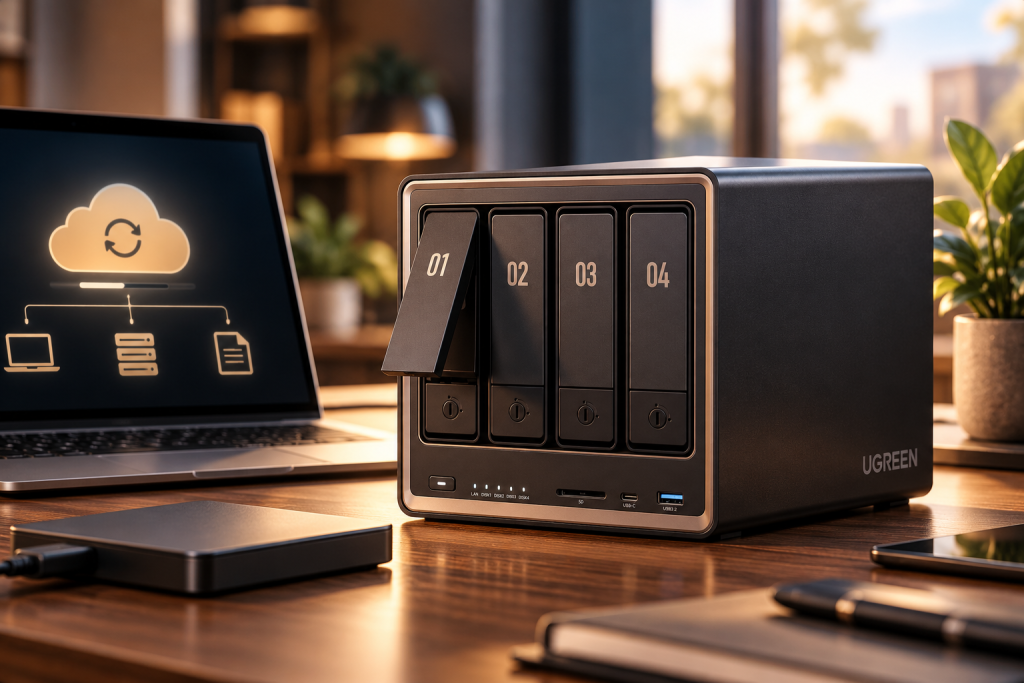
While cloud backups form the essential safety net for small businesses, nothing beats the speed and control of having a local backup within your own office or workspace. In 2026, a Network Attached Storage system — better known as a NAS — has become one of the most reliable foundations for any serious backup strategy. It offers small businesses something the cloud alone can never provide: instant recovery, even for large files or entire devices.
A NAS is essentially a small, dedicated storage device that lives inside your business network. Unlike external hard drives, which can easily be forgotten, misplaced or overwritten, a NAS runs continuously and is built specifically for data protection. For many small businesses, it becomes the central hub where all backup copies are stored safely and automatically. And because everything stays on-site, restoring files after a mistake or device failure can take minutes instead of hours.
One of the biggest advantages of a NAS is how well it handles large amounts of data. Creative agencies, architects, consultants, accountants and small shops working with photos, documents, videos or client files often accumulate gigabytes of material over time. Uploading all of that to the cloud can take a long time — but restoring it from a NAS is almost immediate. For businesses that cannot afford long waiting times or downtime, this makes a noticeable difference in daily operations.
Among the available options, Synology NAS systems have become a favourite for small businesses in the UK and across Europe. They offer an intuitive interface, powerful backup tools and strong security features that even non-technical users can manage. Synology’s built-in software, such as Hyper Backup, allows you to protect your devices and even sync your local backups to the cloud for extra safety. For many small businesses, this hybrid approach delivers the perfect balance between speed and reliability.
QNAP NAS devices are another strong alternative, especially when high performance is required. They offer a wide range of hardware configurations and can handle intensive workloads with ease. However, because QNAP devices offer more open flexibility, they must be properly secured. Strong passwords, two-factor authentication and regular updates are essential to keep the system safe — something that companies often overlook.
A well-configured NAS doesn’t replace cloud backups but enhances them. It gives you a second, local copy of your data that protects you from internet outages, cloud provider issues or accidental sync problems. When combined with the cloud, you get a system that is fast, resilient and ready to handle any type of failure.
Another important element is the use of RAID, which means the NAS stores data across multiple disks. If one drive fails — which happens more often than many businesses realise — your data remains safe and accessible. This adds a layer of redundancy that single hard drives cannot offer.
Perhaps the most overlooked benefit of a local backup is psychological. For many business owners, simply knowing that a secure, physical copy of their data is right there, on-site, provides peace of mind that cloud-only setups can’t match. It reassures them that they are in control of their information, not dependent on any single provider.
In the end, a local NAS backup is not about replacing the cloud but about complementing it.
It’s the part of your strategy that gives you speed, control and confidence — the ability to bounce back quickly when something goes wrong. In combination with automated cloud backups, it forms a powerful duo that keeps your business protected from both everyday mishaps and disruptive cyber incidents.
4. Offline Backup – The Safety Net Most Businesses Don’t Know They Need
Even with a strong cloud backup and a reliable local NAS, there is still one critical layer missing — a layer that can save a small business when everything else fails. This is the offline backup, also called an air-gap backup. It’s a simple idea, yet it’s one of the most powerful protections against modern cyber threats.
An offline backup is a copy of your data that is physically disconnected from your network and the internet. That means it cannot be reached by ransomware, cannot be overwritten by a sync error, and cannot be damaged if your cloud account is compromised. It is, in the truest sense, your “break glass in case of emergency” backup — an independent safety net that sits quietly in the background until the day you truly need it.
What makes offline backups so important in 2026 is how aggressive cyberattacks have become. Ransomware groups no longer simply encrypt files; many now actively search for connected backup drives, mapped network folders and cloud-sync directories. They try to corrupt anything they can reach to force businesses to pay. But they cannot touch what they cannot access — and that’s why an offline copy is so valuable. It is immune by design.
Creating an offline backup doesn’t require complicated hardware. For many small businesses, a simple encrypted external hard drive or SSD is enough. You connect it, update the backup, disconnect it again, and store it safely — ideally in a separate drawer, cabinet or secure location. The entire process can take just a few minutes, yet it gives your company a level of protection that even the best cloud system alone cannot offer.
Larger teams or businesses with sensitive data sometimes use a more advanced approach, such as a NAS drive bay that is only powered on during backup rotation. But the basic principle stays the same: the device is offline most of the time. It becomes visible only when you intentionally connect it.
The true value of this method often becomes visible only in crisis situations. Imagine a ransomware attack encrypting all your devices, your NAS and even your cloud-sync folder. It sounds extreme, but scenarios like this happen to small businesses around the world every day. With an offline backup, recovery becomes possible within hours instead of days or weeks. Without one, many companies face downtime, data loss — or the terrible decision of whether to pay a ransom.
Another common scenario is accidental deletion that goes unnoticed for a long time. Cloud versions eventually expire, sync errors spread across all devices, and older versions vanish. An offline backup, especially one created weekly or bi-weekly, gives you a historical snapshot that cloud systems often can’t provide.
For small businesses, the psychological effect is also significant. Knowing that one copy of your data is stored safely away from everything else creates a powerful sense of stability. It reassures business owners that even if the worst happens, they have a clean, untouched copy of their essential information waiting to be restored.
In combination with cloud and local backups, the offline copy completes what experts call a fully resilient backup strategy. It protects you from cyberattacks, hardware failures, human mistakes and even cloud provider issues. Most importantly, it gives your business a path to recovery no matter what happens — and that reliability is exactly what makes an offline backup such a vital part of every small business setup in 2026.
5. Backup for Microsoft 365 and Google Workspace
Many small businesses assume that using Microsoft 365 or Google Workspace automatically means their data is safe. After all, these platforms are run by some of the biggest tech companies in the world — surely they must protect every file and every email, right? Unfortunately, that’s a widespread misconception. Microsoft and Google secure their infrastructure, but they do not provide true, full backups of your business data. And for many companies, this misunderstanding becomes painfully clear only after something goes wrong.
The reality is that Microsoft 365 and Google Workspace operate on a shared responsibility model. They keep the servers running, they protect their cloud environment, and they offer basic tools like a recycle bin or short-term versioning. But this only covers the platform itself — it does not protect your business from human mistakes, ransomware, insider threats or account takeovers. When a file is deleted, overwritten or corrupted, especially over a longer period, the built-in tools are often not enough to recover it.
This becomes especially noticeable with email. A mistakenly deleted inbox, a phishing incident, or an employee who leaves the company can result in missing or inaccessible messages. For small businesses, email is often the backbone of communication and operations — losing even a portion of it can be devastating. Cloud-to-cloud backup solutions provide a safety net by creating regular snapshots of your entire mailbox structure, allowing you to restore not only single messages but entire accounts when necessary.
Another major risk lies in ransomware attacks. While cloud platforms offer strong security, they cannot prevent a compromised account from encrypting or corrupting files stored in OneDrive, SharePoint or Google Drive. Since many businesses use these platforms for daily collaboration, a single infected device can cause malicious changes to spread quickly across shared folders. Without an independent backup, recovery becomes slow, inconsistent and sometimes impossible.
Small businesses often underestimate how frequently accidental deletions occur. A file removed from OneDrive might go unnoticed for weeks. After a certain retention period, both Microsoft and Google permanently purge older versions — leaving no way back. A proper backup solution, on the other hand, stores long-term, independent copies of your cloud data that remain intact no matter what happens in your active account.
Tools such as Acronis, Veeam or Synology’s Active Backup for Microsoft 365 create automated, daily or even hourly backups of emails, calendars, contacts, OneDrive files and shared libraries. These systems work quietly in the background and allow you to restore exactly what you need — whether it’s a single folder, a specific email thread or an entire user account.
What makes these backups especially valuable for small businesses is how seamless the recovery process becomes. You don’t need complex IT knowledge; you simply select the version you want, click restore, and within moments your data is back in place. For companies without dedicated IT support, this level of simplicity can prevent long periods of downtime and frustration.
Beyond security, there is also a compliance perspective. Businesses handling customer data — even small ones — must be able to prove control, retention and recoverability. Relying solely on Microsoft’s or Google’s internal systems often isn’t enough to meet GDPR or industry-specific requirements. Independent backups fill that gap and give businesses the assurance they need to remain compliant.
Today are cloud services are central to everyday work, having a dedicated backup for Microsoft 365 or Google Workspace is no longer optional. It’s an essential part of a modern, resilient protection strategy. For many small businesses, this extra layer becomes the difference between a manageable incident and a major operational crisis. By adding cloud-to-cloud backups, you ensure that your most important communication channels, documents and shared resources remain safe — no matter what challenges come your way.
6. The 3-2-1-1-0 Backup Strategy
A reliable backup strategy is more than the sum of its tools. It needs a clear structure — something, das selbst unter Stress funktioniert, egal ob ein Gerät ausfällt, ein Ransomware-Angriff stattfindet oder ein ganzes Büro plötzlich ohne Zugang zu seinen Daten dasteht. Genau aus diesem Grund hat sich in den letzten Jahren die 3-2-1-1-0-Regel als der absolute Goldstandard etabliert. Sie ist einfach genug, um von jedem kleinen Unternehmen umgesetzt zu werden, und gleichzeitig stark genug, um professionellen Anforderungen standzuhalten.
Der Kern dieses Modells ist die Idee, dass Daten niemals an einem einzigen Ort existieren sollten. Wenn etwas schiefgeht — und das passiert im Geschäftsalltag häufiger, als viele denken — brauchen Unternehmen mehrere, voneinander unabhängige Wege, um wieder an ihre Informationen zu kommen. Die 3-2-1-1-0-Strategie sorgt dafür, dass diese Wege nicht nur vorhanden sind, sondern sich gegenseitig absichern und ergänzen.
Sie beginnt mit drei Kopien deiner Daten: der Arbeitskopie, die täglich genutzt wird, und zwei zusätzlichen Sicherungen. Dadurch bist du bereits geschützt, wenn eine Kopie beschädigt, gelöscht oder unbrauchbar wird. Der nächste Schritt sieht vor, dass diese Kopien auf zwei verschiedenen Datenträgern oder Systemen gespeichert werden — zum Beispiel einmal in der Cloud und einmal lokal auf einem NAS. Diese Vielfalt ist entscheidend, weil sie verhindert, dass ein einzelner Fehler alle Sicherungen gleichzeitig betrifft.
Der klassische „1“-Teil der Regel sorgt dafür, dass mindestens eine Kopie außerhalb des Büros aufbewahrt wird. Dies schützt Unternehmen vor physischen Schäden wie Feuer, Diebstahl oder Wasserschäden. Cloud-Backups erfüllen diese Anforderung automatisch, da sie geografisch getrennt und in hochsicheren Rechenzentren gespeichert werden. So bleibt die Firma selbst dann arbeitsfähig, wenn am Standort etwas passiert.
Die modernisierte Variante der Regel ergänzt ein zweites „1“, das Offline-Backup. Diese zusätzliche Kopie ist bewusst vom Netzwerk getrennt und nur dann verbunden, wenn sie aktualisiert wird. Sie ist sozusagen das letzte Bollwerk gegen Ransomware, weil sie weder verschlüsselt noch manipuliert werden kann, solange sie offline bleibt. Für viele kleine Unternehmen ist gerade diese offline gehaltene Kopie der Schlüssel, um selbst extreme Szenarien zu überstehen.
Der letzte Schritt, das „0“, wirkt auf den ersten Blick unscheinbar, ist aber entscheidend: Es bedeutet, dass die Backups regelmäßig getestet werden müssen — mit null Wiederherstellungsfehlern. Viele Unternehmen glauben, ihre Backups seien in Ordnung, merken aber erst im Ernstfall, dass Dateien fehlen, Versionen beschädigt sind oder Wiederherstellungsprozesse nicht funktionieren. Ein gelegentlicher Restore-Test, sogar nur ein kleiner, verhindert solche Überraschungen und gibt der gesamten Strategie echte Zuverlässigkeit.
Insgesamt bietet die 3-2-1-1-0-Regel einen klaren, einfach nachvollziehbaren Weg, um ein professionelles Sicherheitsniveau zu erreichen, ohne komplexe IT-Strukturen aufzubauen. Sie bringt Ordnung in ein Thema, das für viele kleine Unternehmen lange chaotisch wirkte, und schafft ein System, das selbst in Stresssituationen stabil bleibt. Für jedes kleine Unternehmen ist sie ein Rahmen, der hilft, Ruhe zu bewahren — weil man weiß, dass egal was passiert, eine funktionierende, getestete Sicherung bereitsteht.
7. Which Backup Solution Is Right for Your Business?
✅ For very small teams (1–5 employees)
✅ For companies using Microsoft 365
✅ For agencies or data-heavy businesses
✅ For freelancers on a budget
My USB Stick Taught Me a Backup Lesson
I have always believed in backups. I regularly tell small businesses that important data should never exist in only one place. The 3-2-1 rule is simple: keep three copies of your data, on two different types of storage, with at least one copy stored separately. So I thought I was doing everything right. I bought a good USB stick from a well-known manufacturer, not a cheap no-name device, and used it to store important documents. It looked solid, and I expected it to last for years, not months.
Then one day I copied some documents onto it. Everything worked normally. Shortly afterwards, I plugged it into another laptop.
Nothing.
Windows did not recognise it. I tried a second computer. Still nothing. The stick had been working only a short time before. It had even felt warm, with its blue light on. Now it was simply dead.
A good brand does not make a USB stick a reliable long-term backup.
I had already learned this years ago. In 2014, important data was stored on a USB stick. The stick failed, and the hard drive of my laptop failed as well. There was no second usable copy. Since then, I have also used CDs and DVDs for important files. Some of those discs are still readable after around 20 years, so optical media can be very useful for long-term archives when stored correctly. But I would not rely on DVDs alone either.
What I do today
I combine several methods, each with a clear job:
- Cloud storage for everyday access
- An external hard drive or SSD for regular backups
- DVDs or Blu-rays for selected long-term archives
The real lesson
The lesson is not that one storage technology is perfect. It is that no single storage medium should have to be perfect. A USB stick can fail. A hard drive can fail. An SSD can fail. A cloud account can be compromised, and a file can be deleted by mistake. Even a backup can turn out to be useless if nobody has ever tested restoring from it.
Ask a better question “Do you have a backup?” is not enough. The better question is:
“Can you restore your important data if your primary system fails today?”
“Never trust a single copy, not even a good one.”Cordula, CyberSecureGuard
Conclusion – The Best Backup Setup for Small Business in 2026

Is your current backup strategy really ready for 2026?
Your data is your business. Protect it like one. In my cybersecurity mentoring program, I work directly with founders and teams of small and medium-sized businesses — no jargon, no scare tactics, just clear guidance that fits your team and budget. From backup strategy to full cyber resilience.
I also recommend to read the following article
Backup Exists – But Data Cannot Be Restored When It Matters Most
Backup Strategies with OneDrive: What Happens If Something Is Deleted?
Can Ransomware Encrypt Cloud Backups? How Small Businesses Can Actually Protect Themselves
Cloud Security 2025: How Safe Is Your Data?
Cloud vs. On-Premises: Why the Hybrid Approach Is the Best Solution for Businesses