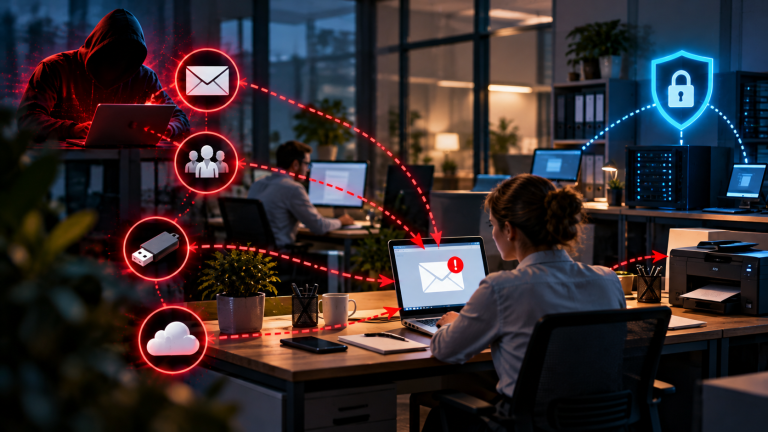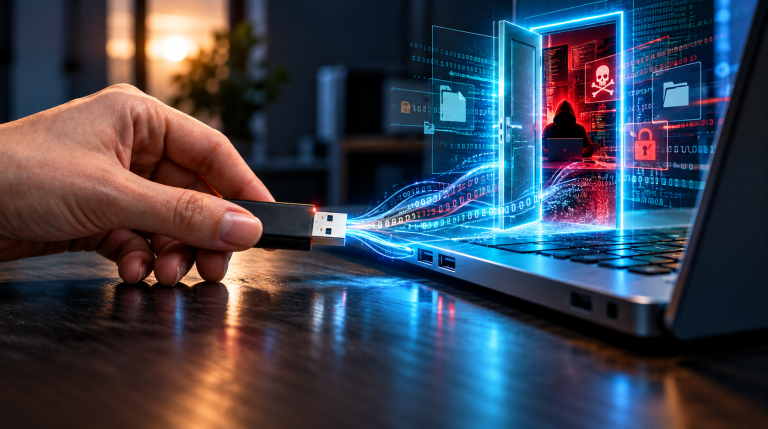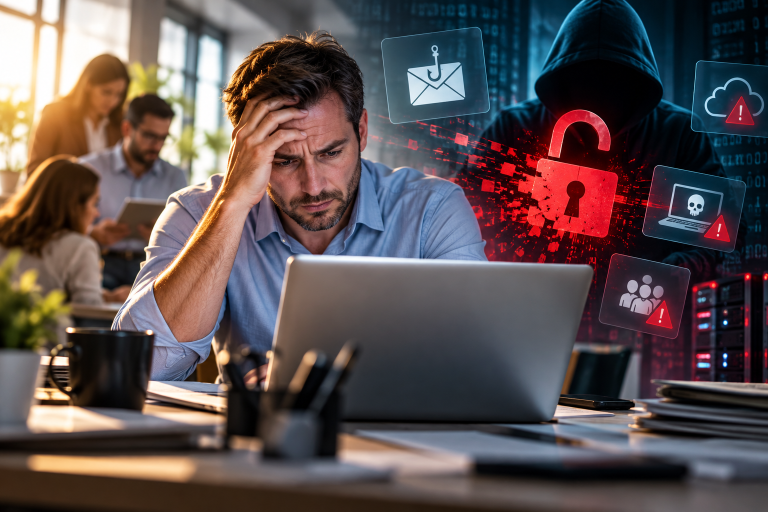

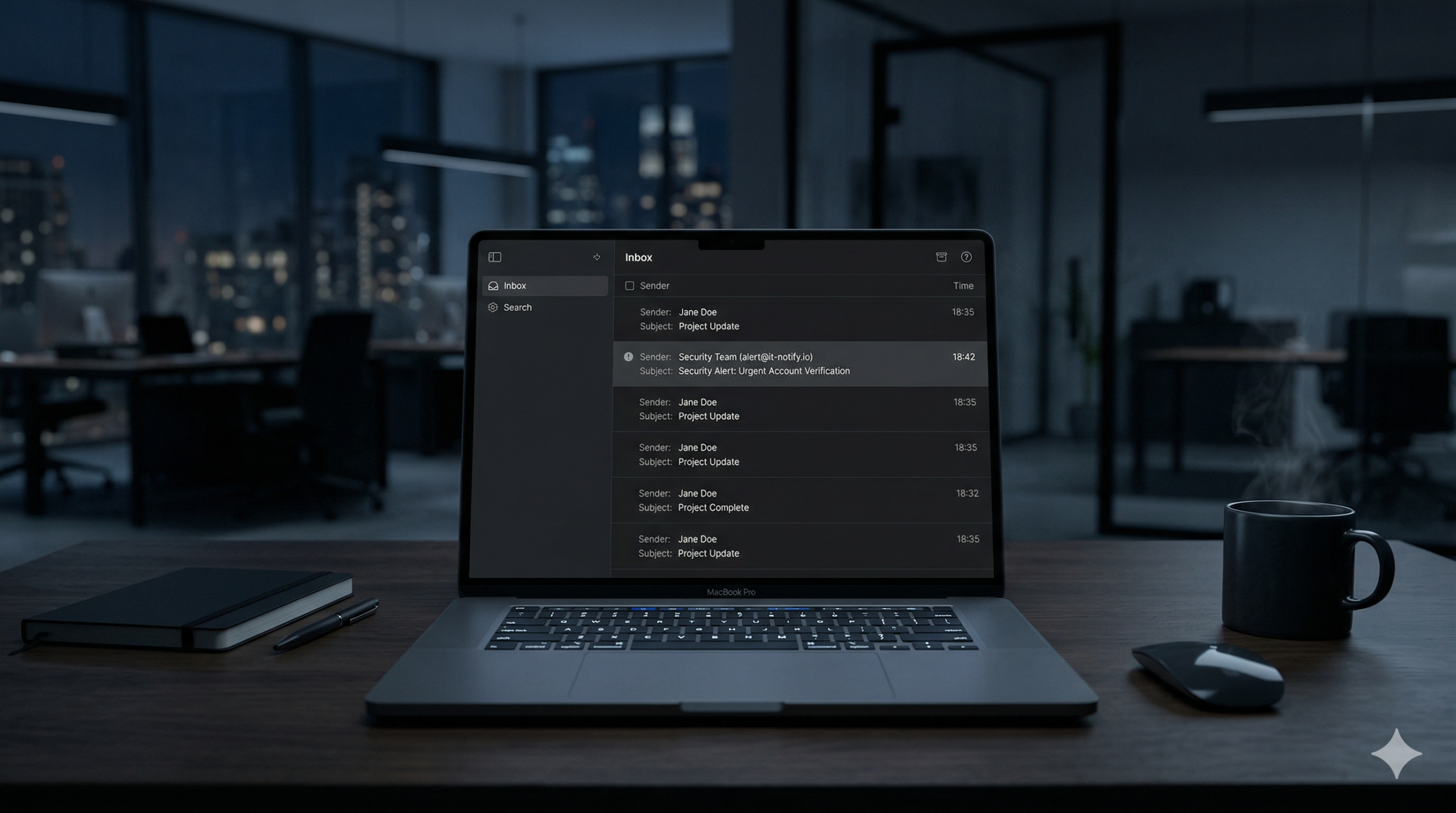
Most cyberattacks don’t start with a breach in your infrastructure—they start with an email. Over 90% of cyber incidents begin with a phishing message. Whether it’s phishing, credential theft, invoice fraud, or ransomware, these threats often begin with a single message that appears legitimate. One click on a deceptive link or attachment can lead to data breaches, financial loss, or even operational shutdowns.
While businesses invest heavily in firewalls, encryption, and advanced security protocols, one critical vulnerability often goes unnoticed: the human factor. Cybercriminals exploit psychological tactics, urgency, and flawlessly spoofed sender addresses to deceive even the most experienced employees. The result? Even the most robust technical defenses fail when a single person falls for a well-crafted scam.
This guide is it provides a practical audit framework designed to help you quickly identify where your business is truly exposed—from email communication gaps to training deficiencies and internal processes. No complex tools, no jargon, just actionable insights you can implement in minutes.
Because in the end, cybersecurity isn’t just about technology—it’s about empowering your team to become the first and strongest line of defense.
1. Email Access & Account Protection: Who Really Has Access to Your Emails?
Imagine your company’s email accounts as the front doors to your business. If those doors are left unlocked—or worse, if the keys are shared with people who shouldn’t have them—you’re inviting trouble. Cybercriminals don’t always need advanced hacking skills to break in. In most cases, they simply log in using stolen or weak credentials.
So, let’s ask the most important question: Who can access your email accounts, and how secure are those access points?
What You Need to Check:
- Strong, Unique Passwords: Are all email accounts protected by passwords that are long, complex, and—most importantly—used only for that account? Reusing passwords across multiple platforms is like using the same key for your office, your car, and your home. If one gets stolen, everything is at risk.
- Multi-Factor Authentication (MFA): Is MFA turned on for every single email account? MFA adds an extra layer of security by requiring a second form of verification, such as a code sent to your phone. Without it, a stolen password is all a hacker needs to gain access.
- Shared Inboxes: Do you have shared email accounts, like info@yourcompany.com or accounting@yourcompany.com? These accounts are often targeted because they’re used by multiple people, making them easier to compromise. Are these inboxes secured with strong passwords and MFA? Who exactly has access to them?
- Former Employees: When someone leaves your company, are their email access rights fully removed? Old accounts that are still active can become backdoors for attackers. It’s like leaving a spare key under the doormat—eventually, someone will find it and use it.
Risk Indicators:
- ❌ No MFA: If MFA isn’t enabled, your accounts are at high risk. Hackers can easily log in with just a password, especially if it’s weak or reused.
- ❌ Shared Passwords: If multiple people use the same password for an account, you’re facing a critical risk. Once that password is exposed, every shared account becomes vulnerable.
Most data breaches don’t happen because hackers break through advanced security systems. They happen because attackers simply log in using credentials they’ve stolen, guessed, or bought. Protecting your email accounts isn’t just about technology—it’s about making sure only the right people have access, and that access is as secure as possible.
Think of it this way: You wouldn’t leave your office door wide open with a sign saying, “Come on in!” So why take that risk with your email accounts?
2. Phishing Awareness & The Human Factor: Would Your Team Spot a Fake Email?
Imagine receiving an email that looks like it’s from your boss, a trusted colleague, or even a well-known company. The message seems urgent—maybe it’s about an overdue payment, a last-minute change to a bank account, or an important document you “must” open right away. Would you click the link or open the attachment without a second thought?
This is exactly how most cyberattacks succeed. Hackers don’t always need to break into your systems with complicated tools. Instead, they trick your team into inviting them in. A single click on a malicious link or attachment can give attackers access to your data, your money, or even your entire network.
So, let’s ask the critical question: Would your team recognize a phishing email—or would they fall for it?
What You Need to Check:
- Unexpected Attachments or Links: Do your employees stop and think before opening attachments or clicking on links, especially if they weren’t expecting them? Phishing emails often use curiosity or urgency to make people act without thinking. For example, an email might say, “Your invoice is overdue—click here to avoid penalties!” or “Your account has been hacked—verify your details now!” If your team isn’t trained to question these messages, they’re an easy target.
- Urgency and Pressure: Are urgent requests—like changes to payment details or last-minute wire transfers—always double-checked? Attackers love to create a sense of panic because people are more likely to make mistakes when they’re rushed. A quick phone call or a second opinion can prevent a costly error.
- Phishing Simulations and Training: Has your team ever participated in phishing simulations or received training on how to spot fake emails? Practice makes perfect. If your employees have never seen a phishing attempt, they won’t know what to look for. Regular training helps them stay sharp and recognize red flags, like strange sender addresses, spelling mistakes, or suspicious requests.
Risk Indicators:
- ❌ No Awareness: If your team hasn’t been trained to recognize phishing emails, your business is at high risk. Without knowledge, they can’t protect themselves—or your company.
- ❌ Blind Trust in Emails: If employees assume every email is legitimate and act without questioning, you’re facing a critical risk. Attackers rely on this trust to succeed.
Cybercriminals don’t need to “hack” their way into your systems. They just need one person to trust the wrong email. Phishing works because it plays on human emotions—fear, curiosity, urgency, and even kindness. The good news? With the right training and a healthy dose of skepticism, your team can become your strongest defense.
Think of it like this: You wouldn’t let a stranger into your office just because they’re wearing a nice suit and carrying a clipboard. So why trust an email just because it looks official? Always verify before you click.
Phishing emails are becoming more realistic every year. It is not always easy to recognize them at first glance. However, there are clear warning signs that can help your team make better decisions. How to recognize phishing and Trojans – 7 warning signs you need to know gives a practical overview of what to look for in suspicious emails. The more familiar your team is with these signs, the lower your risk becomes.
3. Domain Protection (SPF, DKIM, DMARC)
Imagine this: A customer receives an email that looks like it’s from your company. The logo is correct, the email address seems legitimate, and the message asks them to update their payment details or click a link to confirm their account. But the email wasn’t sent by you—it was sent by a cybercriminal. If your domain isn’t properly protected, attackers can easily send emails that appear to come from your business, damaging your reputation and tricking your customers.
This is where SPF, DKIM, and DMARC come into play. These are technical safeguards that help prevent email spoofing—when someone sends an email pretending to be you. Without them, your company’s name and trustworthiness can be used against you.
So, let’s ask the key question: Can attackers send emails in your company’s name—and what are you doing to stop them?
What You Need to Check:
- SPF (Sender Policy Framework): Is SPF set up for your domain? SPF acts like a list of approved senders for your emails. It tells other email servers, “Only emails sent from these specific servers are truly from us.” If SPF isn’t configured, spammers can send emails that look like they’re from your domain, and there’s no way for the recipient to know they’re fake.
- DKIM (DomainKeys Identified Mail): Is DKIM active? DKIM adds a digital signature to your emails, proving they haven’t been altered in transit. Think of it like a tamper-proof seal on a package. Without DKIM, there’s no way to verify that an email claiming to be from your company is actually legitimate.
- DMARC (Domain-based Message Authentication, Reporting & Conformance): Is DMARC not just set up, but enforced? DMARC builds on SPF and DKIM by telling email servers what to do if an email fails authentication—like blocking it entirely. Many companies set up DMARC in “monitoring mode,” which means they receive reports but don’t actually stop fake emails. If DMARC isn’t enforced, your domain is still vulnerable.
Risk Indicators:
- ❌ No DMARC Policy: If DMARC isn’t in place or isn’t enforced, your company is at high risk. Attackers can send emails that look like they’re from you, and there’s nothing to stop them.
- ❌ No Authentication (SPF/DKIM): If SPF and DKIM aren’t configured, you’re facing a critical risk. Your domain has no protection against spoofing, and your brand can be easily misused.
If these protections are missing, your brand can be weaponized against your customers. Cybercriminals can send convincing fake emails—requesting payments, stealing login details, or spreading malware—all while pretending to be you. The damage isn’t just financial; it’s also about trust. Once customers lose confidence in your communications, it’s hard to win it back.
Here’s the bottom line: Protecting your domain isn’t just about technology—it’s about protecting your reputation. If you don’t secure your email domain, someone else will use it for you. And when that happens, your customers—and your business—will pay the price.
4. Email Content & Link Handling
Picture this: An employee receives an email with a link or an attachment. It looks harmless—maybe it’s a PDF invoice, a Word document, or a link to a website. They click it. And just like that, malware is installed, data is stolen, or your entire network is locked by ransomware.
This scenario happens every day. Cybercriminals don’t need to break into your systems if they can trick someone into opening the door for them. A single click on a malicious link or attachment is often all it takes to cause serious damage. That’s why how your team handles email content isn’t just a small detail—it’s a critical line of defense.
So, let’s ask the essential question: How are links and attachments handled in your company—and are your employees protected from accidental mistakes?
What You Need to Check:
- Suspicious Links: Do your employees verify links before clicking on them? Hackers often hide malicious URLs behind seemingly harmless text, like “Click here to view your document” or “Update your account now.” A quick hover over the link can reveal if it’s leading to a suspicious website. If your team isn’t trained to check links carefully, they could unknowingly download malware or hand over their login details.
- Automatic Scanning of Attachments: Are all email attachments automatically scanned for viruses and malware before they’re opened? Even if an email looks legitimate, the attachment could contain hidden threats. Without automatic scanning, dangerous files can slip through—and one wrong click can infect your entire system.
- Macros in Documents: Are macros disabled by default in documents like Word or Excel files? Macros are small programs embedded in files, and cybercriminals often use them to install malware. If macros run automatically when a document is opened, your team could accidentally trigger an attack. Disabling macros by default adds an extra layer of protection.
Risk Indicators:
- ❌ No Scanning: If attachments aren’t automatically scanned for threats, your business is at high risk. Malicious files can easily bypass your defenses and infect your systems.
- ❌ Users Open Files Blindly: If employees open links or attachments without questioning them, you’re facing a critical risk. Attackers rely on curiosity and trust to trick people into clicking—and without caution, your team could fall right into their trap.
One click is enough. It only takes a single moment of carelessness to trigger a cyberattack. Whether it’s a fake invoice, a malicious link, or a compromised document, the consequences can be severe: stolen data, financial loss, or even a complete shutdown of your operations.
The good news? You can dramatically reduce this risk with simple but effective measures: training your team to question suspicious content, scanning every attachment, and disabling dangerous features like macros. Because in cybersecurity, the smallest habits can make the biggest difference. The question is: Are your employees prepared to make the right choice when that one risky email lands in their inbox?
One of the most common entry points for attacks are email attachments. Files that look harmless — like invoices or documents — can contain malicious code. In fact, real-world cases show how dangerous this can be. How a Single Email Attachment Took Down a WordPress Website is a clear example of how one small action can lead to serious consequences. This is why attachments should never be opened without verification.
5. Device & Browser Security
Here’s a sobering truth: Opening a malicious email is often just the first step of an attack. The real damage happens after the click—when your team’s browser, device, or extensions become the gateway for cybercriminals. Even if your email security is strong, an outdated browser, risky extensions, or unmonitored downloads can turn a single click into a full-blown breach.
So, let’s ask the critical question: What happens after an email is opened—and are your devices and browsers prepared to stop an attack?
What You Need to Check:
- Updated and Hardened Browsers: Are all browsers—Chrome, Edge, Firefox, etc.—always updated to the latest version? Outdated browsers are a goldmine for hackers because they often contain unpatched vulnerabilities. Additionally, are security settings (like pop-up blockers, safe browsing modes, and script controls) enabled? A browser without these protections is like leaving a window open for attackers.
- Controlled and Trusted Extensions: Are browser extensions carefully managed? Many extensions request broad permissions—like reading your emails, tracking your keystrokes, or accessing your data. Unknown or unnecessary extensions can turn into spyware or malware. If your team installs extensions without oversight, you’re inviting risk.
- Monitored Downloads: Are downloads from emails or the web automatically scanned for threats? Malicious files often disguise themselves as legitimate downloads (e.g., PDFs, software updates, or documents). Without monitoring, these files can execute harmful code the moment they’re opened.
Risk Indicators:
- ❌ Outdated Browser: If browsers aren’t updated regularly, your business faces a high risk. Hackers actively exploit known vulnerabilities in older versions to infect devices.
- ❌ Unknown Extensions: If employees install unvetted extensions, you’re at critical risk. These extensions can steal data, inject ads, or even take control of accounts.
Email is just the entry point—the browser finishes the attack. Cybercriminals know that even the most cautious employee can slip up once. That’s why they design attacks to exploit weaknesses after the click: through vulnerable browsers, malicious extensions, or infected downloads.
Here’s the hard truth: If your browsers and devices aren’t secured, your email protections alone won’t save you. A single compromised browser can lead to data theft, ransomware, or even a full network takeover.
The solution? Keep browsers updated, control extensions tightly, and monitor every download. Because in cybersecurity, the chain is only as strong as its weakest link—and often, that link is the browser your team uses every day.
Cybercriminals aren’t breaking into your systems—they’re logging in. And their favorite entry points? Your browser, your passwords, and your access credentials.
This Browser and Password Security Report reveals:
✔ Where modern cyberattacks really start—and how to shut them down.
✔ How to secure passwords so they can’t be cracked, stolen, or reused.
✔ The right way to implement Multi-Factor Authentication (MFA)—not just as a checkbox, but as a real defense.
✔ How to eliminate identity-based risks that hackers exploit every single day.
Just clear, practical steps you can implement today—whether you’re a business owner, manager, or team leader.
Conculsion: Email security guide for small business
Cyberattacks don’t always begin with a dramatic hack—they often start with something as simple as an email. Phishing, fraud, and malware don’t exploit weaknesses in your technology first; they exploit weaknesses in your processes and human behavior. But here’s the good news: You don’t need a big budget or a team of IT experts to protect your business. What you do need is a clear, actionable plan to close the gaps where attackers slip through.
This guide walked you through the five critical areas of email security:
- Email Access & Account Protection – Who can log in, and how secure are those logins?
- Phishing Awareness & Human Factor – Would your team recognize a fake email before clicking?
- Domain Protection (SPF, DKIM, DMARC) – Can attackers send emails pretending to be you?
- Email Content & Link Handling – How are suspicious links and attachments managed?
- Device & Browser Security – What happens after an email is opened?
Most cyber incidents aren’t the result of sophisticated hacking—they’re the result of simple mistakes that could have been prevented. An unprotected email account. A phishing email that wasn’t questioned. A browser that wasn’t updated. One small oversight can lead to a data breach, financial loss, or even the shutdown of your business. But here’s the even harder truth: If you do nothing, you’re not just at risk—you’re an easy target.
Cybersecurity is constantly evolving. What works today may not be enough tomorrow. That’s why staying informed is just as important as taking action.
On my Facebook page, I regularly share:
By following our Facebook page, you’ll get:
✅ Update alerts about the phishing scams and cyber threats—before they hit your business.
✅ Simple, actionable tips and checklists to improve your email security in minutes (no expensive tools required!).
✅ Real-world examples of how attacks happen—and how you can stop them.
I reommend to read also the following articels:
AI-Phishing Emails: Why They’re Harder to Detect Than Ever
How to Identify Phishing Emails in 2026 – A Practical Step-by-Step Guide
How to Recognize an AI-Generated Phishing Email in Just a Few Seconds