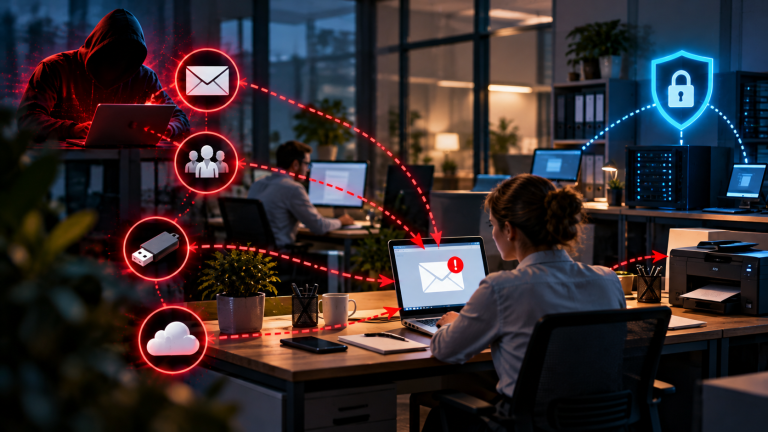


How PDFs Can Contain Malware
At first glance, a PDF looks harmless – it’s just a document, right? But under the surface, a PDF is far more complex than a simple text file. The format supports images, forms, multimedia, and even code execution. These extra features are convenient for legitimate use cases but open the door to exploitation. Here are the most common attack vectors cybercriminals use:
1. Embedded JavaScript
PDFs can contain JavaScript code to automate tasks like form validation, pop-ups, or calculations. While this was originally designed to improve usability, attackers quickly learned how to abuse it.
JavaScript in PDFs runs the moment the file is opened, often without any visible sign that something is happening in the background. Because the scripting engine has access to certain system-level functions – like launching URLs, writing temporary files, or interacting with other applications – it becomes a powerful tool in the wrong hands. What makes this especially dangerous is that the malicious code doesn’t have to “look” suspicious to the average user; it’s invisible unless you inspect the PDF’s internal structure.
A malicious PDF may execute hidden JavaScript immediately when opened, downloading malware in the background without any visible action from the user. In other cases, the code triggers a fake login form inside the PDF, tricking the user into entering credentials that are then quietly transmitted to an attacker-controlled server. Some campaigns go a step further and use JavaScript to exploit known vulnerabilities in the PDF reader itself, treating the script as a delivery mechanism rather than the payload itself.
For businesses, the risk multiplies because many PDF workflows – invoicing systems, HR forms, e-signature tools – rely on automated document handling, meaning a compromised file can slip through without a human ever manually reviewing it. Unless you specifically need JavaScript functionality in PDFs, it’s safer to disable it entirely in your reader’s settings. Most modern PDF viewers, including Adobe Acrobat and Foxit Reader, allow you to turn this off in just a few clicks.
2. Malicious Links
PDFs often include clickable links – such as references in eBooks, “Click here to pay” in invoices, or links to external websites. Hackers use this trust to insert phishing URLs disguised as legitimate ones.
Because PDFs are frequently used for formal or financial communication, users tend to lower their guard when clicking links inside them – something they might hesitate to do in a random email. This makes PDF-based phishing particularly effective in business contexts, where invoices, contracts, and official notices are the norm.
The link might look like it points to your bank’s website, but in reality, it redirects to a phishing page designed to capture login credentials or payment details. Another trick involves shortened URLs or Unicode characters that visually mimic real domains – for instance, replacing a Latin letter with a nearly identical Cyrillic character so the link appears legitimate at a glance. Attackers also chain PDF links with multiple redirects, so even a cautious user who checks the first URL may not realize it eventually lands on a malicious page. In some cases, the PDF itself appears completely legitimate – a real invoice or contract – but one single embedded link has been swapped out during a supply-chain or email compromise attack.
Because most users don’t hover over links in PDFs to verify them – and mobile PDF viewers often don’t even show the destination URL before clicking – these attacks are dangerously effective. Training yourself and your team to verify links before clicking, especially on unfamiliar or unexpected PDFs, is one of the simplest yet most effective defenses.
3. Embedded Files
Did you know a PDF can actually carry other files inside it? This feature was intended for attaching supporting documents like spreadsheets or images – but it’s also a dream for attackers.
The PDF specification allows files of virtually any type to be embedded and later extracted by the reader. While this is genuinely useful for legitimate workflows – attaching a signed contract, a supporting spreadsheet, or a scanned ID – it also means a PDF can function as a container, smuggling harmful content past filters that only inspect the outer file type.
A malicious actor could embed an .exe, .vbs, or even a malicious Office document inside the PDF, relying on the victim to extract and open it manually. Once the victim extracts or opens the attachment, the malware activates – often installing further payloads, establishing a foothold on the system, or connecting back to a command-and-control server. Some attackers disguise the embedded file with an innocuous name and icon, such as “Invoice_Details.xlsx,” to increase the chance the victim opens it without suspicion. Because many antivirus and email security tools scan the outer PDF layer but don’t always deeply inspect embedded content, this technique can bypass basic security filters entirely.
Some malware campaigns have even hidden ransomware installers this way, making the damage immediate and severe – encrypting files across an entire network within minutes of the embedded payload being triggered. For businesses, this underscores why endpoint protection and email gateways need to specifically scan embedded PDF content, not just the file extension.
4. Exploiting PDF Reader Vulnerabilities
Even if a PDF doesn’t contain active malicious content, it can still exploit weaknesses in outdated software. Attackers craft specially designed PDF files that crash or manipulate vulnerable PDF readers.
This attack vector is particularly concerning because it doesn’t rely on tricking the user into clicking a link or opening an attachment – it exploits flaws in how the software itself parses and renders the file. A specially malformed PDF can trigger memory corruption or buffer overflow conditions in outdated readers, allowing an attacker to execute arbitrary code on the victim’s machine.
Older versions of Adobe Reader, for example, were notorious for zero-day exploits that allowed remote code execution, some of which were actively used in real-world attack campaigns before patches were released. Victims didn’t have to click or extract anything – simply opening the file was enough to infect the system, making this one of the most dangerous and hard-to-detect attack methods. These vulnerabilities aren’t limited to Adobe products, either; virtually every PDF reader, including browser-based viewers, has had security flaws discovered and patched over the years. Attackers often target organizations that are slow to roll out software updates, since unpatched systems can remain vulnerable for months or even years after a fix has been made available.
This is why keeping your PDF viewer updated is not just recommended – it’s essential. Cybercriminals actively hunt for users who run outdated software, scanning for known vulnerabilities they can exploit at scale. Enabling automatic updates, and where possible, opening PDFs in sandboxed or browser-based viewers rather than full-featured desktop applications, can significantly reduce this risk for both individuals and businesses.
Real-World Examples
Theory is one thing – but the true impact of malicious PDFs becomes clear when we look at real-world attack scenarios. Here are some of the most common cases businesses and individuals encounter:
1. Invoice Scams
Fake invoices are one of the most widespread PDF-based attacks. Cybercriminals send what looks like a legitimate invoice from a supplier, delivery service, or even a government agency – often timed to coincide with month-end billing cycles or tax deadlines, when finance departments are already processing higher volumes of paperwork and are less likely to scrutinize each document individually.
One common approach relies on malicious macros or scripts embedded in the PDF, which execute the moment the document is opened, often downloading trojans or ransomware onto the victim’s machine without any further interaction required. A second approach leans on urgency rather than automation: the PDF urges the recipient to click on a link – “Pay now” or “Download statement” are typical phrasings – which redirects to a convincing phishing site designed to harvest banking credentials or payment card details. Some versions of this scam even include a fake “overdue” notice or late-fee warning, deliberately manufacturing time pressure so the victim acts before thinking to verify the sender.
This tactic works because employees in finance or accounting are used to processing invoices quickly, often under time pressure and high daily volume. Attackers exploit this routine deliberately, knowing that a document blending in with dozens of legitimate ones is far less likely to be questioned. In many documented cases, the fraudulent invoice even mimics the exact formatting, logo, and payment terms of a business’s real, recurring supplier – making it almost indistinguishable at a glance from the genuine correspondence it’s impersonating.
2. Fake eBooks and Free Downloads
Who doesn’t love a free guide or “cheat sheet”? This is exactly what attackers count on. They offer free eBooks on popular topics – from business hacks to gaming tips – distributed through spam emails, fake websites, social media ads, or even seemingly legitimate forum posts. The catch: the PDF hides spyware or trojans inside, often packaged so convincingly that the victim reads the actual content and never suspects anything is wrong.
A free “Crypto Trading Guide 2025” download, for instance, might contain a malicious script that steals saved browser credentials, quietly exfiltrating login details for banking sites, email accounts, or crypto exchanges in the background while the victim reads about trading strategies. A “Gaming Cheats PDF” might instead hide a keylogger that records everything the user types from that point forward, capturing passwords, personal messages, and financial information over weeks or months without any obvious symptoms. Because these downloads are often shared informally – forwarded between friends, posted in Discord servers, or shared on social media – there’s rarely a clear “official source” the victim could have checked against in the first place.
This works because curiosity and the promise of free value override caution. Users don’t expect danger from something that looks like a harmless PDF, especially when it’s framed as a bonus, gift, or insider tip rather than a suspicious download. The perceived low stakes of opening “just a PDF” make people far less careful than they would be with an unfamiliar executable file.
3. Spear Phishing with Personalized PDFs
Unlike mass scams, spear phishing is highly targeted. Attackers research their victims first – through LinkedIn, company websites, press releases, or leaked data from previous breaches – and then send carefully crafted PDFs designed to blend seamlessly into the victim’s normal workday.
In one common scenario, an employee receives a PDF that appears to come from their HR department with a subject line like “Updated Salary Structure” or “2026 Benefits Enrollment.” Because the topic is personally relevant and mildly urgent, the employee opens it without hesitation, and doing so triggers malware in the background – often before they’ve even finished reading the first page. In another scenario, a supplier sends a fake delivery confirmation in PDF format, complete with accurate logos, real employee names, and correct order references pulled from previously leaked or intercepted correspondence. Because everything about the document matches what the victim expects to receive, they trust the source without a second thought and click the embedded link, landing on a credential-harvesting page that looks identical to a legitimate supplier portal.
This works because these emails are tailored to the victim’s specific role, company, and even their existing business relationships and contacts. The PDFs look authentic, frequently reusing real branding, real names, and real project details gathered during the attacker’s reconnaissance phase, which makes them significantly harder to spot than a generic, poorly-written scam email. In many real-world breaches, spear-phishing PDFs have served as the initial entry point for much larger network compromises, since a single employee’s compromised credentials can be enough to give attackers a foothold across an entire organization.
How to Protect Yourself
The good news is: while PDF-based attacks are real, you can minimize your risk with a few smart precautions. Cybersecurity is often about building layers of defense – so even if one fails, another keeps you safe. Here’s what you should do:
1. Keep Your PDF Reader Updated
Cybercriminals thrive on outdated software. If you’re still using an old version of Adobe Acrobat or Foxit Reader, chances are there are known vulnerabilities attackers can exploit – some of them documented publicly for months or even years, complete with proof-of-concept code that makes them trivial to weaponize.
The most effective step here is simply to enable automatic updates rather than relying on yourself to remember, since patch cycles for PDF readers are frequent and easy to overlook amid daily work. If automatic updates aren’t available or your organization manages software centrally, make it a habit to check for the latest patches on a regular schedule rather than waiting for a problem to surface.
This matters because many PDF malware attacks are specifically engineered around known flaws in older, unpatched versions – they simply don’t work on current software where the underlying vulnerability has already been fixed. In other words, staying current isn’t just good hygiene; it actively closes off entire categories of attack before they ever reach you.
2. Disable JavaScript in PDFs
Unless your work absolutely requires it – for interactive forms, calculations, or specific business tools, for example – disable JavaScript execution inside your PDF viewer. For the vast majority of everyday PDF use, from reading contracts to viewing invoices, this functionality adds no real value but carries meaningful risk.
In Adobe Reader, this is a quick change: go to Preferences, then JavaScript, and uncheck “Enable Acrobat JavaScript.” Other popular readers, such as Foxit or Sumatra PDF, offer similar settings, usually tucked into a security or trust manager section of the preferences menu.
This matters because most PDF malware relies on JavaScript as its execution mechanism – it’s the engine that lets a malicious file act the moment it’s opened, whether that means downloading a payload, redirecting to a phishing page, or exploiting a reader vulnerability. Turning it off doesn’t just reduce risk marginally; it removes one of the single biggest attack vectors in the PDF threat landscape entirely.
3. Use a Trusted Security Solution
A strong antivirus or endpoint protection tool can catch malicious PDFs before they reach you. Many modern solutions scan email attachments and downloads in real time, and increasingly, they’re also capable of detecting hidden scripts or suspicious embedded content inside documents themselves, rather than just checking the file type or extension.
When choosing a solution, look for one that includes real-time protection and heuristic scanning, meaning it can flag suspicious behavior even from threats it hasn’t seen before, rather than relying solely on a database of known malware signatures. For businesses running a broader network, it’s worth going a step further and considering an endpoint detection and response, or EDR, system, which not only blocks known threats but also monitors for unusual activity after a file has been opened, giving your team a chance to contain an infection before it spreads.
4. Verify the Source Before Opening
This may sound simple, but it’s one of the most powerful defenses available: trust your instincts. If a PDF comes from an unknown sender, arrives unexpectedly, or the surrounding email simply feels “off” in tone or timing, don’t open it – at least not without checking further first.
A good habit is to double-check the sender’s email address carefully rather than just glancing at the display name, since attackers frequently rely on small, easy-to-miss changes – something like “@micros0ft.com” with a zero substituted for the letter “o,” instead of the genuine “@microsoft.com.” These substitutions are designed specifically to slip past a quick visual check.
This matters because phishing emails often go to great lengths to mimic real companies convincingly – matching logos, tone, and formatting almost perfectly – but small details like the sender’s actual domain, subtle spelling inconsistencies, or an unusual request are frequently what give them away on closer inspection.
5. Use a Sandbox or Secure Preview
Sometimes you can’t avoid opening a suspicious PDF – maybe it’s part of your job, or the file arrived through a channel you can’t simply ignore. In that case, the goal shifts from avoidance to containment: reduce the risk by isolating the file so that even if it turns out to be malicious, it can’t reach the rest of your system.
One straightforward option is to use secure preview features, such as Gmail’s built-in PDF viewer, which render the document safely in the cloud rather than opening it directly on your device, meaning any malicious code embedded in the file never actually executes on your local machine. A more thorough option, particularly useful for IT teams or anyone regularly handling unfamiliar files, is to open suspicious documents in a sandboxed environment or virtual machine – an isolated space specifically designed so that even if malware is present and does activate, it’s contained and can’t infect your main system or network.
6. Educate Yourself and Your Team
Technology alone isn’t enough – awareness is key. Many successful attacks happen not because security tools failed, but because someone in the organization clicked without thinking, often under the pressure of a busy day or a convincingly urgent message.
The most effective step here is ongoing training rather than a one-time briefing: teach employees to recognize suspicious PDFs, phishing emails, and the broader signs of social engineering, ideally reinforced with periodic refreshers and simulated phishing exercises that keep awareness sharp rather than letting it fade after the first session.
This matters because, in the end, a single careless click can compromise an entire company network – no firewall, antivirus, or update policy can fully compensate for a workforce that hasn’t been trained to pause and question what lands in their inbox. Building that instinct across your team is, in many ways, the last and most important layer of defense.
Conclusion: Can a PDF File Be Malware?
So, can a PDF file be malware? The answer is clear: yes, it can. While PDFs themselves are not inherently dangerous, attackers use them as a trusted disguise to spread malicious code, steal data, or gain access to systems. The danger lies not in the format itself, but in the way it can be exploited – and as we’ve seen throughout this article, that exploitation can take many forms, from hidden JavaScript and malicious links to embedded files and reader vulnerabilities that don’t even require the victim to click anything at all.
What makes this threat particularly persistent is the very trust that makes PDFs so useful in the first place. Because the format is so deeply woven into everyday business and personal life – invoices, contracts, reports, eBooks – it rarely occurs to most people to question a PDF the way they might question an unfamiliar link or an unexpected executable file. Attackers understand this psychology well, and they will continue exploiting it for as long as it remains effective.
The good news is that you don’t have to live in constant fear of every PDF you receive. By keeping your software up to date, disabling risky features like JavaScript, using a trusted security solution, and practicing healthy skepticism with unknown or unexpected senders, you can greatly reduce your risk – often turning what would be a successful attack into a failed one, simply by closing off the specific weaknesses attackers rely on. None of these precautions require deep technical expertise; they’re habits and settings that anyone, from a solo freelancer to a full IT department, can put in place.
I also recommend to read the following articel
AI-Phishing Emails: Why They’re Harder to Detect Than Ever
Can AI Help Your Company Avoid Hacker Attacks?
Exposing phishing emails: How to recognize fraud attempts – safely and systematically
How to recognize phishing and Trojans – 7 warning signs you need to know
How to Stop Ransomware on Your Devices: A Practical Guide for Small Businesses