
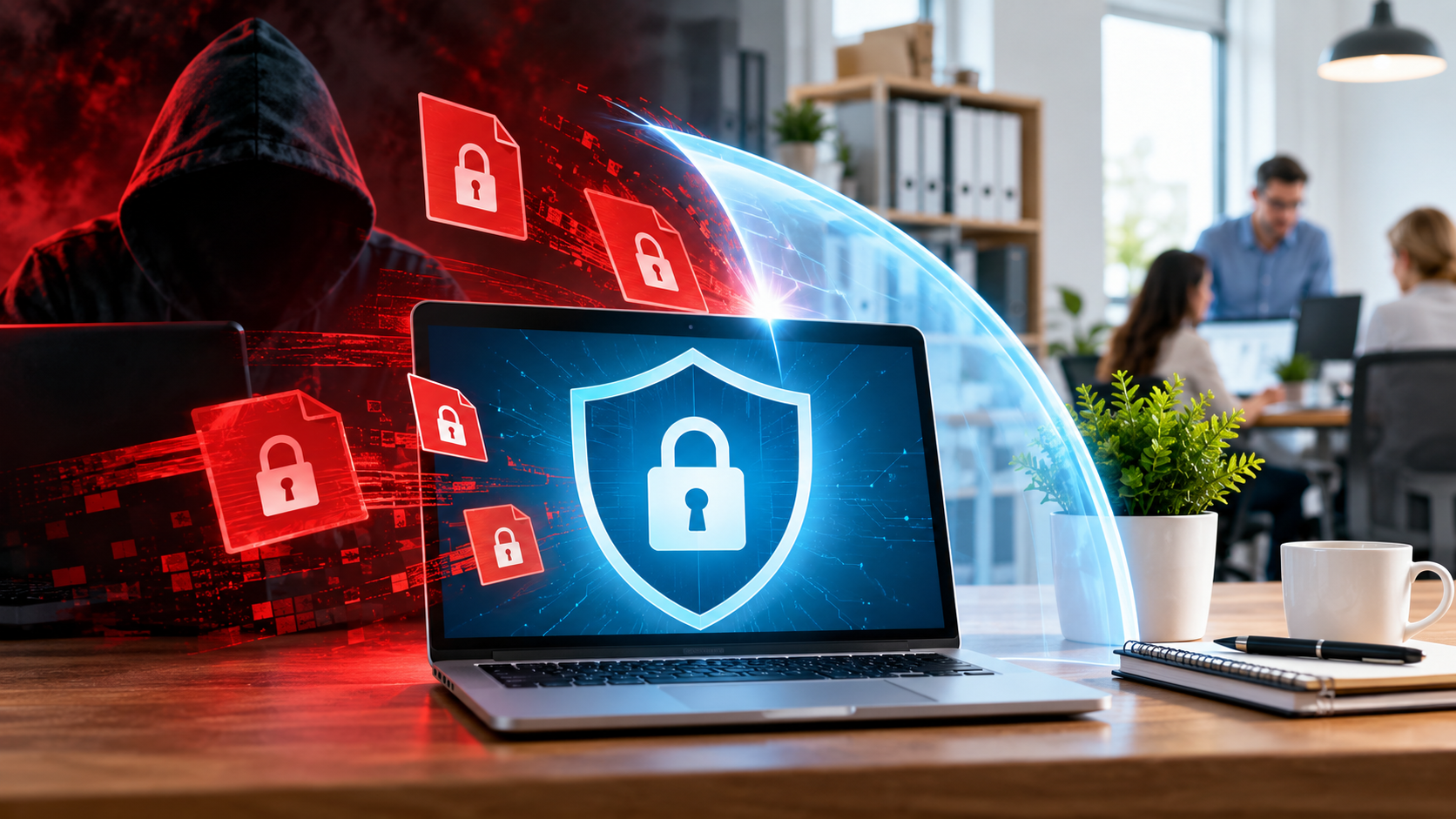
Imagine a small company starting a normal Tuesday morning. Employees switch on their computers, open their emails, and start working as usual. Then one employee opens a malicious attachment or clicks a harmful link. Within minutes, ransomware starts spreading across the network. Files can no longer be opened. Documents, invoices, customer records, and other important business data are encrypted. A ransom note appears on the screen demanding payment.
The company may already have antivirus software, automatic updates, and other basic security measures in place. So how could this still happen? The problem is that ransomware does not always need to break through every security measure. One successful phishing attack, an unprotected device, an outdated application, or a stolen password can be enough to give attackers access.
The good news is that there are practical steps small businesses can take to reduce this risk. Protecting your computers and other devices, keeping software up to date, limiting access, creating reliable backups, and training employees can make a major difference.
In this guide, you will learn step by step how to protect your business devices from ransomware, reduce the risk of an attack, and prepare your company to recover if ransomware gets through your defenses.
1. Back Up Your Data — and Actually Test the Backups
This is, without question, the single most important step on this list. If your files are encrypted but you have a clean, recent backup sitting somewhere untouched by the attack, ransomware stops being a catastrophe and becomes an inconvenience. Everything else in this guide reduces the chance of an attack succeeding. A working backup is what determines whether that attack, if it does succeed, costs you a bad afternoon or your entire business.
The mistake I see most often is treating backups as a checkbox rather than a living system. A company installs backup software once, sees a green checkmark, and assumes the job is done. Months later, during an actual attack, they discover that the backup has been silently failing for weeks, that it stopped running after a software update nobody noticed, or that it was stored on a drive connected to the same network the ransomware just swept through. Modern ransomware is built specifically to find and encrypt connected backup drives before the victim even notices something is wrong, precisely because attackers know this is how companies try to recover. If your “backup” is a second hard drive plugged into the same server around the clock, it is not a backup — it is simply a second target.
There is a simple structure worth following here, sometimes called the 3-2-1 rule: keep at least three copies of your data, store them on two different types of media, and keep at least one copy offsite or offline, physically or logically disconnected from your everyday network. That offline copy is what ransomware cannot reach, no matter how thoroughly it moves through your systems. Cloud backups can fulfill this role well, but only if access to them is properly separated from your main network credentials — a cloud backup account using the same password as everything else offers far less protection than it appears to.
Just as critical, and just as often skipped, is testing. A backup that has never been restored is a theory, not a safety net. I recommend scheduling a real test at least quarterly: pick a file or a folder, restore it from the backup, and confirm it actually opens and matches the original. This single habit catches the silent failures — corrupted backup files, expired storage credentials, backup jobs that quietly stopped running months ago — long before an actual attack forces you to discover the problem under pressure, when it is far too late to fix.
This article examines why backups fail in practice and what separates a backup that merely exists from one that actually protects the business.
2. Keep Software and Systems Updated
Attackers rarely need to invent something new. Far more often, they exploit a vulnerability that was discovered months ago, publicly documented, and already fixed by the software vendor — the fix simply was never installed. This is one of the quietest and most common ways ransomware gets a foothold, precisely because it requires no cleverness on the attacker’s part. The work has already been done for them, in the form of a patch note explaining exactly what was broken and how to break it.
I think of unpatched software the way I think of a door with a broken lock that everyone already knows about. The manufacturer sent out a new lock for free, along with clear instructions for installing it. It is just sitting in a drawer somewhere, unused, while automated scanners roam the internet around the clock, checking millions of systems for exactly this kind of door. These scanners do not care whether your business has ten employees or ten thousand. They simply report back the moment they find a system still running the old, vulnerable version, and from that point on, it is only a matter of time before someone acts on the information.
The delay between a patch becoming available and a company actually installing it is often measured in months, not days. Sometimes this happens because updates get postponed to avoid disrupting daily operations — nobody wants to risk breaking a system that “works fine” right now. Sometimes it happens simply because no one is clearly responsible for tracking which updates are outstanding across every device, every server, and every piece of software the company relies on. In a small business without a dedicated IT department, this responsibility can fall through the cracks entirely, with updates postponed indefinitely because there is always something more urgent to deal with first.
Remote access tools deserve particular attention in this context. VPNs, firewalls, and remote desktop software are exactly the kind of system attackers scan for most aggressively, since a single vulnerable entry point there can grant access to the entire network behind it. A firewall running outdated firmware, still doing its job on the surface, can be quietly exploitable in a way that gives an attacker a direct path inside — while everything still looks completely normal from the office.
3. Control Who Can Access What
One reason ransomware spreads so fast inside a company is that, in many businesses, almost every employee can technically reach almost every file. If one account is compromised — through a phishing email, a weak password, or simple bad luck — the attacker does not just gain a foothold. They inherit whatever that account is allowed to touch, and in a company with loose access controls, that can mean the entire shared drive, every customer record, and every financial document within minutes.
The idea is simple: every account should have access to exactly what its role requires, and nothing more. A member of the sales team does not need access to payroll data. A part-time contractor working on a single project does not need a login that reaches every department’s files. When access is scoped this tightly, a compromised account becomes a contained problem rather than a company-wide one — the attacker still gets in, but they hit walls almost immediately instead of finding every door already open.
Administrative access deserves its own separate conversation. Accounts used for system changes — installing software, modifying network settings, managing user permissions — should never be the same accounts used for everyday tasks like browsing the web or checking email. Combining the two means that a single careless click during a normal workday can hand an attacker administrative control over the entire network, rather than just one ordinary user account.
Access reviews are the part most companies skip entirely, usually because nobody owns the task. When an employee changes roles internally, their old permissions rarely get revoked — they simply accumulate new ones on top. When someone leaves the company, their account sometimes stays active for weeks or months, quietly still functional, still trusted by every system it was ever granted access to. A regular review — even something as simple as a short list checked twice a year — closes a gap that would otherwise stay open indefinitely, waiting to be found.
4. Strengthen Your Login Security
A weak or reused password remains one of the simplest ways into a company network, and attackers know it better than almost anyone. It requires no technical sophistication to exploit — no custom malware, no zero-day exploit, no clever social engineering. It only requires a password that has already leaked somewhere else, and a little patience.
Read here: How to create secure passwords that are extremely difficult to crack
Credential databases from old, unrelated breaches circulate widely across the internet, often for free. A password that leaked from a completely unrelated service years ago — a forum, an online shop, a fitness app — can still open the door to a company email account today, simply because the same password was reused. Attackers run these leaked credential lists against thousands of business logins automatically, in what is sometimes called credential stuffing, testing combinations at a scale no human ever could. They are not targeting your company specifically. They are testing millions of accounts at once, and sooner or later, one of them belongs to someone who reused a password without thinking twice about it.
Multi-factor authentication changes this equation significantly. Even when a password has already leaked, a second factor — a code generated on a phone, a push notification requiring approval, a physical security key — means the leaked password alone is no longer enough to get in. This single measure blocks the overwhelming majority of account takeover attempts, which is exactly why it has become one of the most consistently recommended defenses in cybersecurity, regardless of company size or industry.
Password managers solve a different but related problem: the very human tendency to choose passwords that are easy to remember, and therefore easy to guess or crack. When employees are expected to memorize passwords themselves, they gravitate toward short, familiar patterns, reused across multiple accounts because remembering a dozen unique complex passwords is simply unrealistic without help. A password manager removes that pressure entirely, generating and storing long, random, unique passwords for every account, so employees never need to compromise on strength for the sake of memory.
Read also please: Are Password Managers Really Safe? The Risks You Should Know
Old and unused accounts deserve just as much attention as active ones, even though they are far easier to forget. Former employees whose accounts were never formally deactivated, past contractors who finished a project months ago, old test accounts set up for a system that was never fully rolled out — these sit quietly in the background, rarely monitored, rarely logged into by anyone legitimate, and therefore an ideal target for anyone who finds the credentials. An account nobody is watching is an account where suspicious activity can go unnoticed for a very long time.
5. Train Your Team to Spot the Warning Signs
Most ransomware infections do not begin with a technical flaw. They begin with a person — typically a convincing email that persuades someone to click a link or open an attachment they normally would not. No firewall, no antivirus, and no amount of network segmentation can stop an attack that starts with someone willingly typing in their credentials, because from a technical standpoint, nothing unusual happens at all. A person simply does what the email asked.
A well-crafted phishing email is built around urgency, because urgency short-circuits careful thinking. An overdue invoice that needs to be paid immediately. A message that appears to come from the CEO, asking for a quick favor before an important meeting. A warning that an account will be locked within the hour unless login details are confirmed right away. None of these messages ask the recipient to stop and verify — they are designed to be acted on quickly, before doubt has a chance to form. Under that kind of pressure, even careful, experienced employees make mistakes they would normally never make.
What makes modern phishing particularly dangerous is how convincing it has become. The sender name looks correct at a glance. The logo is copied precisely. The tone and phrasing match what the company or vendor usually sends, sometimes because the attacker has studied real previous correspondence to imitate it closely. The link leads to a login page that looks nearly identical to the real one — same colors, same layout, sometimes even the same error messages if a password is typed incorrectly. An employee who has seen genuine login pages hundreds of times has no obvious reason to hesitate.
This is exactly why training cannot be a single event. A one-time onboarding presentation, shown once and never revisited, fades from memory within weeks, while phishing techniques continue to evolve. Short, recurring training sessions — ideally built around real, recent examples rather than generic warnings — keep the pattern recognition fresh. Employees who have recently seen what a current phishing attempt actually looks like are far more likely to pause on the next one, rather than clicking on autopilot.
Equally important, and often overlooked, is what happens after someone suspects they made a mistake. In many companies, the instinct is to stay quiet out of embarrassment, hoping the problem resolves itself or goes unnoticed. This delay is often more damaging than the original click, since it gives an attacker extra hours or days of unchallenged access. A workplace where employees feel safe immediately reporting “I think I clicked something I shouldn’t have” — without fear of blame — allows a company to respond while there is still time to limit the damage, rather than discovering the breach only once the ransom note appears.
6. Divide Your Network Into Separate Areas
If every device in a company can freely communicate with every other device, ransomware that infects one laptop can reach the entire network within minutes. This is one of the reasons a single careless click in one department can shut down an entire business, rather than just the one machine where the mistake happened. Without any internal boundaries, there is effectively nothing stopping the spread at all — once ransomware is inside, it can move exactly as freely as a trusted employee would.
Many small businesses run what is essentially one large, connected network: every laptop, every printer, every server, and every guest device sitting on the same connection, able to see and reach one another with no barriers in between. This setup is simple to manage day to day, which is exactly why it is so common. But it also means that ransomware landing on a single infected laptop in, say, the marketing department has an unobstructed path to the finance server, the customer database, and every other system in the company, simply because nothing was ever built to stop it from getting there.
The solution is to divide the network into smaller, separate areas, so that a device in one area cannot freely reach devices in another unless there is a specific, deliberate reason to allow it. Critical systems — servers holding financial records, customer data, or core business applications — can sit in their own protected area, reachable only by the specific accounts and devices that genuinely need them. An infection on an ordinary office laptop, even a serious one, then hits a wall almost immediately instead of spreading unchecked across the entire company.
Guest and visitor access is a particularly common gap. A visitor’s laptop, or an employee’s personal phone connecting to the office Wi-Fi, often ends up on the same network as core business systems simply because a separate connection for guests was never treated as a priority. These devices are outside the company’s control entirely — nobody knows what security software is running on them, or what they might already be infected with — yet they are frequently given the same level of network access as a company-managed laptop. A separate Wi-Fi connection for visitors, kept entirely apart from business systems, closes this gap without requiring any extra effort from guests themselves.
Setting this up properly is one of the few areas in this guide where I generally recommend bringing in outside expertise, since a poorly planned network division can create as many problems as it solves — blocking legitimate business processes, or leaving unexpected gaps between areas that were assumed to be closed. A focused conversation with an IT provider, aimed specifically at separating your most critical systems from everyday devices, tends to be a modest investment that turns what could be a company-wide catastrophe into a single, contained, and manageable incident.
7. Have a Response Plan Before You Need One
When ransomware hits, the first hour matters enormously. Companies that already know who to call and what to do act quickly and limit the damage, often containing an infection to a handful of machines. Companies without a plan lose critical time simply figuring out who is in charge, whether IT support has already been contacted, and what the first step should even be — while the ransomware continues spreading through the network in the background, entirely unbothered by the confusion.
A response plan does not need to be a lengthy formal document. What matters is that a small number of essential decisions are made in advance, while everyone is calm, rather than improvised in the middle of a crisis. Who gets called first: an internal IT contact, an external provider, or both at once? Who has the authority to make the call to disconnect systems from the network, potentially halting business operations for hours? Who contacts legal counsel, and who contacts the cyber insurance provider, if one exists? These are simple questions, but under pressure, even simple questions can cause dangerous delays if nobody has already answered them.
Within the EU, this planning also has a legal dimension. If personal data may have been affected — customer records, employee information, anything covered under GDPR — there are strict reporting timelines to the relevant data protection authority, often within 72 hours of becoming aware of the breach. Knowing in advance who is responsible for making that assessment, and who the relevant contact at the authority actually is, removes a significant source of last-minute scrambling during a period when time is already in short supply.
One detail that is easy to overlook, but genuinely important, is where the plan itself is stored. A response plan saved only as a file on the company server is not much use if that same server is the one just encrypted by the ransomware. I recommend keeping a printed copy in an accessible physical location, along with a digital copy stored somewhere entirely separate from the main network — a personal device, a cloud account unconnected to company infrastructure, anywhere that remains reachable even when everything else is locked.
Finally, a plan that has never been discussed out loud tends to fall apart the moment it is actually needed. A short conversation once or twice a year — walking through the plan with the people who would actually be involved, confirming that contact details are still current, that responsibilities are still clear — turns a document nobody quite remembers into a routine that people can actually follow under pressure, when clear thinking is hardest to come by.
If You Are Already Under Attack
If you are reading this because ransomware has already reached your systems, a few decisions matter more than anything else right now. Disconnect affected devices from the network immediately, by unplugging the network cable or disabling Wi-Fi, to stop the spread to other machines. Resist the urge to restart or shut down the infected devices, since this can sometimes trigger further damage and may destroy evidence needed later for investigation. Contact a professional incident response team or your IT provider without delay, rather than trying to resolve the situation alone under pressure. And where customer or employee data may have been exposed, report the incident to the relevant authorities, since this is both a legal obligation in many cases and a step toward containing the wider damage.
Conclusion: how to stop ransomware in a small company
I also recommend you to read the following articel
Ransomware Attacks Explained: How They Spread and How to Protect Your Business
Ransomware in Small Businesses: 5 Steps You Can Take Right Away
Inside Germany’s Ransomware Struggle: Lessons from Real Incidents