
The Windows Defender Firewall has been a core part of Microsoft’s security architecture for many years. Most businesses and home users rely on it without giving much thought to how it works or whether its default configuration is still sufficient against today’s cyber threats.
At first glance, the firewall appears to provide strong protection. It blocks unwanted incoming connections, helps reduce exposure to network-based attacks, and operates quietly in the background with minimal user interaction. For many organizations, this creates a sense of security and leads to the assumption that the firewall is actively protecting against all forms of malicious network activity.
However, the threat of 2026 is very different from the one that existed when traditional firewall models were first designed. Modern cyberattacks rarely begin with an attacker directly targeting an open network port. Instead, they often start with phishing emails, malicious downloads, compromised websites, or social engineering attacks that trick users into executing harmful code from within the trusted environment.
This raises an important question: if malware is already running on a device, how much protection does the Windows Firewall actually provide?
In this article, we will examine what the Windows Defender Firewall does well, where its limitations become apparent, and why businesses increasingly need additional security controls to defend against modern attack techniques. Understanding both its strengths and weaknesses is essential for building an effective cybersecurity strategy in 2026.
What the Windows Firewall Actually Protects
Despite its limitations, the Windows Defender Firewall remains one of the most important security components built into the Windows operating system. It provides a strong first line of defense against many common network-based threats and helps reduce the attack surface of individual devices.
At its core, the Windows Firewall is a host-based firewall. This means it monitors incoming and outgoing network traffic and makes decisions based on predefined security rules, connection states, and trusted communication patterns. While it is not a complete cybersecurity solution on its own, it performs several critical functions exceptionally well.
1. Port and Service Filtering
The primary role of the Windows Firewall is to control access to network ports and services running on a device. Every computer exposes various communication ports that applications and services use to exchange data. Without proper protection, these ports can become entry points for attackers.
The firewall helps prevent this by blocking unsolicited inbound connections unless a specific rule allows them. For example, if an attacker or automated scanning bot searches the internet for systems exposing services such as Remote Desktop Protocol (RDP) on Port 3389 or Server Message Block (SMB) on Port 445, the Windows Firewall will typically reject those connection attempts by default.
This protection is particularly valuable because cybercriminals constantly perform automated scans looking for vulnerable or misconfigured systems. By hiding unnecessary services from the internet, the firewall significantly reduces the likelihood of opportunistic attacks and automated exploitation attempts.
2. Program-Based Rules and Application Control
Modern versions of Windows Defender Firewall provide far more flexibility than simple port blocking. Administrators can create rules that apply to specific applications rather than entire network ports.
For example, an organization may allow a web browser such as Google Chrome to access the internet while restricting older software that no longer requires external connectivity. This allows businesses to apply the principle of least privilege and ensure that applications only receive the network access they genuinely need.
Application-based controls can also help contain security incidents. If a vulnerable or compromised application attempts to establish unexpected network connections, properly configured firewall rules can prevent that communication from taking place. While this is not a replacement for advanced endpoint protection, it provides an additional layer of security that many organizations overlook.
3. Support for Modern Identity Protection Technologies
As credential theft techniques continue to evolve, Microsoft has expanded the integration between Windows security features and network controls. Technologies such as Windows Defender Credential Guard help protect authentication secrets by isolating them from the operating system using virtualization-based security.
In Windows 11 and Windows Server environments, firewall policies can work alongside these protections to reduce the risk of credential exposure during network authentication processes. This is particularly important in defending against techniques such as Pass-the-Hash and Pass-the-Ticket attacks, where attackers attempt to move laterally through a network using stolen credentials rather than stolen passwords.
By supporting a broader identity security strategy, the firewall contributes to protecting one of the most valuable assets within any organization: user credentials.
4. Network Stealth and Device Visibility Reduction
Another often overlooked capability is the firewall’s ability to make systems less visible on public and untrusted networks.
When configured correctly, the Windows Firewall can prevent devices from responding to certain discovery and probing requests, including ICMP echo requests commonly known as “ping” requests. As a result, the device appears invisible to many automated scanning tools and opportunistic attackers searching for accessible systems.
This does not make a device completely undetectable, but it significantly reduces its exposure and limits the amount of information that can be gathered during reconnaissance activities. For laptops, remote workers, and mobile devices that frequently connect to public Wi-Fi networks, this stealth functionality provides an important additional layer of protection.
A Strong Foundation – But Not the Whole Security Strategy
The Windows Firewall remains highly effective at controlling network access, blocking unauthorized inbound connections, and reducing unnecessary exposure. For many attack scenarios, it serves as a critical barrier between a device and the internet.
However, its primary focus is still network traffic control rather than threat detection, behavioral analysis, or advanced attack prevention. Understanding where the firewall excels—and where additional security layers are needed—is essential for building an effective cybersecurity strategy in 2026.
The Critical Blind Spots: What the Firewall Does NOT Protect
This is where most organizations fall into a false sense of security. The Windows Firewall is a “stateless” (mostly) layer 3 and 4 filter. It looks at the envelope (IP addresses and ports), but it rarely inspects the letter inside (the payload). Here are the five things it fails to protect in 2026:
1. Precision Port and Service Filtering – The First Line of Network Defense
The most fundamental and arguably still the most important function of the Windows Firewall is its ability to filter network traffic based on TCP and UDP ports as well as IP protocols. This is not merely a blunt instrument; it is a highly granular system that allows administrators to define exactly which services are exposed to the network – and which remain hidden.
How it works in practice:
-
Inbound rules are evaluated first. When an external host attempts to establish a connection to your Windows machine, the firewall checks its rule set. If no rule explicitly permits traffic on the requested port (e.g., TCP 3389 for Remote Desktop), the packet is silently dropped. To the outside world, the port simply does not exist – a technique known as “port stealthing.”
-
Outbound rules, while often less restrictive by default, can also be configured to prevent specific applications or services from initiating connections to the internet.
Why this matters in 2026:
Despite the rise of application-layer attacks, port scanning remains one of the most common reconnaissance techniques used by attackers. Automated botnets continuously sweep IPv4 and IPv6 address ranges, looking for vulnerable services like unpatched RDP, outdated SMBv1, or exposed database ports. The Windows Firewall’s default behavior – blocking all unsolicited inbound traffic – effectively renders your machine invisible to these mass-scanning campaigns. Without this protection, a single misconfigured service could expose your entire organization to ransomware like LockBit or BlackCat, which notoriously exploit weak RDP configurations.
Additional nuance:
In Windows Server 2026, Microsoft has introduced dynamic port filtering for containerized workloads. When running Windows containers, the firewall can now automatically open and close ports based on orchestration directives from Kubernetes or Azure Arc, reducing the attack surface during runtime. This is a significant evolution for DevOps environments, where static port rules often lead to either over-permissive policies or deployment failures.
2. Program-Based Rules (Application Control) – Granularity at the Binary Level
While port-based filtering is powerful, it is also blind: A port is just a number, and malicious applications can easily disguise themselves by using well-known ports (e.g., using port 443 for C2 communication). This is where the Windows Firewall’s program-based rules come into play – a capability often overlooked but immensely valuable when configured correctly.
The mechanism:
Instead of merely allowing or blocking traffic based on port numbers, the firewall can associate rules with specific executable files (.exe, .dll-hosted services, or Windows Services). When an application attempts to bind to a port or initiate a connection, the firewall inspects the digital signature, file path, and hash of the binary. It then matches this against its rule set.
Practical use cases in an enterprise environment:
-
Allow only approved browsers: You can create a rule that permits
chrome.exeandmsedge.exeto access the internet on ports 80 and 443, while blocking all other browsers – including portable versions that users might try to smuggle onto their devices. -
Isolate legacy applications: Many organizations still run proprietary legacy software written decades ago. These applications often have hardcoded, insecure network behaviors and cannot be easily patched. By creating a strict outbound rule that only allows communication with specific internal IP ranges, you effectively contain these security liabilities.
-
Prevent “Phoning Home”: If a legitimate application is compromised via a supply chain attack (as seen in the SolarWinds or Kaseya incidents), the attacker will often embed a backdoor that calls out to a C2 server. A well-configured outbound rule can block this communication – provided you have explicitly denied outbound traffic for that application except for its core functionality.
The 2026 enhancement:
Microsoft has integrated AI-based application fingerprinting into the firewall engine. In Windows 11 24H2, the firewall can now recognize application behavior patterns, not just static file hashes. This means that even if an attacker uses a technique called “DLL sideloading” to run malicious code inside a trusted executable’s memory space, the firewall’s behavioral heuristics may detect deviations from the application’s normal network profile and trigger an alert or block the connection outright. This moves beyond simple allow/deny rules into the realm of adaptive security.
3. Integration with Windows Defender Credential Guard (Virtualization-Based Security) – Protecting Authentication Flows
In previous versions of Windows, the firewall operated largely in isolation from the operating system’s authentication mechanisms. This changed dramatically with the introduction of Virtualization-Based Security (VBS) and Credential Guard. In 2026, the firewall and Credential Guard are tightly coupled, providing a defense-in-depth strategy against one of the most dangerous attack vectors: credential theft.
The problem it solves:
Pass-the-Hash (PtH) and Pass-the-Ticket (PtT) attacks allow adversaries to move laterally across a network without ever knowing the actual plaintext password. They steal hashed credentials from the Local Security Authority Subsystem Service (LSASS) memory and reuse them to authenticate to other machines. Traditional firewalls are powerless against this – they see legitimate SMB or RDP traffic and allow it.
How integration works:
Credential Guard uses hardware virtualization to isolate the LSASS process from the rest of the operating system. The Windows Firewall now works in concert by:
-
Restricting network authentication requests to only those that originate from Credential Guard-protected processes. Any authentication attempt from an untrusted or unverified context is flagged and blocked at the network layer.
-
Enforcing channel binding – ensuring that NTLM and Kerberos authentication packets are only sent over encrypted, integrity-protected channels. The firewall actively drops authentication packets that are not properly signed or encrypted, preventing credential relay attacks.
Why this is critical in 2026:
Credential theft remains the number one enabler for ransomware attacks. According to recent threat intelligence reports, over 70% of successful breaches involve stolen credentials. With hybrid workforces and the proliferation of cloud applications, credentials are constantly being transmitted across networks. The Windows Firewall’s integration with Credential Guard ensures that even if an attacker gains administrative privileges on a machine, they cannot easily extract or relay credentials over the network without triggering firewall-level blocks.
4. The “Stealth” Mode – Making Your Device Invisible on Public Networks
If you have ever connected your Windows laptop to a public Wi-Fi network at a coffee shop, airport, or hotel, you have unknowingly benefited from the firewall’s “Stealth” mode. This is not a separate setting but rather a combination of default rules that significantly reduce your device’s visibility to potential attackers on the same local subnet.
The technical implementation:
-
ICMP (ping) filtering: By default, the Windows Firewall does not respond to ICMP Echo Requests (ping) from unsolicited sources. This means that an attacker running a network scan on the same public Wi-Fi network will not see your device listed as “alive.” They will simply skip over your IP address and move on to more responsive targets.
-
NetBIOS and LLMNR suppression: In public network profiles, the firewall blocks NetBIOS over TCP/IP and Link-Local Multicast Name Resolution (LLMNR) responses. These protocols are often used by attackers to perform “name poisoning” attacks, where they trick your machine into sending authentication hashes to a malicious server. By suppressing these responses, the firewall prevents your credentials from being leaked.
-
Port knocking protection: The firewall can be configured to ignore port scans that attempt to “knock” on multiple ports in rapid succession, effectively delaying or dropping the attacker’s probing attempts.
The practical benefit for end-users and enterprises:
For remote workers, connecting to untrusted networks is a daily reality. While a VPN provides encryption, it does not necessarily hide the fact that a device is present on the network. The Windows Firewall’s stealth capabilities ensure that your laptop is not the low-hanging fruit that an attacker picks first. It forces adversaries to spend time and resources on more active, louder techniques – which are more likely to trigger endpoint detection and response (EDR) alerts.
2026 nuance with IPv6:
With the global transition to IPv6 accelerating, the concept of “stealth” has become more complex. IPv6 addresses are often self-assigned via SLAAC (Stateless Address Autoconfiguration) and can be easier for attackers to predict. Microsoft has adapted by extending stealth behaviors to IPv6, ensuring that ICMPv6 and neighbor discovery requests are similarly limited. Additionally, Windows Firewall now supports randomized temporary IPv6 addresses for outbound connections, making it harder for attackers to correlate your device’s activities across different networks.
5. Integration with Windows Filtering Platform (WFP) – The Engine Behind the Scenes
To truly understand what the Windows Firewall protects, it is essential to acknowledge the underlying engine that powers it: the Windows Filtering Platform (WFP) . Introduced in Windows Vista and significantly enhanced over the years, WFP is not just a firewall – it is a comprehensive networking API that allows third-party security vendors and Microsoft itself to implement deep packet inspection, connection filtering, and network monitoring at multiple layers of the OSI model.
How this benefits you as a user:
-
The firewall’s rules are not just surface-level; they are enforced at the kernel level, making them difficult to bypass even for malware with administrative privileges.
-
WFP supports remote dynamic filtering, meaning that in enterprise environments, Group Policy or Intune can push real-time rule updates to thousands of endpoints simultaneously. If a new threat is discovered, IT teams can block a specific IP range or port within minutes without requiring a system reboot.
-
The firewall can now filter based on identity, not just IP address. In Azure AD-joined environments, rules can be scoped to specific users or security groups. For example, you could allow inbound RDP access only for members of the “IT Administrators” security group, while denying it to all other authenticated users. This is a game-changer for Zero Trust architectures.
Summary of What the Firewall Protects (2026 Edition)
| Protection Mechanism | What It Blocks | Why It Still Matters |
|---|---|---|
| Port & Service Filtering | Unsolicited inbound connections on unused or unauthorized ports | Prevents automated botnet scans and zero-day service exploitation |
| Program-Based Rules | Unauthorized applications accessing the network, even on allowed ports | Stops “Living-Off-the-Land” binaries and supply chain backdoors |
| Credential Guard Integration | Credential relay, Pass-the-Hash, and NTLM relay attacks | Protects against lateral movement in hybrid/cloud environments |
| Stealth Mode | ICMP pings, NetBIOS, LLMNR, and network fingerprinting | Reduces attack surface on public and untrusted networks |
| WFP Kernel-Level Filtering | Malware that attempts to bypass user-mode security controls | Provides a robust foundation that complements third-party EDR/XDR solutions |
The Windows Firewall has evolved into a sophisticated, multi-layered security tool that effectively protects against network reconnaissance, unauthorized application access, credential theft, and even certain types of malware that operate at the kernel level. When configured correctly – with strict inbound rules, curated outbound policies, and integration with Microsoft’s identity and virtualization technologies – it provides a formidable baseline of protection.
However – and this is a crucial however – it remains a network-layer and transport-layer tool. Its strengths lie in filtering how traffic flows, not what that traffic contains. As we will see in the next section, this distinction is where the firewall’s capabilities end – and where modern cyber threats exploit the gaps.
Is Microsoft Defender for SMEs really sufficient in 2026? What you absolutely need to know about it.
The 2026 Reality: Why “Default” is Dangerous
Many organizations still rely on the default Windows Firewall configuration and assume they are adequately protected. Unfortunately, this assumption creates a significant blind spot in modern cybersecurity defenses.
By default, Windows Defender Firewall is designed primarily to protect systems from unsolicited inbound connections. This means it helps block attackers from directly reaching a device from the internet. While this remains an important security layer, the threat landscape of 2026 looks very different from the one that shaped these default settings years ago.
Today’s attacks rarely begin with an attacker trying to connect directly to a workstation. Instead, cybercriminals focus on social engineering, phishing emails, malicious downloads, compromised websites, and fake software updates. Their goal is simple: convince a user to execute malicious code from inside the trusted network.
Once malware is running on a system, the situation changes dramatically. In many environments, outbound connections are allowed by default under the rule:
“Allow all outbound traffic unless a rule explicitly blocks it.”
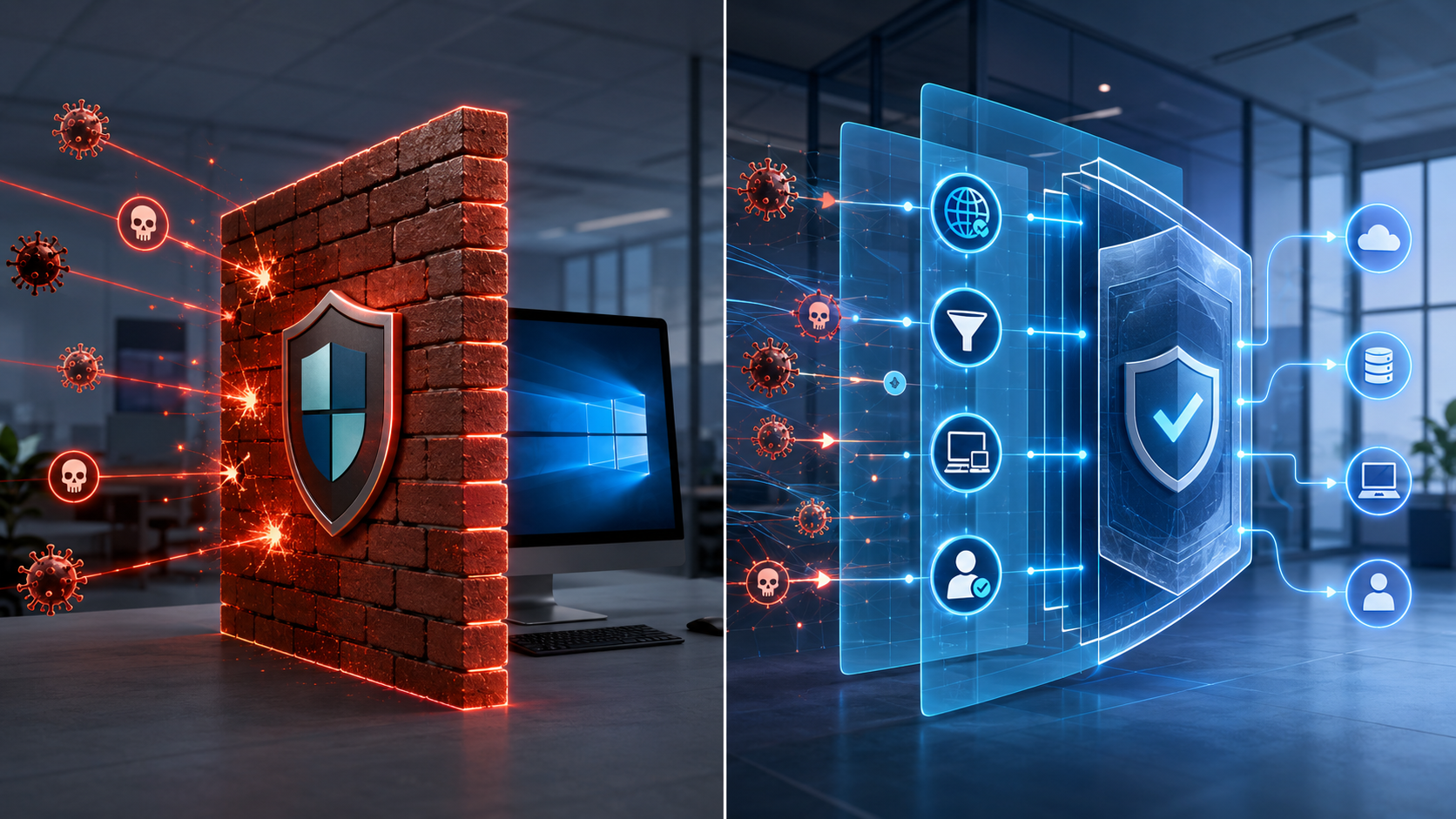
This creates what can be described as a Swiss Cheese security model. Multiple security controls may exist, but large gaps remain that attackers can exploit.
Consider a common attack scenario:
-
An employee receives a convincing phishing email.
-
The user clicks a malicious link and downloads a seemingly harmless file.
-
A lightweight downloader executes on the device.
-
The downloader contacts a remote command-and-control server operated by the attacker.
-
Additional malware, ransomware, credential stealers, or remote access tools are downloaded and installed.
At this critical stage, the Windows Firewall often provides no resistance because the outbound connection is considered legitimate traffic initiated by the local system. From the firewall’s perspective, the infected device is simply communicating with an external server.
This is why many modern attacks succeed even when organizations have antivirus software and an active firewall. The malicious traffic is not entering through an open inbound port; it is leaving through an unrestricted outbound connection.
The problem extends beyond malware downloads. Once an attacker gains a foothold, outbound communication can be used for:
-
Command-and-control communication
-
Data exfiltration and theft
-
Downloading additional malicious payloads
-
Credential harvesting operations
-
Lateral movement support
-
Establishing long-term persistence
In other words, unrestricted outbound access allows compromised systems to “phone home” and maintain contact with attacker infrastructure.
A Zero Trust approach addresses this weakness by reversing the traditional model. Instead of allowing all outbound traffic by default, organizations define which applications, services, and destinations are actually required for business operations. Everything else is denied unless explicitly approved.
This approach significantly reduces the attacker’s ability to establish communication channels, download secondary payloads, and exfiltrate sensitive data. Even if a user accidentally executes malicious code, the malware’s ability to operate is severely restricted.
The reality in 2026 is clear: preventing compromise is important, but preventing malware from communicating after compromise is equally critical. Organizations that continue to rely solely on default outbound firewall behavior are leaving one of the most valuable security controls largely unused.
Conclusion: Is Windows Firewall Enough for Business Security in 2026?
The Windows Defender Firewall remains an essential security feature and provides valuable protection against many common network-based threats. Its ability to block unauthorized inbound connections, control application access, and reduce device visibility on public networks makes it an important part of any security strategy.
However, the answer to the question is clear: No, Windows Firewall alone is not enough for business security in 2026.
Modern cyberattacks rarely rely on direct network intrusion. Instead, attackers use phishing emails, malicious downloads, compromised websites, and social engineering techniques to gain access from within the trusted environment. Once malware is executed, traditional firewall protections may no longer be sufficient to stop command-and-control communication, data exfiltration, or the download of additional malicious payloads.
This is why businesses need a layered security approach. Advanced technologies such as endpoint protection, DNS filtering, behavioral analysis, threat intelligence, application control, and zero-trust security principles provide critical protection where traditional firewall capabilities reach their limits.
Think of the Windows Firewall as the front door lock of your business. It is an important security measure and should never be disabled. But in today’s threat landscape, a lock on the front door is not enough. Businesses also need alarms, cameras, access controls, and continuous monitoring to protect what matters most.
The most effective cybersecurity strategies in 2026 are built on multiple layers of defense. The Windows Firewall remains a strong foundation, but true resilience comes from combining it with modern security controls that can detect, prevent, and respond to evolving cyber threats.
I also recommend to read the following articels:
Keep Hackers Out of Your Wi-Fi: A Practical Guide for SMEs
When does Microsoft Defender Business make sense for you and your company?
Why Virus Protection Alone Is Rarely Enough – and Why Knowledge Is the Key
Why Weak Firewall Configurations Still Allow Ransomware Attacks
Windows Defender Setup Guide: Everything You Need to Configure for Real Protection