
Is Microsoft Defender alone enough to protect a business in 2026? For years, the answer seemed simple: The antivirus program built into Windows was free, reliable, and ran quietly in the background. But now Ransomware attacks are increasingly targeting small and medium-sized businesses, AI-powered phishing attacks are becoming harder to detect, and cybercriminals continue to find new ways to exploit vulnerabilities in systems.
For private users, Windows Defender still delivers solid basic protection – no installation, no extra cost, no hassle. But the moment business-critical data, multiple workstations, and regulatory compliance enter the picture, the question shifts: Is “good enough” still enough?
In this article, we take an honest look at where Windows Defender stands in 2026 – its real strengths, its hidden weaknesses, the best alternatives, and a clear recommendation on when built-in protection is sufficient and when your company needs more.
What Does Windows Defender Really Do?
Microsoft has massively upgraded its built-in security solution in recent years. What was once dismissed as a “necessary evil,” something users immediately replaced with a “real” antivirus program, has become a fully-fledged security suite deeply integrated into the operating system, capable of competing with many paid alternatives. Defender isn’t just a classic virus scanner; it’s made up of several interlocking modules: real-time protection that checks files as they’re opened and executed, a built-in firewall, phishing and exploit protection in the browser via SmartScreen, behavioral analysis that flags suspicious program activity, and a cloud connection that compares new threats against Microsoft’s global threat database in near real time.
In tests by renowned independent labs like AV-Test and AV-Comparatives, Windows Defender regularly achieves detection rates above 98 percent for known malware such as viruses, Trojans, worms, and ransomware. These results are usually measured several times a year under standardized conditions, making them well comparable to commercial products from vendors like Bitdefender, Kaspersky, or Norton. Defender also performs above average when it comes to system load: since it runs as a native Windows component, it avoids the overhead that separate security suites often bring, such as extra background services or duplicate file-system monitoring. Scans run largely unnoticed in the background, without any noticeable slowdown during everyday use. On top of that, it’s simple to operate: Defender comes preinstalled, is enabled by default, and updates itself automatically, meaning users essentially have nothing to configure. For beginners, or for anyone who’d rather not get deeply involved in security topics, this is a significant advantage.
That said, a closer look reveals weaknesses that often get lost in pure lab numbers. Those tests mostly work with already known, cataloged malware under controlled conditions. Real-world threats look different: with brand-new phishing sites that have only been online for a few hours, manipulated download links on lesser-known platforms, or so-called zero-day exploits, security gaps for which no patch yet exists, Defender often reacts with a noticeable delay. That’s because many of its strongest protective features rely on an active internet connection and cloud-based comparison.
This points to another weak spot: in offline operation, meaning when the computer has no internet access or the cloud connection has been disabled for privacy reasons, detection performance drops noticeably. Specialized security solutions tend to rely more heavily on local, signature-based and heuristic methods that work independently of an online connection. Some security experts therefore rate Defender’s offline protection as only “satisfactory,” or in certain scenarios even “inadequate.”
In short: Windows Defender is a solid, free, and well-integrated solution for average everyday use, but it’s not a cure-all. Anyone who is particularly exposed, for example through regular downloads from untrusted sources, heavy use of less trustworthy websites, or professional handling of sensitive data, should critically reassess their level of protection and consider additional security measures such as an up-to-date browser with phishing protection, regular backups, or supplementary security software.
“Sometimes I hear phrases like: ‘Windows Defender is enough, brains are enough.’ But it’s precisely this kind of thinking that opens the door to attackers.
Windows Security in Focus: Why July 2026 Was a Wake-Up Call
Cyber threats continue to evolve at an alarming pace. Microsoft’s July 2026 Patch Tuesday demonstrated just how important regular security updates have become. During a single monthly update cycle, Microsoft fixed around 570 security vulnerabilities, including 59 critical flaws and several actively exploited zero-day vulnerabilities. The affected products included Microsoft Copilot, Active Directory Federation Services (AD FS), SharePoint, and BitLocker. These numbers highlight both the complexity of modern operating systems and the continuous effort required to keep them secure.
At the same time, cybercriminals are developing new malware and attack techniques designed to bypass or even disable well-known security solutions such as Microsoft Defender and Avast. This is why antivirus software alone is no longer enough. A modern cybersecurity strategy combines timely security updates, strong passwords, multi-factor authentication, regular backups, and employee awareness. Only a layered approach can significantly reduce the risk of successful cyberattacks and help businesses stay resilient against today’s evolving threats.
New zero-day vulnerabilities and modern malware can attack or bypass even well-established security solutions. That is why it is no longer enough to rely solely on antivirus software. Companies should adopt a combination of up-to-date updates, multiple protective measures, and a clear cybersecurity strategy.
Why “Common Sense” Often Isn’t Enough
You often come across the supposedly reassuring phrase: “Windows Defender is completely sufficient, as long as you’re careful.” It sounds logical at first glance. After all, you “just” need to avoid opening suspicious email attachments, steer clear of shady websites, and not run illegal downloads. If you stick to those simple rules, what could go wrong? But the reality of 2026 looks rather different: more sophisticated, more automated, and considerably more dangerous than this comforting narrative suggests. That’s because cyberattacks have evolved significantly over the past few years, both in scale and in subtlety. Here are just a few developments that are shaking the classic “common sense is enough” myth to its core.
Deceptively realistic phishing emails have become the norm rather than the exception. Criminals today perfectly imitate reputable senders such as parcel services, banks, online retailers, or government agencies, right down to the logo, sender address, and tone of voice. The grammar mistakes and obviously fake layouts that used to give phishing away are largely gone. Even trained security professionals sometimes have to look twice before spotting the fraud. All it takes is one misplaced click on a link or attachment, and malware is silently loaded in the background, often without any visible sign that something has gone wrong.
Attacks powered by artificial intelligence add another layer of difficulty. Many phishing campaigns and social engineering tricks are now partly or fully automated using AI tools. These systems can generate convincing, grammatically flawless texts tailored to a specific target, clone real websites down to the smallest visual detail, and even adapt their approach in real time based on how a victim responds. What used to require a skilled human con artist can now be scaled up and run against thousands of targets simultaneously, with each attack feeling personal and credible.
The expanded attack surface created by cloud services and mobile devices is another factor that “common sense alone” simply doesn’t account for. We’re constantly connected today, whether through a smartphone, a tablet, a cloud storage account, a smart TV, or any number of other connected devices. Each of these represents a potential entry point for attackers, many of which fall completely outside the protection that a classic Windows PC antivirus tool can offer. Defender, after all, was built to protect a Windows endpoint; it has no influence over what happens on an unprotected phone or a poorly secured cloud account that an employee logs into from home.
Targeted extortion has also replaced the old model of randomly scattered attacks. Ransomware is no longer fired off indiscriminately in the hope that someone, somewhere, clicks the wrong link. Many attacks today are specifically tailored to certain industries or even individual organizations and user profiles, sometimes following months of careful reconnaissance and preparation. Attackers study their target, identify weak points, and time their strike for maximum damage and maximum leverage.
In short, all it takes is a single moment of inattention. Even technically savvy, security-conscious people fall into these modern traps, simply because the attack often no longer looks like spam or a cheap trick. It looks like a normal email from a colleague, a routine invoice, or a legitimate login prompt.
Common sense remains genuinely important and shouldn’t be dismissed. But on its own, it’s no longer enough. It needs to be supplemented by technical protection that acts as a second line of defense for the moments when vigilance inevitably slips, because sooner or later, it will. Companies that rely solely on Windows Defender are cutting corners on their security strategy. While Windows Defender is unquestionably better than having no protection at all, in a business environment it represents, at best, only half the battle.
Other Antivirus software in 2026
While Windows Defender has come a long way, a number of dedicated security providers still outperform it in specific areas relevant to businesses, whether that’s detection accuracy, centralized management, or protection tailored to professional environments. Here are a few solutions that have proven significantly more robust for SMEs in comparison.
| Provider | Recommended for… | Special Features |
|---|---|---|
| Bitdefender GravityZone | Small businesses wanting centralized control | Strong detection rates, central dashboard for managing all company devices |
| ESET Protect | SMEs needing scalable, low-maintenance protection | Reliable detection, low system impact, flexible licensing as you grow |
| Sophos Intercept X | Businesses wanting advanced threat response | Strong ransomware protection, detailed incident analysis and rollback features |
| Kaspersky SMEs | Small teams on a budget | Affordable multi-device protection, simple setup for non-technical staff |
For businesses, this comparison matters more than it might for a private user at home. Bitdefender GravityZone is a strong fit for small businesses that want one central dashboard to monitor and manage security across every device in the company, instead of checking each laptop individually. ESET Protect appeals to SMEs that need protection that scales smoothly as the team grows, without requiring a dedicated IT department to manage it day to day. Sophos Intercept X stands out for businesses that want more than basic detection: it includes advanced ransomware protection and the ability to roll back files that have already been encrypted by an attack. And Kaspersky Small Office Security is a solid, budget-friendly option for small teams that need straightforward, easy-to-deploy protection across a handful of devices without a steep learning curve.
This is an important distinction: many of these attack types don’t rely on malicious files that an antivirus scanner can detect in the first place. They exploit human trust, stolen credentials, and gaps between different systems and services, areas that fall largely outside what any single antivirus product, including Defender, is designed to cover.
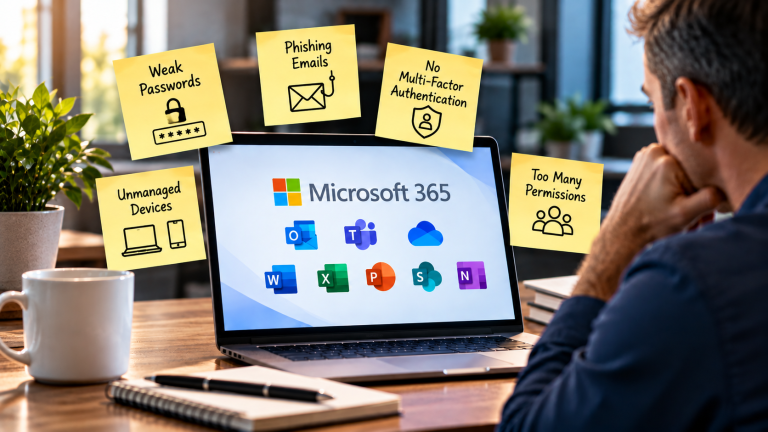
➡️ Businesses need more than basic antivirus protection. A realistic, layered security setup typically includes:
Taken together, these layers form a security strategy where antivirus software, whether Defender or a third-party alternative, is just one piece of a much larger picture rather than the sole line of defense.
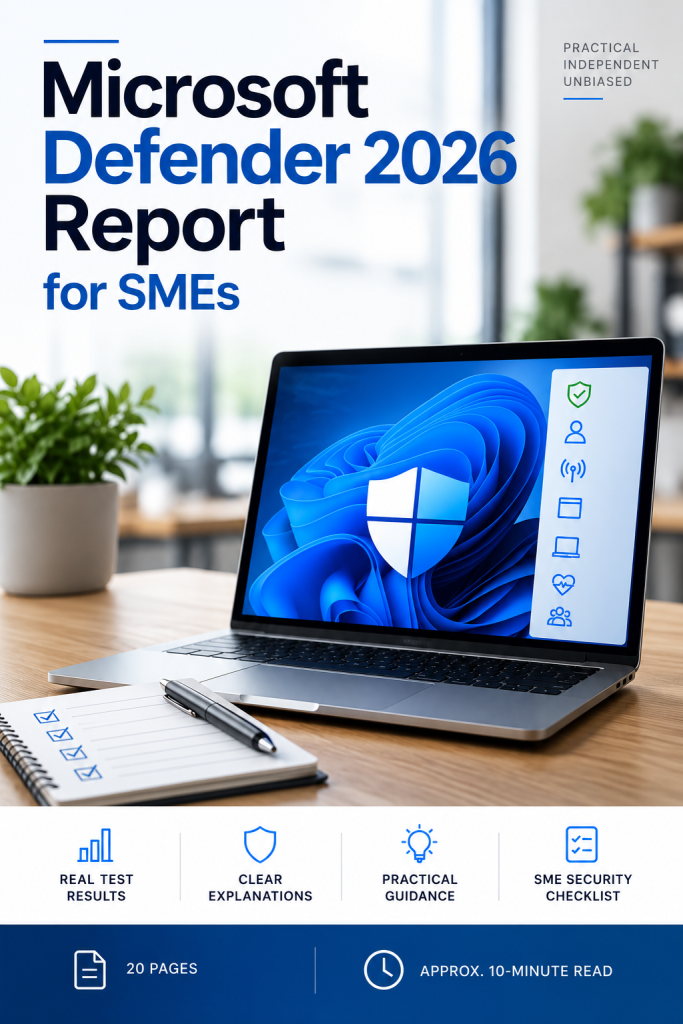
Is Microsoft Defender Enough for Your Business?
Microsoft Defender can provide strong protection. But antivirus is only one part of your cybersecurity. This practical report helps you understand what current security tests really tell us, where Microsoft Defender performs well, where limitations can appear, and what these results mean for a small or medium-sized business. You will learn how to look beyond a single test score and assess your own security setup more realistically.
Inside the report:
- What current independent tests actually show about Microsoft Defender
- Why different tests can produce very different results
- What ransomware tests can — and cannot — tell you
- Where antivirus protection ends and other security layers begin
- When Microsoft Defender may be a reasonable baseline
- When additional endpoint protection may be worth considering
- A practical SME Defender Security Checklist to review your own setup
- Available in English and German
- Payment is processed securely through Stripe. The report is then delivered automatically via Payhip
An independent guide that helps you determine whether Defender is enough for your business—so you don’t waste money on unnecessary software.

A New Question: Can Defender Always Stay Up to Date?
Microsoft Defender is designed to update automatically. But a recent security issue shows why automatic updates should not simply be taken for granted.
A tool called BigDiskBuster can interfere with Defender updates by temporarily filling the available disk space on a Windows system. When there is not enough free space, Defender may fail to install important security and platform updates.
The interesting part is that Defender does not simply stop working. The antivirus can still appear to be active while its protection is no longer fully up to date.
This is an important reminder for small businesses: having antivirus protection enabled is not the same as knowing that it is fully updated and working correctly.
This does not mean that Microsoft Defender is useless or that every business needs another antivirus product. It means that businesses should regularly check whether their security tools are actually receiving their updates and whether Windows itself is properly maintained.
Conclusion: Will Windows Defender still be secure enough in 2026?
The honest answer is: yes and no, depending on who you are and how you use your devices. For most everyday users, Windows Defender offers solid basic protection. If you’re not handling sensitive financial or business data, install updates promptly, and browse with reasonable caution, Defender will catch the vast majority of threats you’re likely to encounter. Detection rates for known malware are high, system load stays low, and for beginners who don’t want to think about security daily, the fact that it just works out of the box is a real advantage.
But that’s only half the picture. In an era of AI-generated phishing that’s nearly indistinguishable from legitimate emails, targeted ransomware campaigns, and exploits aimed at specific individuals or organizations, this baseline protection isn’t always enough. The issue isn’t that Defender is a bad product; it’s that modern threats increasingly bypass traditional malware detection altogether, relying on social engineering and stolen credentials rather than files a scanner can flag.
This matters most in higher-stakes contexts. If you regularly do online banking, store sensitive data in the cloud, or handle business-related information, you should consider going beyond Defender alone. That doesn’t necessarily mean replacing it, it can mean complementing it with anti-phishing tools, sandbox technology for opening suspicious files safely, and above all, a reliable backup system, since even the best protection occasionally fails.
In short: “good enough” is better than nothing, and Defender deserves credit for how far it’s come. But it’s not comprehensive protection. If you want to be properly secure in 2026, don’t blindly trust Defender, and don’t dismiss it either, consciously supplement it where it falls short.
Not sure if your business is really protected?
Microsoft Defender can protect your devices. But good cybersecurity is about more than antivirus. In my Cybersecurity Mentoring, we look at your current security situation and identify the most important risks and practical next steps.No technical background required. No complicated security theory. Just clear, practical guidance.
[Explore Cybersecurity Mentoring →]
I also recommend to read the following article
Free Antivirus vs Paid Antivirus for SMEs – Is Free Protection Really Enough?
Is Windows Firewall Still Enough in 2026? A Business Security Reality Check
Will your company still need antivirus software in 2026 – or is it just expensive snake oil?
Windows Firewall Rules: The 5 Settings Every Business Should Check