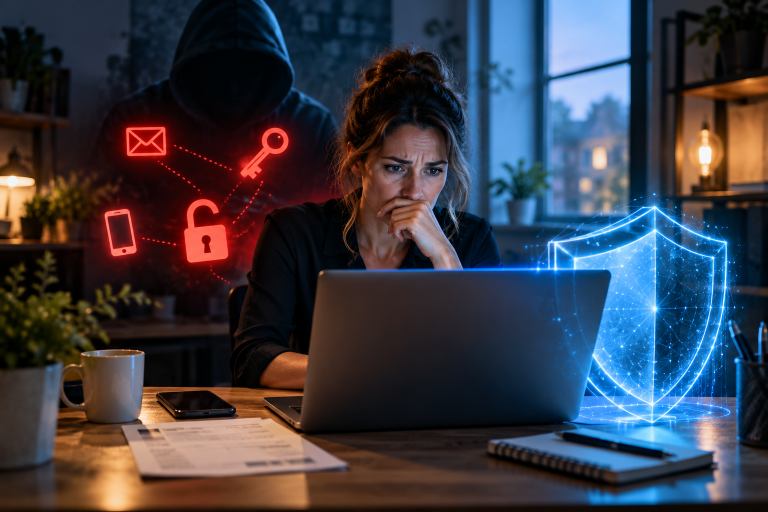


Phishing attacks are one of the most common cyber threats facing small businesses today. A single email can be enough to start a serious security incident. It may look like a normal message from your bank, a supplier, a delivery company, or even your own boss. One click on a link or one password entered on a fake website can give attackers exactly what they need. But clicking the wrong link is not the end of the story. In many cases, it is only the beginning.
Once attackers gain access to an account, they may spend hours or even days inside your business without being noticed. They can read emails, steal sensitive information, change payment details, access other accounts, or use a compromised account to target your customers and business partners. The longer they remain undetected, the more damage they can cause.
This is why knowing what to do after a phishing attack matters just as much as knowing how to recognize one.
The good news is that you do not need a large IT department or advanced technical knowledge to respond effectively. What you need is a clear plan and the right priorities. Acting quickly can help you secure compromised accounts, limit the damage, protect your data, and prevent the attack from spreading further.
In this guide, you will learn step by step what to do after a phishing attack — from the first few minutes after discovering it to securing your systems and checking what the attackers may have accessed. Whether an employee has just clicked a suspicious link or you simply want to be prepared, this guide will help you respond calmly and with confidence.
Step 1: Stop and Check What Happened
If you think you have clicked a phishing link, do not panic and do not keep clicking. Your first priority is to understand what happened and whether your account or information may have been exposed. Phishing attacks are designed to make people act quickly. An email may tell you that your account will be closed, a payment has failed, or a package is waiting for you. The message creates pressure so that you do not stop to question it. Once you realize that something may be wrong, do the opposite: stop and check carefully.
Look at the original message and think about what you actually did. Did you click a link? Did you enter a password, payment details, or other information? Did you download or open a file? Did the website ask you to log in? These details can help you understand what information may be at risk. Also look for signs that the message was not legitimate. Check the sender’s email address carefully, look for unusual spelling or wording, and pay attention to links that use a slightly different website address. Unexpected password reset emails, login notifications, or changes to your email settings can also be warning signs. For example, an attacker who gains access to an email account may create a forwarding rule so that copies of your messages are sent to them.
If you find signs of a possible compromise, treat the situation as a security incident and act immediately. Tell the person responsible for IT or security in your business and keep the original email if possible. Do not delete it before it has been reviewed, as it may contain useful information about the attack. Do not spend too much time trying to decide whether you are “certain” that an attack happened. A false alarm is much easier to deal with than a real attack that goes unnoticed. The sooner you recognize a possible problem, the sooner you can take steps to protect your business.
Step 2: Stop the Attack From Spreading
After that, turn on multi-factor authentication if you have not done so already. This means users need a second proof, like a code on their phone, to log in. Even if an attacker knows a password, they cannot get into the account without this second step. It is one of the best and cheapest ways to protect your business, and many email and cloud services offer it for free.
Finally, sign out of all active sessions in your email or cloud service, for example in Google Workspace or Microsoft 365. This closes the door for any device that is still logged in, even if the password has already been changed. Only when all of this is done can you be sure that the attacker no longer has access.
Step 3: Find Out What the Attacker Accessed
Step 4: Tell the Right People About the Attack
Step 5: Improve Your Security After the Attack
Once the immediate problem is under control, use the experience to make your business harder to attack. A phishing incident can reveal weaknesses that may have gone unnoticed before. Fixing those weaknesses can reduce the chance of a similar incident in the future. Start by reviewing what happened. Was the email convincing because your employees had not received enough training? Was multi-factor authentication missing? Did an employee have more access than they actually needed? Were important accounts protected with weak or reused passwords? The answers can show you where your security needs improvement.
Your employees are an important part of your defense. Give them regular, short security training instead of relying on a single training session once a year. You can also use safe phishing simulations to help employees practice recognizing suspicious messages. The goal is not to blame people for mistakes, but to make it easier for them to spot and report threats. Technical protection matters too. Use unique, strong passwords for business accounts and consider using a password manager. Enable multi-factor authentication wherever possible, especially for email, cloud services, financial accounts, and administrator accounts. Keep operating systems, applications, and security software up to date so known security weaknesses are patched.
Finally, make sure your business data can be recovered if something goes wrong. Maintain regular backups of important files and test them to make sure they actually work. Keep at least one backup separated from your normal network, so attackers cannot easily access or delete it. Reliable backups can be especially valuable if a phishing attack leads to ransomware or data loss. The goal is not to build a perfect security system. It is to learn from what happened and make the next attack harder, less damaging, and easier to recover from.
Conclusion: What Happens If You Click a Phishing Link?
A phishing attack can be stressful, especially for a small business without its own IT department. But a successful phishing attack does not mean you have lost control of your business. What matters most is what you do next.
The key lesson is simple: the click is not necessarily the end of the attack — your response can make a major difference. Acting quickly can help limit the damage, protect your accounts and data, and prevent attackers from gaining further access.
If you discover that someone has clicked a phishing link or entered their credentials on a fake website, do not waste time blaming yourself or your employee. Secure the affected account, investigate what may have been accessed, check for further signs of compromise, and take the necessary steps to contain the incident. Clear communication is also important. The sooner the right people know about the problem, the sooner they can help stop it from spreading.
Take some time now to enable multi-factor authentication, keep reliable backups, train your team to recognize phishing, and create a simple incident response plan. These measures may seem small, but they can make a big difference when something goes wrong.
Think of cybersecurity like a fire extinguisher: you hope you never need it, but you want it to be ready when you do. Most importantly, do not treat cybersecurity as a one-time project. Threats change, employees change, and your business changes. Regularly reviewing your security and learning from incidents will help you build a more resilient business over time.
If you have just experienced a phishing attack, start with the first step: stay calm, secure the affected account, and follow the plan. The faster you act, the more control you can keep.
I also recommend that you read the following articles
How Hackers Target Small Businesses Without Advanced Technology
How to Identify Phishing Emails in 2026 – A Practical Step-by-Step Guide
How to recognize phishing and Trojans – 7 warning signs you need to know
Phishing 2026: How Attackers Are Becoming Increasingly Professional