
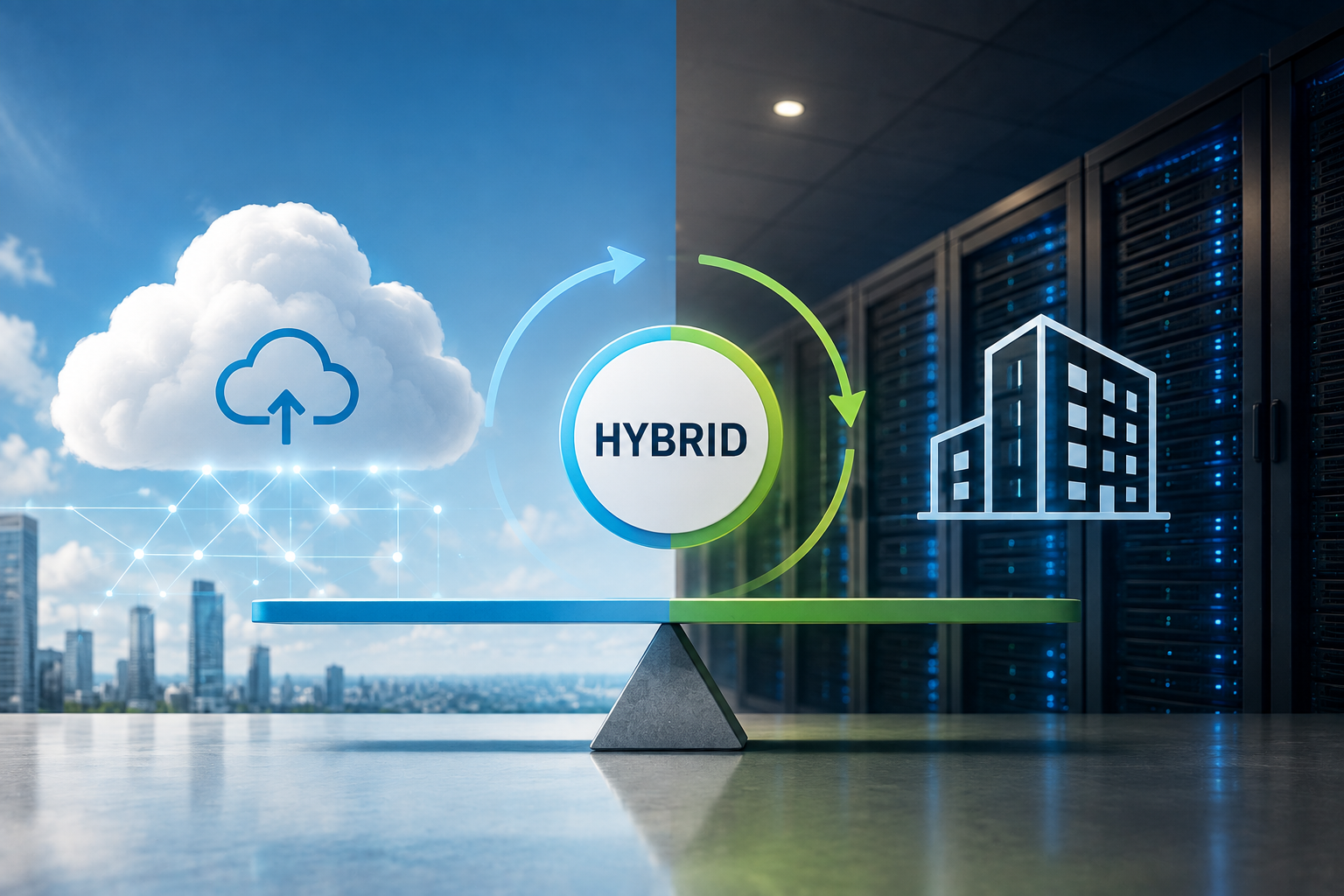
Cloud services have changed the way businesses work. They make it easy to store files, work from anywhere, and use powerful software without buying expensive hardware. At the same time, many companies still keep important systems and sensitive data on their own servers. So which option is better: cloud or on-premises? The answer is simple. For most small and medium-sized businesses, neither solution is perfect on its own. Using only the cloud can create new security and privacy risks. Keeping everything on-premises can be expensive and difficult to manage.
A hybrid cloud combines both worlds. It allows businesses to keep sensitive data under their own control while using the cloud for flexibility, collaboration, and business growth. In this article, you will learn the differences between cloud and on-premises systems, the advantages and disadvantages of each option, and why a hybrid cloud is often the smartest and safest choice for modern businesses.
The Case for On-Premises: Control and Security
Cloud vs. On-Premises: The Core Differences
Choosing an IT infrastructure usually comes down to weighing two established models against each other: cloud computing and on-premises systems. Each brings distinct strengths and trade-offs, and the right fit depends on factors like company size, security needs, regulatory obligations, budget, and growth trajectory.
Cloud computing owes much of its popularity to flexibility. Rather than buying and maintaining physical hardware, organizations rent computing resources from a provider and access them over the internet — a setup that lets businesses adapt quickly to shifting demands without heavy upfront spending.
Its core advantages include:
Scalability — computing power, storage, and memory can be adjusted within minutes, which is ideal for handling seasonal spikes or steady growth.
Lower upfront investment — subscription or pay-as-you-go pricing shifts spending away from large hardware purchases.
Remote accessibility — employees can reach applications and data securely from virtually anywhere, a natural fit for hybrid and remote teams.
Ongoing innovation — providers roll out new features, security updates, and performance gains automatically, with no need for customers to overhaul their own systems.
That said, cloud adoption isn’t without friction. Businesses become dependent on a provider’s uptime and on a stable internet connection. Costs can creep upward if usage isn’t tracked closely, and organizations still need clarity on where their data sits, how it’s safeguarded, and whether the provider satisfies relevant legal and regulatory standards.
On-premises infrastructure takes the opposite route: instead of outsourcing to a provider, companies purchase, run, and maintain their own hardware on-site or in a dedicated data center. It demands more investment and hands-on management, but delivers a degree of control that many organizations see as non-negotiable.
Its main strengths are:
Full control — configuration, management, and security decisions stay entirely in-house.
Data sovereignty — sensitive data never leaves the organization’s direct oversight, which can ease compliance with industry rules and contractual terms.
Customization — infrastructure, security policies, and network design can be shaped precisely around operational and cybersecurity needs.
Performance — local systems typically deliver low latency and dependable throughput for workloads requiring constant availability or heavy data processing.
These benefits carry a cost, though. Hardware must be purchased and maintained, software kept updated, security actively monitored, aging equipment replaced, and backup and disaster recovery solutions kept reliable. Scaling up also means acquiring more hardware — adding both expense and lead time.
Neither approach wins outright. Cloud computing delivers fast scaling, and access to cutting-edge tools, while on-premises infrastructure offers unmatched control, customization, and direct authority over sensitive data — each suited to different priorities and risk profiles. As a result, many organizations have stopped treating cloud and on-premises as an either-or decision. Increasingly, the focus is on combining the strengths of both to build infrastructure that’s secure, adaptable, and aligned with long-term business goals.
The Rise of the Cloud: Flexibility and Scalability
- Easy Scaling: Companies can quickly increase or decrease their technical power to match current demands without wasting money on unused capacity.
- Reduced Initial Costs: Organizations pay only for what they actually use. This shifts large upfront purchases into smaller, manageable monthly fees.
- Global Access: Staff can safely log into their work systems from any location with an internet connection, which perfectly supports remote work and international teamwork.
- Built-in Maintenance: Providers handle all technical repairs and software patches. This means clients do not need to worry about fixing physical hardware.
- Quicker Progress: Teams can immediately use modern tools like machine learning and automated processes without setting up complex new systems first.
The Hybrid Approach: The Best of Both Worlds
Businesses no longer have to choose between cloud computing and on-premises infrastructure. A growing number combine both into a single strategy, placing each application and dataset where it delivers the greatest value in terms of performance, security, compliance, and cost.
A hybrid environment integrates locally hosted systems with public or private cloud services rather than replacing one with the other. This lets organizations preserve existing infrastructure investments while tapping into the scalability and innovation the cloud offers. The underlying principle is straightforward: each workload runs where it performs best. Sensitive customer or financial data might stay on-premises for maximum control, mission-critical applications might run locally to guarantee low latency and constant availability, while websites, collaboration tools, backups, and workloads with unpredictable demand move to the public cloud. AI, analytics, and machine learning services can be tapped directly from the cloud, without migrating the underlying infrastructure.
Cost efficiency is one of the clearest benefits. Not every system justifies the expense of local infrastructure, and not every workload belongs in the public cloud. Stable, predictable operations can stay on-premises, while temporary or fast-growing demands draw on cloud resources as needed. This avoids both unnecessary hardware spending and runaway cloud costs.
Security and compliance also improve. Companies can keep their most sensitive data within their own infrastructure and reserve the cloud for less critical applications — a distinction that matters especially in regulated industries, where data protection and privacy obligations are strict. Rather than moving everything to the cloud by default, businesses can decide deliberately which systems demand the highest level of control.
Flexibility is another advantage. Markets shift, demand fluctuates, and new technologies emerge constantly. A hybrid setup lets organizations adapt without redesigning their entire IT infrastructure: when local capacity reaches its limit, cloud resources can absorb the overflow within minutes — a practice known as cloud bursting.
Hybrid environments also strengthen business continuity. Replicating critical data and systems to the cloud adds a layer of resilience: if an on-premises server fails due to a hardware fault, a natural disaster, or a cyber incident like ransomware, cloud-based backups shorten downtime and speed up recovery.
None of this comes without complexity. Running two environments in parallel demands careful planning, strong governance, and disciplined cybersecurity practices — consistent identity and access management, centralized monitoring, reliable backup strategies, and unified security policies across both sides of the infrastructure. Without that groundwork, a hybrid setup can become harder to manage than either environment alone.
For most organizations, the benefits still outweigh the added complexity. A well-planned hybrid strategy offers the flexibility to adapt to changing requirements while retaining control over critical systems and sensitive data. The goal was never to declare cloud or on-premises the winner — it’s to build an IT environment that serves the business, protects what matters most, and stays adaptable for whatever comes next.
How Secure Is the Cloud Really? Why I Recommend Microsoft OneDrive and pCloud
When businesses consider moving their files to the cloud, one question is almost always asked first: Can I really trust a cloud provider with my data? It is an important question because organizations are no longer storing only documents. Customer information, financial records, contracts, intellectual property, and business-critical data are increasingly hosted in cloud environments. Choosing the right provider is therefore not only a business decision but also a cybersecurity decision.
The answer is more nuanced than a simple yes or no. Cloud security depends on two equally important factors: the security measures implemented by the provider and the way customers use the service. Even the most secure cloud platform cannot fully protect data if weak passwords, poor access controls, or a lack of multi-factor authentication leave accounts vulnerable.
Modern cloud providers invest enormous resources in protecting their infrastructure. Their data centers are designed with multiple layers of physical and digital security, including advanced encryption, continuous security monitoring, redundant storage systems, and comprehensive disaster recovery capabilities. Most leading providers also undergo regular independent security audits and comply with internationally recognized standards such as ISO 27001 and the General Data Protection Regulation (GDPR). For many small and medium-sized businesses, achieving a comparable level of protection within their own infrastructure would require a significant financial investment.
At the same time, cloud security follows what is known as the shared responsibility model. The provider is responsible for protecting the cloud infrastructure itself, while customers remain responsible for securing their own accounts, devices, permissions, and data. Strong authentication, carefully managed user access, regular software updates, and employee awareness remain essential regardless of which cloud platform is used.
Among the many cloud storage providers available today, Microsoft OneDrive and pCloud stand out for different reasons. Both offer strong security features, but they are designed with slightly different priorities in mind.
Microsoft OneDrive is an excellent choice for organizations that already use Microsoft 365. Because it is tightly integrated into Microsoft’s business ecosystem, users benefit from enterprise-grade identity management, advanced access controls, ransomware protection, version history, and extensive collaboration features. Microsoft continuously invests in cybersecurity and operates one of the world’s largest cloud infrastructures, making OneDrive particularly attractive for businesses that require productivity, collaboration, and security within a single platform.
Another advantage is the seamless integration with other Microsoft services such as Teams, SharePoint, Outlook, and Microsoft Defender. This allows organizations to implement centralized security policies while providing employees with a familiar and productive working environment. Features such as the Personal Vault, file recovery, and built-in ransomware detection add additional layers of protection for sensitive documents.
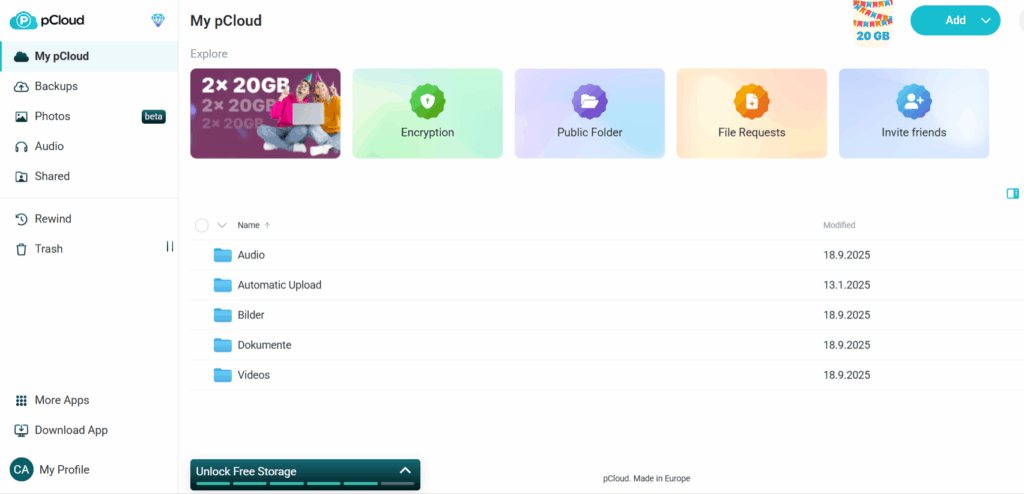
For users who place an especially high value on privacy, pCloud represents a compelling alternative. Based in Switzerland, the company benefits from strong privacy legislation while also complying with European data protection requirements. One of its most notable features is pCloud Crypto, an optional client-side encryption service that encrypts files before they leave the user’s device. This means that the encryption keys remain under the customer’s control, making it impossible for the provider to access the encrypted files themselves.
Another reason many individuals and small businesses choose pCloud is its transparent pricing model, including optional lifetime storage plans. Customers can also decide whether their files should be stored in European or United States data centers, providing additional flexibility for organizations with specific compliance or data residency requirements.
Although Microsoft OneDrive and pCloud take different approaches, both demonstrate an important principle: choosing a reputable provider is only the first step toward protecting your data. Security also depends on how the service is configured and used. Organizations should enable multi-factor authentication, regularly review user permissions, encrypt particularly sensitive files whenever appropriate, maintain reliable backups, and educate employees about phishing attacks and other common cyber threats.
In my view, both Microsoft OneDrive and pCloud are trustworthy solutions that can meet the needs of most individuals and small to medium-sized businesses. Microsoft OneDrive is particularly well suited for organizations that rely on Microsoft 365 and require advanced collaboration and centralized management. pCloud, on the other hand, is an excellent choice for users who prioritize privacy, client-side encryption, and flexible storage options.
Ultimately, cloud security is not determined by the provider alone. It is the combination of a trusted platform, strong security configurations, and responsible user behavior that creates a secure cloud environment. When these elements work together, cloud storage can offer a level of protection that is equal to—or in many cases even stronger than—many traditional on-premises storage solutions.
Why a Hybrid Cloud Is the Future
The question is no longer whether businesses should choose the cloud or on-premises systems. The real question is where each system works best. Every business has different needs, different budgets, and different security requirements. That is why many companies now choose a hybrid cloud. A hybrid cloud allows businesses to keep important systems and sensitive data on their own servers while using cloud services where they make sense. This means companies can improve their IT without replacing everything they already have.
Business needs change over time. A company may grow, hire more employees, open a new office, or launch new services. With a hybrid cloud, it is easier to add cloud resources when they are needed while keeping critical systems under your own control. Many businesses also have to follow data protection laws or industry rules. A hybrid cloud makes this easier. Sensitive customer data and financial records can stay on local servers, while the cloud can be used for file sharing, backups, teamwork, and other daily tasks.
Cost is another important reason. Running your own servers can be expensive, but using only the cloud can also lead to higher monthly costs. A hybrid cloud lets businesses use each solution where it makes the most sense, helping them spend their IT budget more wisely. Security is another key benefit. If one system has a problem, other systems can continue to work. Cloud backups and recovery plans help businesses restore data after a cyber attack or hardware failure, while sensitive information remains protected on local systems.
A hybrid cloud also needs good planning. Strong passwords, multi-factor authentication, regular backups, software updates, and clear security rules are important for both cloud and on-premises systems. Without good security, even the best technology cannot protect a business. For many small and medium-sized businesses, a hybrid cloud offers the best balance between flexibility, security, control, and cost. It is not about choosing one solution over another. It is about using the right tool for the right job.
Conclusion – why hybrid cloud is the best solution for modern businesses
There is no single solution that works for every business. Cloud services offer flexibility and make it easier to grow. On-premises systems give you more control over important data and critical business systems. A hybrid cloud brings both together. You can keep sensitive data and important systems on your own servers while using the cloud for teamwork, backups, and everyday business tasks.
For most small and medium-sized businesses, this is the safest and most practical choice. It gives you more flexibility without giving up control. It also helps reduce the risk of data loss, downtime, and cyber attacks. Technology will continue to change, but one thing will stay the same: businesses need solutions that are secure, reliable, and easy to manage. For many companies, a hybrid cloud is the best way to achieve that.
Please also read the following articels:
Backup Strategies with OneDrive: What Happens If Something Is Deleted?
Can Ransomware Encrypt Cloud Backups? How Small Businesses Can Actually Protect Themselves
Cloud Security 2025: How Safe Is Your Data?