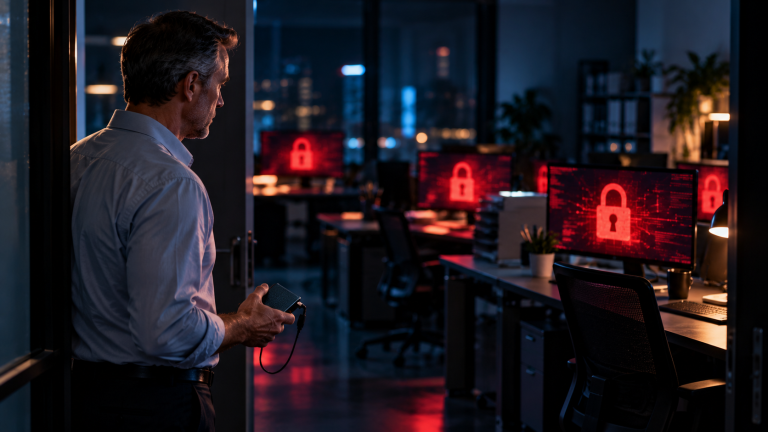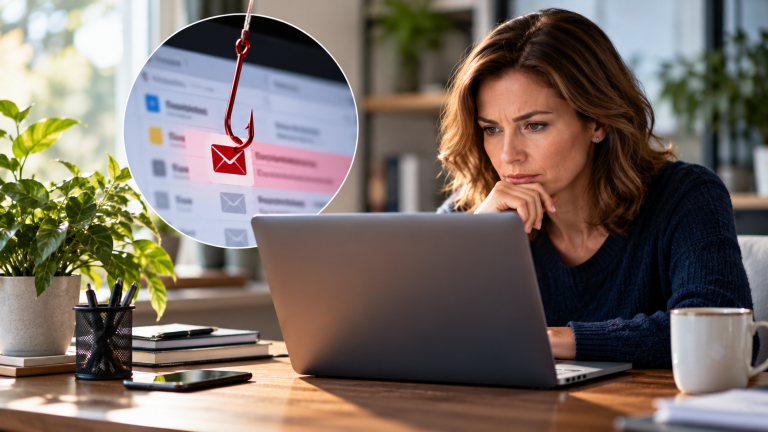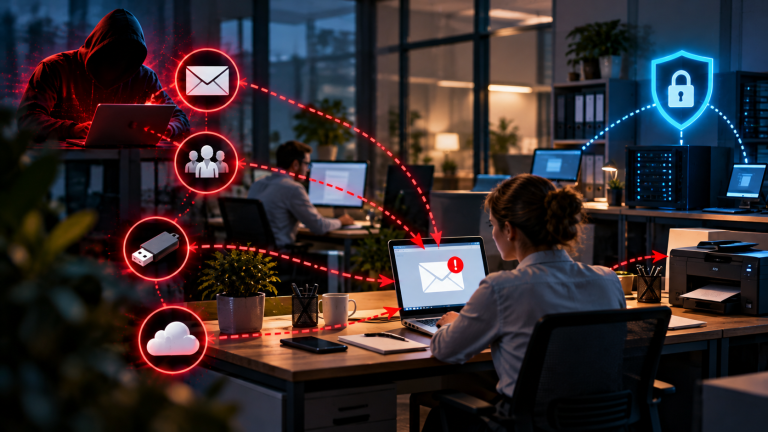

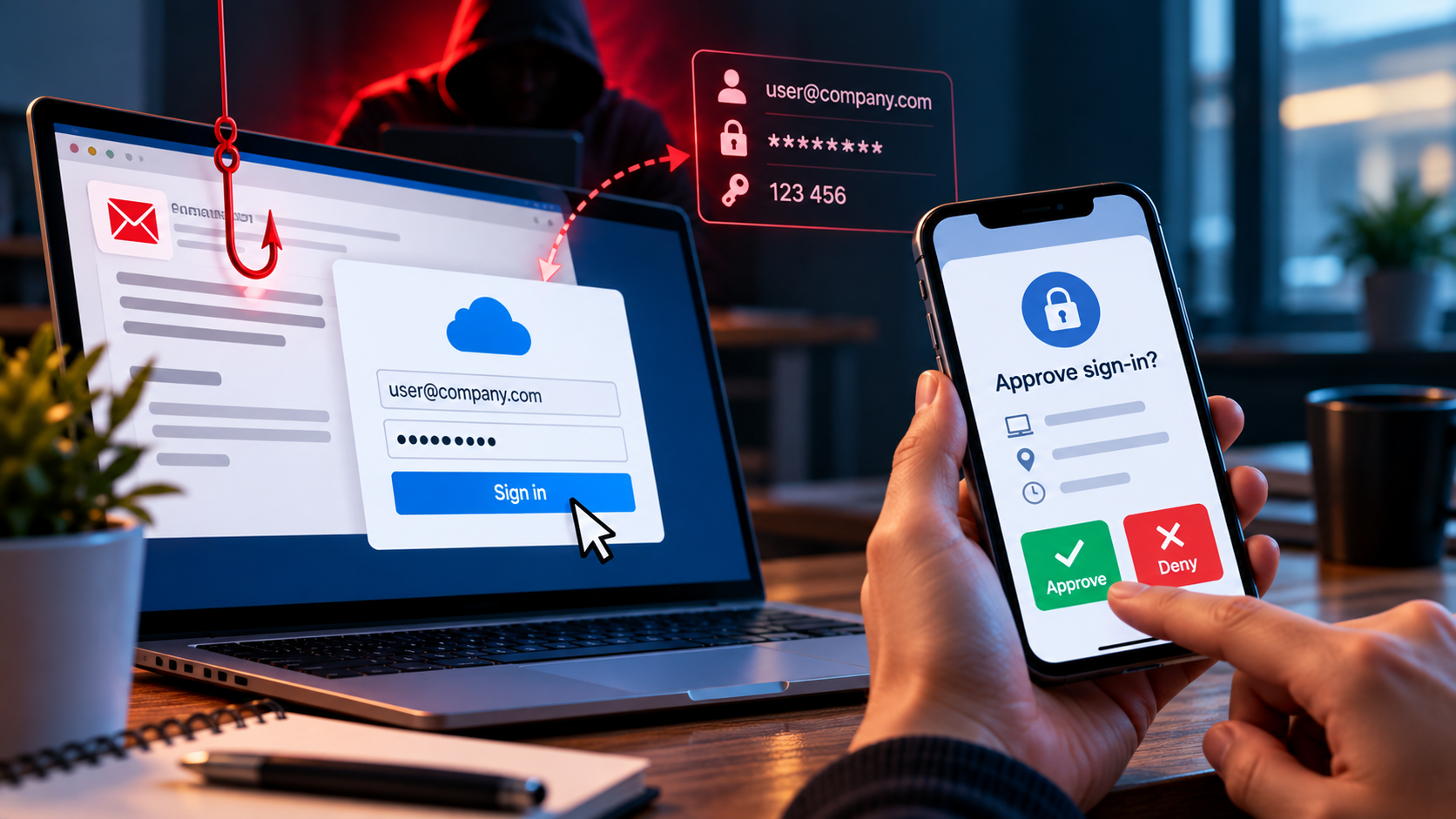
Your business uses multi-factor authentication. Your employees have secure passwords, and every login requires an extra verification step. So your company accounts are protected, right? Not necessarily. Imagine an employee receives an email that looks like a normal Microsoft 365 notification. They click the link, enter their password, and approve a login request on their phone. Everything seems routine. But the login page is fake, and the person trying to access the account is a cybercriminal. In just a few moments, the attacker may gain access to the employee’s business account — even though MFA is enabled.
This is a growing challenge for small and medium-sized businesses. Attackers no longer rely only on stolen passwords. They use fake login pages, manipulate employees into approving fraudulent requests, and steal active login sessions to get around certain MFA methods. MFA remains one of the most effective ways to protect business accounts, but not all methods offer the same level of security. Understanding how attackers bypass MFA can help you choose stronger protection and reduce the risk of a compromised account.
What Is MFA and How Does It Work?
MFA stands for multi-factor authentication. It protects user accounts by requiring at least two different types of verification during the login process. Instead of relying on a password alone, users must provide additional proof that they are the legitimate account owner. These verification methods usually belong to three categories: something you know, such as a password; something you have, such as a smartphone or security key; or something you are, such as a fingerprint or facial recognition. MFA combines at least two different categories to provide an extra layer of security.
For example, an employee may enter a password to access a company email account and then confirm the login through an authentication app. Other methods include one-time codes sent by text message, physical security keys, or biometric checks. The exact process depends on the service and the MFA method being used. The main advantage is that a stolen password alone is usually not enough to access the account. An attacker would also need to pass the additional verification step. This can prevent many account takeover attempts, especially when passwords have been exposed in a data breach or stolen through phishing.
However, MFA methods offer different levels of protection. Some rely on codes or approval requests that attackers can trick users into sharing or approving. More advanced phishing attacks can also capture login sessions after a user has completed authentication. MFA therefore makes accounts safer, but the level of protection depends on the method used and how the login process is secured.
How Can Attackers Bypass MFA?
1. Fake Login Pages Can Steal More Than Passwords
Phishing attacks can use fake login pages that look almost identical to real services, such as Microsoft 365 or Google Workspace. These pages are designed to trick employees into entering their login details without noticing that something is wrong. For example, an employee receives an email asking them to review an important document or sign in to their company account. The link leads to a fake website that copies the appearance of the real login page. The employee enters their username and password, believing they are signing in to a trusted service.
However, the attacker may capture these details and immediately ask for the next authentication step. If the employee enters an MFA code or approves the login request, the attacker may be able to complete the sign-in and gain access to the account. Some attackers use a technique known as an adversary-in-the-middle attack. They place a fake website between the employee and the legitimate login service, passing information between the two in real time. This can allow them to capture not only login details but also the session created after successful authentication.
Once an attacker obtains a valid session, they may be able to access the account without completing the usual login process again. The employee may not notice anything unusual because the real service has accepted the authentication. This is why MFA methods based on one-time codes or approval requests can still be vulnerable to sophisticated phishing attacks. Phishing-resistant methods, such as passkeys and FIDO2 security keys, provide stronger protection because they are designed to prevent authentication on fake websites.
2. Attackers Can Trick Employees Into Approving Login Requests
Some MFA systems send a notification to a user’s smartphone whenever someone tries to sign in to an account. The user can approve or deny the request with a single tap. This is convenient for employees, but attackers may try to exploit it. One method is known as MFA fatigue or push bombing. An attacker who has obtained an employee’s password sends repeated login requests to the account. The employee may receive one notification after another, even when they are not trying to sign in. After several requests, the employee may become annoyed, confused, or tired of the interruptions. The attacker hopes that the employee will eventually approve one of the requests just to make the notifications stop.
If the employee approves a login they did not initiate, the attacker may be able to access the account. This can expose company emails, shared documents, and other business information, depending on the permissions linked to the account. Attackers may also use social engineering to convince employees to approve a request. For example, someone may call an employee and pretend to work in IT support. They might claim that the company is fixing a login problem or updating its security system. The caller then asks the employee to approve a notification on their phone.
Because the request appears to come from a trusted colleague or support team, the employee may follow the instructions without questioning them. In reality, the approval could allow an attacker to sign in to the account. Businesses can reduce this risk by teaching employees to recognise unexpected MFA requests. Employees should never approve a login they did not initiate, even if someone claiming to be from IT asks them to do so. Repeated notifications should be treated as a possible sign that someone has obtained their password.
If an employee receives unexpected or repeated requests, they should deny them, avoid interacting with suspicious messages, and report the incident to the responsible IT contact. Organisations can also use MFA settings such as number matching, where supported, to make accidental approvals less likely. However, employees still need to verify that each login request is legitimate.
3. Stolen Login Sessions Can Bypass a New Login
When an employee signs in to a business account, the service usually creates a login session. This session allows the employee to stay logged in without entering their password and completing MFA every time they open the service. For example, an employee may sign in to Microsoft 365 in the morning and access emails and documents throughout the day without repeating the full login process. This makes everyday work more convenient, but it can also create a security risk. If an attacker steals the information that keeps a session active, they may be able to access the account without completing the usual login process. The attacker does not necessarily need the employee’s password or MFA code because the service has already accepted the original authentication.
These attacks can happen in different ways. Malware on a compromised computer may steal session information stored in the browser. Attackers may also obtain session tokens through certain phishing attacks that capture information while a user signs in. A session token acts like proof that the user has already authenticated, so stealing it can allow an attacker to take over an active session. For example, an employee receives a phishing email and opens a fake login page. The page captures the employee’s login details and, in some cases, information from the authenticated session. The attacker then uses the stolen session to access the employee’s account. The employee may not see another MFA request because the session is already authenticated.
A stolen session can give attackers access to emails, shared files, customer information, or other resources available to the account. They may use this access to search for confidential information, send fraudulent messages, or attempt to compromise additional accounts. The actual impact depends on the employee’s permissions and the security controls protecting the service.
MFA alone cannot prevent every session theft attack because the attacker may be using a session that was already authenticated. Businesses should therefore protect the devices employees use, keep browsers and operating systems updated, and use security tools that can identify suspicious sign-in activity. Where supported, organisations can also apply access policies that consider device security and unusual login behaviour. If an account may have been compromised, changing the password is not always enough. The business should also revoke active sessions, review recent account activity, and investigate whether the attacker made unauthorised changes. This helps remove existing access and identify signs of further compromise.
Why Small Businesses Should Take This Seriously
Small businesses depend on online accounts for many everyday tasks. Employees use email to communicate with customers and suppliers, share documents through cloud services, manage invoices, and access business applications. If an attacker takes over one of these accounts, the consequences can go far beyond a single compromised password.
For example, a cybercriminal who gains access to a company email account may read confidential conversations, download attachments, or impersonate an employee. The attacker could send fake invoices, change payment instructions, or ask a customer to transfer money to a fraudulent bank account. Because the messages come from a genuine business account, they may appear trustworthy.
A compromised account can also provide access to other business systems. If employees use the same account to access shared files, customer records, or cloud applications, an attacker may be able to reach sensitive information. The level of access depends on the account’s permissions and how the company’s systems are connected.
The financial impact can be serious. A business may lose money through fraudulent payments, spend time investigating the incident, and need professional support to restore secure access. If customer or employee data is exposed, the company may also need to assess its data protection obligations. Depending on the circumstances, a security incident can damage customer trust and affect the company’s reputation.
Small businesses can face additional challenges because they often have limited IT resources. They may rely on an external IT provider or manage their accounts without a dedicated security team. If MFA is treated as a complete solution, other weaknesses may go unnoticed. Employees might continue to approve unexpected login requests, use vulnerable authentication methods, or work on devices that are not properly protected.
This does not mean that MFA is ineffective. It remains an important barrier against account theft and should be enabled wherever possible. However, businesses need to understand that attackers may target employees, authentication processes, and active login sessions rather than simply trying to guess a password.
A practical approach combines MFA with phishing-resistant authentication where available, employee awareness, secure devices, and monitoring for suspicious activity. Businesses should also establish a clear process for reporting unexpected login requests and responding to suspected account compromise.
For small businesses, protecting accounts is not just a technical task. It helps safeguard customer information, business operations, payments, and trust. Understanding the limits of MFA allows business owners to make better security decisions and avoid relying on a single measure to protect their company.
How Can Businesses Improve MFA Security?
Use Phishing-Resistant MFA
Businesses should choose authentication methods that are designed to prevent attackers from stealing or reusing login information through fake websites. Although standard MFA provides valuable protection, some methods can still be bypassed through carefully designed phishing attacks.
Passkeys and FIDO2 security keys offer stronger protection because they use cryptographic technology to verify the legitimate website or service during authentication. A passkey can be stored on a compatible device, while a physical security key is connected to the computer or used wirelessly. Both methods are designed to prevent users from authenticating on a fake website, making it much harder for attackers to steal usable login credentials through phishing.
For example, an employee receives an email asking them to sign in to the company’s Microsoft 365 account. The link leads to a fake login page that looks genuine. With a password and a one-time code, the employee might be tricked into giving the attacker the information needed to complete the login. A correctly implemented passkey or FIDO2 security key checks the website’s identity and will not authenticate the user on the attacker’s fake domain.
Businesses should prioritise phishing-resistant MFA for accounts that would cause significant damage if compromised. These include administrator accounts, company email accounts, cloud services, and systems containing financial or customer information. Protecting administrator accounts is especially important because they may provide access to many other users and business systems.
Not every service supports passkeys or security keys yet. If these methods are unavailable, an authenticator app with number matching can offer better protection than simple push notifications. Number matching requires the user to enter a number displayed during the login process, making accidental approvals less likely. However, it does not provide the same level of phishing resistance as passkeys or FIDO2 security keys.
Before changing authentication methods, businesses should check which options their email provider and other important services support. They should also plan how employees can recover access if a device or security key is lost. Strong authentication works best when it is supported by clear procedures and applied consistently across important business accounts.
Train Employees to Recognise Suspicious Requests
Even with MFA enabled, a single mistake can put a business account at risk. An employee might enter login details on a fake website, approve an unexpected login request, or follow instructions from someone pretending to work in IT support. Employees should check whether a login request matches an action they have just taken. If an email asks them to review a document, reset a password, or verify an account, they should avoid clicking the link if anything seems unusual. Instead, they can open the official website using a trusted bookmark or by entering the known address in their browser. Passwords and one-time verification codes should never be shared with another person, even if the request appears to come from IT support.
An unexpected MFA notification is another warning sign. Employees should deny any request they did not initiate and report repeated notifications to their IT contact. These alerts may mean that someone has already obtained their password and is trying to access the account. Employees should never approve a request just to stop repeated notifications or because someone tells them to do so.
Businesses should train employees to recognise fake login pages, suspicious messages, and unusual authentication requests. Training should include practical examples and explain what to do if someone clicks a phishing link, enters their credentials, or approves a login by mistake. Employees also need a clear way to report suspicious activity. If they know whom to contact and what information to provide, the business can investigate quickly, secure the affected account, and limit potential damage. Reporting mistakes promptly should be encouraged, not punished.
Protect Accounts With Additional Security Controls
MFA is an important part of account security, but businesses should combine it with other measures to reduce the risk of unauthorised access. If an attacker manages to steal login details or take over an active session, additional security controls can help limit the damage.
One important step is to keep computers, smartphones, browsers, and security software up to date. Security updates fix known weaknesses that attackers may use to compromise devices or steal session information. Businesses should also use reliable endpoint protection to detect suspicious activity and help prevent malware from accessing sensitive data.
Access permissions should be limited to what each employee needs for their work. For example, an employee who only needs to read business documents should not automatically have administrator rights. Administrator accounts should be used carefully and protected with strong authentication. Limiting permissions makes it harder for attackers to access additional systems if they compromise a regular user account.
Businesses should also monitor sign-in activity where their services support it. Repeated failed logins, sign-ins from unusual locations, unexpected changes to account settings, or unfamiliar devices may indicate suspicious activity. Some cloud services allow organisations to apply access policies that consider the device being used, the user’s location, or the risk associated with a login. These controls can help block or challenge unusual access attempts.
It is also important to have a clear response plan for suspected account compromise. Employees should know whom to contact if they receive unexpected MFA requests or believe their credentials have been stolen. The responsible IT team should be able to block access, reset credentials, revoke active sessions, and investigate suspicious activity quickly.
Finally, businesses should review their security settings regularly and make sure that important accounts are protected consistently. MFA, secure devices, limited access permissions, and sign-in monitoring work together to reduce risk. No single measure can prevent every attack, but several layers of protection make it harder for attackers to gain access and continue operating unnoticed.
What Should You Do If You Suspect an MFA Bypass?
If you receive an unexpected MFA notification, notice unusual sign-in activity, or suspect that someone has accessed your account, act quickly. Even if you are not sure whether an attack has occurred, reporting the incident early can help prevent further damage.
If you receive an MFA request that you did not initiate, deny it. Do not approve the request or share verification codes with anyone. If you receive repeated notifications, contact your IT support team or the person responsible for account security. These requests may indicate that someone has obtained your password and is trying to access your account.
If you have entered your login details on a suspicious website, report the incident immediately. Use a trusted device to change your password, and follow your organisation’s incident response procedures. If the account supports it, revoke active login sessions so that an attacker cannot continue using a session that was already authenticated. Your IT team should also review recent sign-in activity, check for unfamiliar devices, and look for suspicious changes to account settings or forwarding rules.
If you suspect that an attacker has gained access to a business account, changing the password alone may not be enough. The attacker may have created additional access methods, changed recovery information, or accessed other connected services. The organisation should investigate the account and determine whether other users, systems, or business data may also be affected. For serious incidents, professional cybersecurity support may be necessary.
Businesses should also consider what information the compromised account could access. If customer data, employee information, or confidential business documents may have been exposed, the company should assess the impact and determine whether any legal or contractual reporting obligations apply.
After the immediate risk has been addressed, review how the attack happened. Check whether the employee followed a link from a phishing email, approved an unexpected login request, or used an authentication method that could be bypassed. Use the findings to improve security settings, provide additional employee training, and consider phishing-resistant MFA where possible.
A clear response process helps employees know what to do without wasting time or worrying about blame. Make sure everyone knows how to report suspicious login requests and who is responsible for responding. A fast, organised response can limit the damage and reduce the chance of a compromised account being used for further attacks.
Conclusion: Why MFA Does Not Stop Phishing Attacks
Multi-factor authentication is still one of the most important protections for business accounts. It stops many simple attacks, especially when a password has been stolen or guessed. But MFA was not built to stop every phishing attack, and many business owners do not know this. Attackers can create fake login pages that look exactly like the real ones, collect the password and the one-time code at the same moment, and use them immediately. They can also send many approval requests until an employee taps “Approve” just to make the notifications stop. In other cases, they steal the active login session itself, so they do not need to pass the MFA check at all.
For small and mid-sized businesses, the lesson is to look closely at which type of MFA is in use. A code sent by text message or an approval tap on a phone is better than a password alone, but both can still be tricked. Passkeys and FIDO2 security keys work differently. They check the real website address before they confirm a login, so a fake page cannot collect anything useful. This makes them much harder to attack, and they are often easier to use than typing codes.
Technology is only one part of the answer. Employees need to know how phishing messages look today, why an unexpected login request should always raise a question, and whom to contact when something feels wrong. A short conversation in the team can prevent a mistake that no software would catch. Secure and updated devices make it harder for attackers to steal sessions, and sign-in monitoring helps you notice strange activity early, such as a login from another country or at an unusual time.
The goal is not just to switch on MFA and consider the topic closed. It is to understand what each method can and cannot do, and to build several layers of protection that support each other. When one layer fails, the next one still stands in the way. At Cybersecureguard, we help small and mid-sized businesses review their sign-in methods and close the gaps that attackers use most often.
I also recommend to read the following articles
AI Phishing Is Getting Smarter: How Small Businesses Can Stay One Step Ahead
Can a PDF File Be Malware? The Hidden Dangers You Need to Know
First Steps After Falling for a Phishing Email: A Quick Guide for Small Businesses
Hackers don’t need to break through your firewall when an employee holds the front door open
How Attackers Get Into Small Businesses Without Hacking the Main System