
Picture this: it’s an ordinary morning at the office. Coffee in hand, computer switched on, ready for another routine day. Then something’s off. Files take unusually long to open, programs stop responding, and your browser starts redirecting to sites you’ve never seen. Seconds later, a warning fills the screen: your system has been infected.
That’s all it takes. A normal workday can spiral into a full-blown business crisis in a matter of minutes. Documents become inaccessible, employees can’t work, customer data may be at risk, and every passing minute adds to the damage. For small and mid-sized businesses, a malware infection is rarely just an IT problem — it interrupts operations, erodes customer trust, and racks up costs no one budgeted for.
Cybercriminals know this, which is exactly why smaller businesses have become such attractive targets: fewer security resources, fewer safeguards, easier entry. One infected computer is often all it takes for malware to spread across the network, steal sensitive information, encrypt valuable files, or quietly open the door for the next attack.
Here’s the part that matters most, though: none of this has to end in disaster. Acting fast and following the right process can dramatically limit the damage. With reliable removal tools and a clear response plan, you can clean infected systems, get operations running again, and come out with defenses stronger than they were before.
This guide walks you through how to spot the signs of a malware infection, safely remove viruses, Trojans, ransomware, and other threats, and build a security strategy that protects your business well beyond the current crisis.
1. First Response – Stay Calm and Disconnect
If you notice unusual activity on your computer, such as missing files, unexpected warning messages, or strange system behavior, your first priority is to stay calm. It can be tempting to restart the device or click on security alerts, but these actions may actually make the situation worse.
Many types of malware are designed to activate after a reboot or when specific programs are opened. Restarting an infected computer too early can trigger file encryption, disable security software, or allow the malware to establish a connection with external servers. The longer an infected device remains connected to your company network, the greater the risk that the attack will spread to other computers, shared folders, or cloud storage.
The safest response is to isolate the affected device immediately. Disconnect it from the internet and your company network by unplugging the network cable or disabling Wi-Fi and Bluetooth. This simple step can prevent malware from reaching shared drives, email accounts, or cloud services such as OneDrive or Google Drive.
After disconnecting the device, avoid opening additional files, programs, or emails. Some sophisticated threats disguise themselves as legitimate security warnings or software updates in an attempt to trick users into making the infection even worse. It is best to leave the system exactly as it is until you have assessed the situation.
If your business works with an IT administrator, managed service provider, or cybersecurity consultant, inform them as soon as possible. Early notification allows security professionals to investigate the incident quickly, isolate affected systems, and reduce the impact of the attack.
It is also helpful to record everything you observed before disconnecting the computer. Note the time the problem started, any warning messages that appeared, and the actions that took place immediately beforehand. Even small details, such as opening a suspicious email attachment or downloading a file, can help identify the source of the infection and speed up the recovery process.
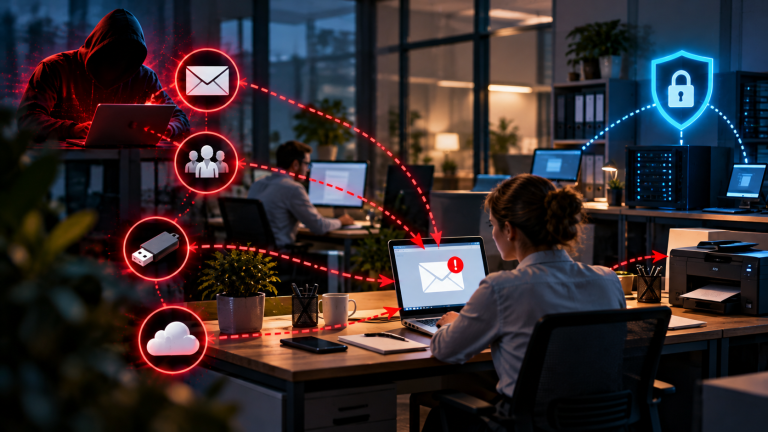
If you work in a small office, make sure your colleagues know that the affected computer should not be connected to USB drives, external hard disks, or other removable devices. Many types of malware can spread through external storage within seconds, turning a single infected computer into a much larger security incident.
By staying calm, isolating the affected device, and gathering the first important information, you have already taken the most effective steps to limit the damage. A fast and well-structured response gives your business the best chance of containing the attack before it develops into a much bigger problem.
2. Identify and Isolate the Threat
Once the affected device has been disconnected from the network, the next priority is to identify the type of threat and make sure it remains contained. At this stage, the objective is not to remove the malware immediately, but to understand what has happened and prevent the infection from spreading any further. Just as a contagious illness is isolated before treatment begins, an infected computer should remain separated until it is safe to investigate.
Start by observing the system carefully. Even small changes can provide valuable clues about the nature of the attack. Files may suddenly disappear, be renamed, or become inaccessible. The computer may run unusually slowly, the hard drive may remain constantly active, or the browser may open unexpected websites without any user input. Fake security warnings, suspicious update messages, or even a ransom note demanding payment are all strong indicators that malware could be present. Recording these symptoms can help determine whether the infection involves ransomware, a Trojan, spyware, or another type of malicious software.
The infected computer should remain completely isolated while you assess the situation. Avoid reconnecting it to the company network or the internet, and do not attach USB drives, smartphones, or external hard disks. If your business uses cloud storage services, pause file synchronization until you are certain the system is clean. In a business environment, it is also wise to temporarily disable access to shared folders, email accounts, or other company resources associated with the affected device. These precautions reduce the risk of malware moving laterally through your network and infecting additional systems.
If your organization has an IT department or works with a cybersecurity consultant, share your observations as soon as possible. Details such as the time the problem began, recent downloads, unusual warning messages, or suspicious emails can significantly speed up the investigation. Security professionals may use specialized forensic and diagnostic tools on a separate, trusted computer to examine network activity, identify malicious processes, and determine how the malware entered the system.
Even if you run a small business without dedicated IT staff, documenting what happened is an important part of the recovery process. Accurate information makes it easier to use malware removal tools effectively, restore affected systems, and seek assistance from cybersecurity specialists if necessary.
By keeping the infected device isolated and gathering as much information as possible, you create a secure digital quarantine. With the threat contained and the initial assessment complete, you are ready for the next step: scanning the system and safely removing the malware.
3. Scan and Clean – The Right Tools for the Job
After the infected device has been safely disconnected and isolated, the next step is to remove the malware. While it may be tempting to launch the installed antivirus software immediately, this is often not the safest or most effective approach. Many modern threats, including Trojans, worms, and rootkits, are specifically designed to avoid detection. They can hide inside system processes, disguise themselves as legitimate files, or even interfere with security software running on the infected operating system.
For this reason, cybersecurity professionals often recommend using an offline or rescue antivirus tool instead of relying on a standard scan. These specialized tools start from a bootable USB drive or DVD and load their own clean operating environment before Windows begins. Because the malware is not active during the scan, it cannot hide itself, block the security software, or resist removal. This greatly increases the chances of detecting and eliminating even sophisticated infections.
Offline rescue tools are an important part of any business recovery plan. They are designed to perform deep system scans, identify hidden malware, and safely remove threats that ordinary antivirus programs may miss. Whether you are dealing with ransomware, spyware, rootkits, or other persistent malware, a bootable rescue environment provides a much more reliable way to clean an infected computer.
Several well-established security vendors provide free rescue tools for emergency situations. Solutions from Kaspersky, Bitdefender, ESET, and F-Secure are widely used and trusted by IT professionals around the world. Each offers a slightly different approach, but they all share the same goal: scanning your computer from a secure environment before the operating system loads, allowing hidden threats to be detected more effectively.
A good practice is to prepare a clean rescue USB drive before you ever need it. Just like keeping a first-aid kit in your office, having a bootable recovery tool ready can save valuable time during a cyber incident. Updating the rescue media regularly ensures that it contains the latest malware signatures and is prepared to detect newly discovered threats.
If you are new to offline rescue tools, Bitdefender Rescue CD and ESET SysRescue Live are excellent starting points. Both provide straightforward interfaces, automatic signature updates, and reliable scanning capabilities, making them suitable for small businesses without dedicated IT staff.
On-System Tools (for Quick Checks)
If the infected computer is still running normally and you believe the malware is limited or has already been contained, an on-system scanner can be a useful next step. These tools run within Windows and are designed to detect or remove common threats without requiring a complete system recovery. However, they should only be used after the device has been disconnected from the network and only if the operating system remains stable and under your control. The following security tools are widely trusted and can help identify or remove common malware infections.
| Tool | Function | Best Use |
|---|---|---|
| Malwarebytes for Business | Comprehensive scanner that removes Trojans, worms, ransomware, and adware. | Reliable all-round protection for everyday business use. |
| Emsisoft Emergency Kit | Portable scanner that runs directly from a USB drive without installation. | Ideal for technicians or consultants who need to scan multiple computers. |
| Sophos HitmanPro | A powerful second-opinion scanner that detects threats other security software may miss. | Excellent for confirming that a system has been completely cleaned. |
| Microsoft Safety Scanner | Free on-demand malware scanner from Microsoft that requires no installation. | A simple and trustworthy option for Windows users. |
For the best results, many cybersecurity professionals recommend scanning the computer with at least two different security tools. Using a combination such as Malwarebytes and HitmanPro provides an additional layer of confidence that no hidden malware remains on the system. It is also a good idea to save scan reports and screenshots after the cleanup process. These records can be valuable for documenting the incident, supporting compliance requirements, or helping identify the source of the attack if further investigation becomes necessary.
Be cautious when searching for malware removal software online. Cybercriminals often distribute fake antivirus programs or so-called “miracle cleaners” that claim to solve every problem but actually install additional malware. Always download security tools directly from the official websites of well-known vendors.
If the computer continues to behave unusually after the cleanup, or if important business data has been affected, it is safest to contact a cybersecurity specialist. Professional incident response teams can perform advanced forensic analysis, recover damaged files where possible, and verify that no hidden backdoors or persistence mechanisms remain on the system.
By combining offline rescue tools with trusted on-system scanners, most malware infections can be detected and removed safely while minimizing the risk to your business. Once your systems are clean and operating normally again, the next step is to focus on recovery and long-term protection to reduce the likelihood of future attacks.
4. Recover and Protect Your Data
Once the malware has been removed, the work isn’t over yet — this phase is just as important as cleaning the system itself. Think of it as digital healing: your computer might look healthy again, but you need to make sure no infection or damage remains hidden. The goal now is to restore data safely, close security gaps, and rebuild trust in your systems.
If your company uses regular backups — and every business should — this is the time to use them. But don’t rush. Before restoring anything, verify that your backups aren’t infected. Always scan your backup drive or cloud storage with an up-to-date antivirus tool from a different, clean system, and restore only files that were last modified before the infection occurred. If you use cloud backups like Google Drive, OneDrive, or Dropbox, check the version history — many services let you roll back to earlier versions from before the malware hit. And keep at least one offline backup copy that’s disconnected from the network, so ransomware can’t encrypt your backup files as well.
One step that’s critical, and often overlooked, is changing all passwords and access keys. Even after a virus has been removed, stolen passwords or access tokens may still be circulating on the dark web. This includes administrator logins for Windows, routers, and cloud accounts, email and collaboration tools like Outlook, Teams, or Slack, online banking and payment platforms, and any account that was logged in on the infected system. Use strong, unique passwords with at least twelve characters, and enable multi-factor authentication wherever possible. If your team shares passwords, which you should avoid, switch to a password manager that supports secure sharing, such as Bitwarden or 1Password Business.
Before reconnecting the cleaned device to your business network, make sure it passes a few simple tests. Run one last deep scan using two different security tools, and install all pending updates for Windows, macOS, or Linux, along with your browsers, plugins, and email clients. Once reconnected, keep an eye on network activity for at least 24 hours — unusual data traffic could indicate a hidden backdoor. If possible, test the device in isolation, in a kind of sandbox environment, before putting it back into daily use.
If the infection was severe, or if your business handles sensitive customer data, it’s worth considering a forensic check as well. Tools like Autopsy, Velociraptor, or OSForensics can analyze exactly what happened — how the virus entered, which files it touched, and whether it left any traces behind. Understanding the root cause not only prevents a repeat but also helps you improve your internal security policy going forward.
If the malware affected business operations, customer data, or email systems, clear and responsible communication matters. Inform affected partners or clients that an incident occurred but was contained — transparent, but professional, since that builds trust rather than fear. Document all actions taken, including dates, tools used, and results. In some cases, especially within the EU, you may also be required to report serious data breaches to local data protection authorities under GDPR.
Once your systems are stable again, take an honest look back: were your backups recent and easy to access? Did employees report suspicious behavior quickly? Was your antivirus up to date? Use these insights to tighten your defenses and schedule regular security audits going forward — cybersecurity isn’t a one-time fix, it’s an ongoing process of awareness and prevention.
In short, recovering from a virus is a lot like recovering from a health scare — once you’ve cleaned up, you build better habits so it never happens again. With structured backups, strong passwords, and the right support, your business comes out of it stronger than before.
5. Prevention – Keep Your Business Safe
Once your systems are clean and running again, the most important step begins: prevention. Cybersecurity isn’t just about fixing problems — it’s about making sure they never happen again. For small and mid-sized businesses, prevention is often easier, and far cheaper, than recovery. The goal now is to build long-term protection, strengthen your digital defenses, and train your team to recognize early warning signs before a threat becomes an emergency.
Technology can do a lot, but people are still your strongest — or weakest — line of defense. Most cyberattacks succeed simply because someone clicks a fake link or opens a suspicious attachment. That’s why building a culture of awareness matters so much: short, regular security trainings, even just fifteen minutes a month, can make a real difference. Teach your team to verify sender addresses before clicking links or downloading files, and foster a “report, don’t blame” culture so employees feel safe flagging anything that looks off. A simple simulated phishing test now and then can show you exactly how your team reacts — not as a punishment, but as a low-stakes way to learn.
Just as important is controlling who, and what, can actually access your systems. Multi-factor authentication should be standard for all admin and email accounts, administrator privileges should be limited to those who truly need them, and old or unused user accounts should be reviewed and removed regularly. Remote access tools like RDP belong behind a VPN or a Zero Trust gateway, not exposed directly to the internet. If you’re already using cloud platforms, take a look at their built-in security dashboards, such as Microsoft Security Center or Google Admin Console — they often flag vulnerabilities you can fix within minutes.
It sounds almost too simple, but keeping everything updated remains one of the most powerful defenses available. Outdated software is still the number-one entry point for hackers and automated malware bots, so automatic updates should be switched on for operating systems, browsers, and antivirus software alike. Don’t forget firmware, especially on routers, firewalls, and IoT devices, and take the opportunity to remove old programs you no longer use. Setting a fixed “update day” each month, say, the first Monday, turns this into a thirty-minute routine that can save you thousands in recovery costs down the line.
Even the best protection isn’t perfect, which is why reliable backups are your safety net. As a rule of thumb, keep at least three copies of your data: one active, one local backup, and one offsite or in the cloud. Test these backups regularly to make sure they actually restore, encrypt the files, and keep at least one version offline, disconnected from the internet entirely. With solid backups in place, you’ll never have to pay a ransom or lose critical data again — you simply restore and move on.
Modern cybersecurity doesn’t rely on luck; it relies on intelligent tools. AI-powered solutions can spot unusual behavior long before a traditional antivirus would notice anything wrong, so it’s worth considering Endpoint Detection and Response systems for real-time monitoring, AI-based antivirus that learns from user behavior, and network firewalls or intrusion detection systems that catch suspicious traffic early. If enterprise-grade tools aren’t within reach yet, that’s fine — even affordable small business packages from trusted vendors like ESET, Bitdefender, or Sophos offer solid protection with central dashboards and automatic updates.
Finally, prevention means staying proactive. At least once or twice a year, run a full cybersecurity audit, either internally or with an external partner like CybersecureGuard. An audit helps you catch vulnerabilities before attackers do, stay compliant with regulations like GDPR, and build customer trust through verified security standards. Once you know your systems are safe, you’re free to focus on what actually matters: running and growing your business. Every business, no matter how small, is a potential target. But with awareness, preparation, and the right tools, cybersecurity can shift from being a source of fear to a genuine strength. Security isn’t just protection — it’s confidence in your digital future.
Conclusion – Virus Infection Response for Small Businesses
A virus infection can feel like a digital nightmare — files vanish, systems grind to a crawl, and within minutes your whole business seems to stall. But here’s the truth: you’re not helpless in that moment. With the right first response, trusted cleanup tools, and a clear recovery plan, even a small company can act fast, contain the damage, and come out the other side stronger than before. Cybersecurity isn’t really about technology first — it’s about mindset and preparation. The businesses that recover quickly aren’t necessarily the ones with the biggest budgets; they’re the ones that knew what to do before the crisis hit. If you’ve followed the steps in this guide, you’ve already done what far too many companies never get around to: you’ve taken control of your cybersecurity instead of leaving it to chance, and turned a moment of chaos into a plan you can trust.
Get Personal Cybersecurity Guidance
Cyber threats don’t wait for a convenient time, and when questions come up, you need clear answers, not another article to read later. That’s why I opened a private Slack workspace for small business owners, consultants, and decision-makers: a direct line to personal cybersecurity guidance, real-world advice, and ongoing support, whenever you need it.
👉 [Join the CyberSecureGuard Slack channel]
I also recommend reading the following articles:
Can a PDF File Be Malware? The Hidden Dangers You Need to Know
Cybersecurity 2025: The Biggest Risks for Businesses – and How to Protect Your Company
How to recognize phishing and Trojans – 7 warning signs you need to know
Will your company still need antivirus software in 2026 – or is it just expensive snake oil?
Your Antivirus Sounds the Alarm? Here’s How to Check if It’s Really Dangerous