

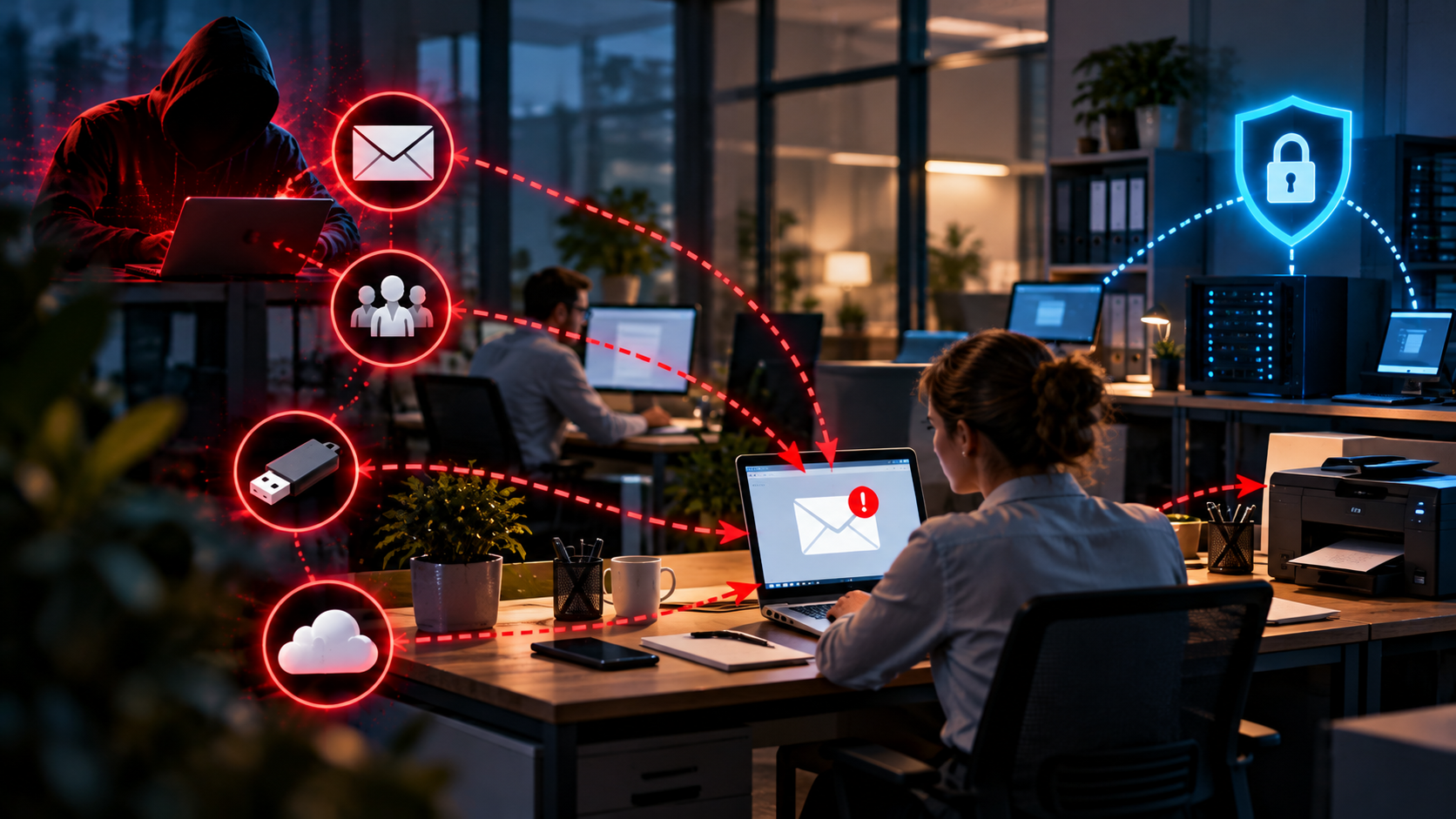
Most small business owners think about hackers like in the movies: someone sits in a dark room and breaks through the firewall of the main system. In real life, this almost never happens. Many owners also believe, “We are too small. Nobody wants to attack us.” This is a dangerous idea. Attackers do not choose their victims one by one. They use automatic tools that test thousands of companies at the same time, and small businesses are often the easiest targets, because they have less protection and fewer people who watch the systems.
Attackers are practical. They look for the easiest way in, and the easiest way is rarely the main system. It is usually a person, a supplier, an old account or a forgotten device. Why break a strong door when a window is open? For an attacker, this is a simple calculation: little work, high chance of success, and a good reward. They do not need to be experts. They only need one weak point, and in a small business there are often several. The damage can be serious. A successful attack can cost you money, days or weeks of work, and the trust of your customers. For a small company, this can be very hard to recover from.
In this article, I show you five common “side doors” that attackers use against small and mid-sized businesses. Then I give you simple steps to close them.
Door 1: Stolen and reused passwords
The most common way in is also the simplest: a valid username and password. Attackers do not need to hack anything if they can just log in. A stolen login is very attractive for an attacker. It is cheap, it is fast, and it makes no noise. There is no broken firewall and no alarm. The attacker simply opens the front door with a real key. Where do they get the passwords? There are several ways. The most common one is data leaks at other websites: when an online shop, a forum or an app is hacked, millions of email addresses and passwords can be published or sold.
Another way is phishing, where an employee types the password into a fake login page (more about this in Door 2). Some harmful programs, called malware, also copy the passwords that are saved in the browser. And weak passwords are easy to guess: attackers simply try common ones, like the company name followed by a year. The problem gets bigger because many people use the same password for their work email and for a shopping site. When the shopping site is hacked, the attacker tries the same password on your Microsoft 365 or Google account. This is called “credential stuffing”, and it works more often than you think. Attackers do not do this by hand. Software tries thousands of combinations in a short time.
The attacker then looks like a normal employee. Your security tools may not see anything strange, because the login is correct and the password is right. Once inside an email account, the attacker can read old messages, learn how your business works and send fake invoices to your customers from a real address. Sometimes attackers stay quiet for weeks before anyone notices. Small businesses are often at higher risk here for simple reasons: shared passwords for team tools, one password for many systems, and no second step like multi-factor authentication (MFA). These habits save time every day, but they give attackers an easy job.
Read here How to create secure passwords that are extremely difficult to crack
Read here How often should companies change passwords? Current security recommendations for 2026
Door 2: Fake emails and messages
Phishing is still one of the most successful attack methods. But today, these emails are much better than the old ones with bad spelling. Attackers now use real logos, correct language and a professional style. Many of them use AI tools to write perfect text in any language. They also do some research first. They read your website and your social media profiles to find the names of your employees, your suppliers and your tools. Then they write a message that fits your business. This is often called “spear phishing”, because the attack is aimed at one company or one person.
Modern phishing emails look like real messages from your bank, your boss, a delivery company or a software provider. A common example is the fake invoice: an email with a PDF that asks you to “check the payment details”. Another example is a message that says “Your password expires today, click here to keep your access.” A third example is a short note that seems to come from the manager: “Are you at your desk? I need a quick favour.” If the employee answers, the attacker slowly asks for money, gift cards or sensitive data.
The link leads to a fake login page. It looks exactly like the real one, so you type in your password, and the attacker has it. Some attackers even steal the code from your two-factor login in real time: you enter the code on the fake page, and the attacker uses it immediately on the real page. Other emails contain an attachment or a QR code. When you open it, harmful software is installed on your computer, or you land on a fake website.
Small teams are an easy target here, because there is often no one who checks suspicious emails. One tired employee on a busy Friday is enough. Phishing messages also use pressure on purpose. Words like “urgent”, “today” or “last warning” make people act fast and think less. On a phone, it is even harder, because the screen is small and the real sender address is often hidden.
There are some warning signs that help. The sender address is slightly different from the real one. The message is unexpected, or it asks for something unusual, like a payment, a password or a code. The link goes to a different website than you expect when you move your mouse over it. If you notice one of these signs, stop and check with the sender by phone or in a new message, not by replying to the email.
Email Security Guide 2026: Find Your Risks Before Attackers Do
Door 3: Suppliers, partners and IT service providers
Your business is only as safe as the companies you work with. Many small businesses give their accountant, their IT provider, their marketing agency or their software vendor access to their systems. That access is useful, but it is also a risk.
Think about how many outside companies can reach your data today. Your IT service provider may manage your computers from a distance. Your accountant may have a login to your accounting software. A cloud provider stores your files, and a payment service handles your money. Each of these connections is a door into your business, and you do not control the security behind it.
If a supplier has weak security, the attacker can go through the supplier to reach you. Your own defences may be strong, but the attacker comes in with trusted access. This is often called a supply chain attack. It is attractive for attackers because one hacked provider can give them access to many customers at the same time. A small IT company with fifty customers is a much better target than one single small business.
This kind of attack is hard to see. The login comes from a known partner, the connection looks normal, and your security tools have no reason to be suspicious. Attackers also copy real suppliers. They send an email from an address that looks almost the same, and they ask you to change the bank details for the next payment. Sometimes they hack the real email account of the supplier first, and then the message even comes from the correct address and continues an existing conversation. Many businesses lose a lot of money this way, because the request looks completely normal and the money is often gone before anyone notices.
A good habit is to treat partners with the same care as your own team. Before you give access, ask yourself what the supplier really needs to see. When the project ends, close the access. And if a supplier asks you to change payment details, always confirm it by a phone call to a number you already know, never to a number from the email.
Door 4: Forgotten accounts, old devices and weak remote access
Every business has things that nobody looks at anymore. Attackers love these things, because no one notices when they are misused. Over the years, a company changes a lot. Employees come and go, tools are replaced, and projects start and end. But the old accounts, devices and settings often stay. In a small business, nobody has a complete list of everything that exists, so these forgotten things become a quiet risk.
Old accounts are the first problem. When an employee leaves, the email account or the cloud login is often not closed. The same happens with accounts for freelancers, interns and test tools. If the password of such an account is stolen, nobody notices, because nobody uses the account anymore. Old devices and systems are the second problem. An old test server or website may still run in the background without any updates. A router, a printer or a security camera may still use the default password from the factory, and attackers know these passwords very well. Software that has not been updated for months often has known security holes, and attackers have ready-made tools to use them.
The third problem is weak remote access. Since more people work from home, many companies use tools like Remote Desktop (RDP) or a VPN to reach their systems from outside. If these tools are open to the internet without extra protection like multi-factor authentication, they are a very easy target. Many ransomware attacks start exactly here. Attackers use automatic tools that scan the internet all day and night. They look for exactly these weak points. They do not care if you are a small company. For them, you are just one more open door. A simple first step is to make a list of all accounts, devices and remote access tools in your business. You cannot protect what you do not know about.
Read here The attack no one expected: How old IT devices almost destroyed a Swiss company
Read here How to Stop Ransomware on Your Devices: A Practical Guide for Small Businesses
Door 5: Phone calls and social engineering
Sometimes attackers do not use technology at all. They simply talk to your people. The weakest point in many companies is not a computer but a human being who wants to be helpful. Attackers know this, and they use it. A phone call or a message is often cheaper and faster than any technical attack. A typical call goes like this: “Hello, I am from the IT support of your provider. We have a problem with your account. Can you please read me the code that you just received by SMS?” The caller sounds friendly, professional and a bit stressed. Many people want to help, so they give the code. In reality, the attacker has just tried to log in to the account, and the code that the employee reads out is the last step they need.
Other attackers pretend to be someone else in different ways. They say they are a new colleague who has lost access, a customer with an urgent problem, an authority that needs information, or a technician who must visit the office. Some even walk into the building in work clothes and ask for access to the server room. This is called social engineering. The attacker uses trust, time pressure and helpfulness instead of technical tools. Today, attackers can even use AI to copy the voice of a manager or to write perfect messages in any language. A short voice message that sounds exactly like your boss is no longer proof that it is really your boss.
In a small business, everyone knows each other, and this makes these tricks easier. An employee will not question a message that seems to come from the boss. Nobody wants to look rude or slow, especially when the caller says it is urgent. The best protection is a simple rule that everyone can follow without feeling uncomfortable: never give out passwords or codes by phone or message, and check every unusual request through a second channel. If someone calls and asks for something sensitive, hang up and call back on a number you already know. A real colleague or provider will understand this. An attacker will not like it, and that is exactly why the rule works.
Read here how AI Voice Scams: Could Someone Fake Your CEO’s Voice?
How to close these side doors
You do not need a big budget. These steps are simple, and they stop most of the attacks above. You also do not have to do everything in one week. Start with the first steps, and then work through the rest one by one. Every step makes your business a harder target, and attackers usually move on to an easier one.
- Use a password manager and unique passwords. Every account needs its own strong password. A password manager creates and saves these passwords for you, so nobody has to remember them or write them on a note.
- Turn on multi-factor authentication (MFA) everywhere. Start with email, banking and cloud tools. Use an authenticator app or a security key instead of SMS codes if you can. With MFA, a stolen password alone is no longer enough.
- Train your team. Short, regular sessions work better than one long training per year. Show real examples of fake emails and calls, and make it easy to report a mistake quickly without fear of blame.
- Create one simple rule for money and data. For example: every change of bank details must be confirmed by a phone call to a number you already know. A clear rule protects your employees, because they do not have to decide alone in a stressful moment.
- Check your suppliers. Ask them how they protect your data. Give them only the access they really need, and remove it when the project ends.
- Clean up your accounts and devices. Close the accounts of former employees, remove software that nobody uses and change all default passwords on routers, printers and cameras.
- Install updates quickly. Turn on automatic updates for your computers, your router and your software, because many attacks use security holes that already have a fix.
- Close open remote access. Tools like RDP should never be open to the internet. Put them behind a VPN and use MFA.
- Make backups and test them. Keep at least one copy offline, and test from time to time if you can really restore your files. A working backup is your best protection against ransomware.
Conclusion – How Attackers Get Into Small Businesses
Hackers do not need to be clever, and they do not need to break your main system. They look for the easiest way in, and in a small business there are often several: a reused password, a fake email, a trusted supplier, an old account or a friendly voice on the phone. These five ways have something in common. None of them needs advanced hacking skills. They use normal things from daily business: trust, habits, time pressure and things that nobody checks anymore. This is why a strong firewall or a good antivirus program is not enough on its own. Good security is also about people and simple rules.
The good news is that you can fix most of these problems without expensive tools. Start with passwords, MFA and a clear rule for payments. Then work step by step through the list of side doors. You do not need a perfect system on day one. Every small step makes your business a harder target, and attackers usually move on to an easier one. If you are not sure where your business is open, ask a security expert to check it. It is much cheaper to close a door today than to repair the damage after an attack.
I also recommend to read the following article
Hackers don’t need to break through your firewall when an employee holds the front door open
How Hackers Break Into Microsoft 365 — and How You Can Stop Them
The 10 Biggest Cybersecurity Mistakes Small Businesses Are Making in 2026
The Hacker Groups Behind Today’s Biggest Cyber Threats – And How They Attack Businesses